
 by
by 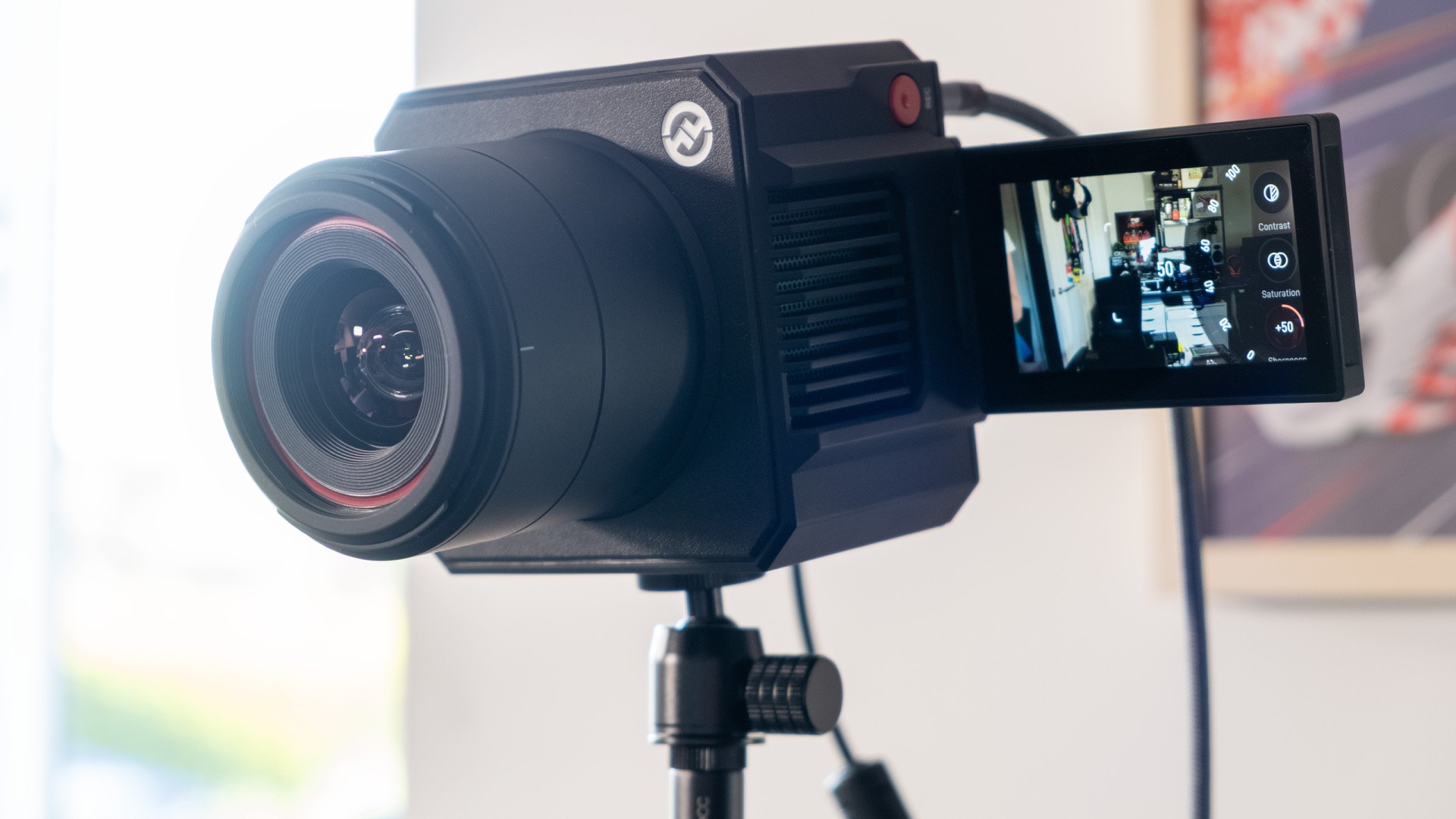
Here's a question: when does a webcam stop being a webcam, and start being something more? At £500/$550, the VenusLiv Air from Hollyland is a hugely expensive webcam, but it packs in so much in terms of fidelity and features that it feels like a whole different class of product - a proper do-it-all streaming camera. And, unlike a regular DSLR, mirrorless or compact camera, you don't need a capture card to use it. In fact, you don't even need a PC.
The fanciest webcam I'd used before the VenusLiv Air was Elgato's £300 Facecam Pro, a 4K 60fps camera that used a comparatively huge 1/1.8" sensor and high-end electronics to push an image that could charitably be mistaken for one from a proper mirrorless camera. The VenusLiv Air beats the Facecam Pro on quality with its larger 1/1.3" CMOS sensor (~50MP) and f/1.05 aperture - so much so that I was genuinely shocked when I got the first pictures back from the camera - but absolutely trounces it when it comes to adaptability and depth of features.

As well as connecting easily to a PC over USB 3.0, like a standard webcam, it can stream directly to video sites or connect to a phone app via ethernet or 2.4GHz wireless. Want to add in a Hollyland microphone or another audio source? There's another USB-C, Bluetooth and 3.5mm. Monitoring or switching between multiple cameras is possible with an HDMI output, and power is provided with a lockable barrel jack attached to a two metre cable.
A flippable three-inch 480p screen shows you what it's recording, while touch functionality lets you adjust settings, change focus and even zoom from 1x to 4x. Both vertical and horizontal recording are supported, with threaded mounts on two of its four sides, while a cold shoe mount, full-size SD card slot and big red recording button give it even more flexibility.
It's an impressive toolbox, and it means that the same camera can be used for pretty much everything you'd need or want to do. I've used it on a tripod for taking photos and videos for my articles, plugged it into my network and stuck it out a window to automatically alert me to neighbour cats using a vibe-coded app, and of course used it as a camera for my Digital Foundry Direct appearances.
You can also use RTMP to stream directly from the camera to Twitch, Facebook or YouTube, which is brilliant for simpler streams - say, a live feed from a nest box. The camera can simultaneously stream to two platforms, eg YouTube and Twitch, again sans computer. The initial setup requires connecting the VenusLiv to the internet, either via Wi-Fi or ethernet, then scanning a QR code on the camera. From here, it's a case of logging in with a Google or Twitch account, which should pull in the necessary stream keys and so on - or you can type them in manually on your phone. From there, you can go live with the push of a button, and you get a nice live readout of your current bitrate and stream duration on the camera screen.
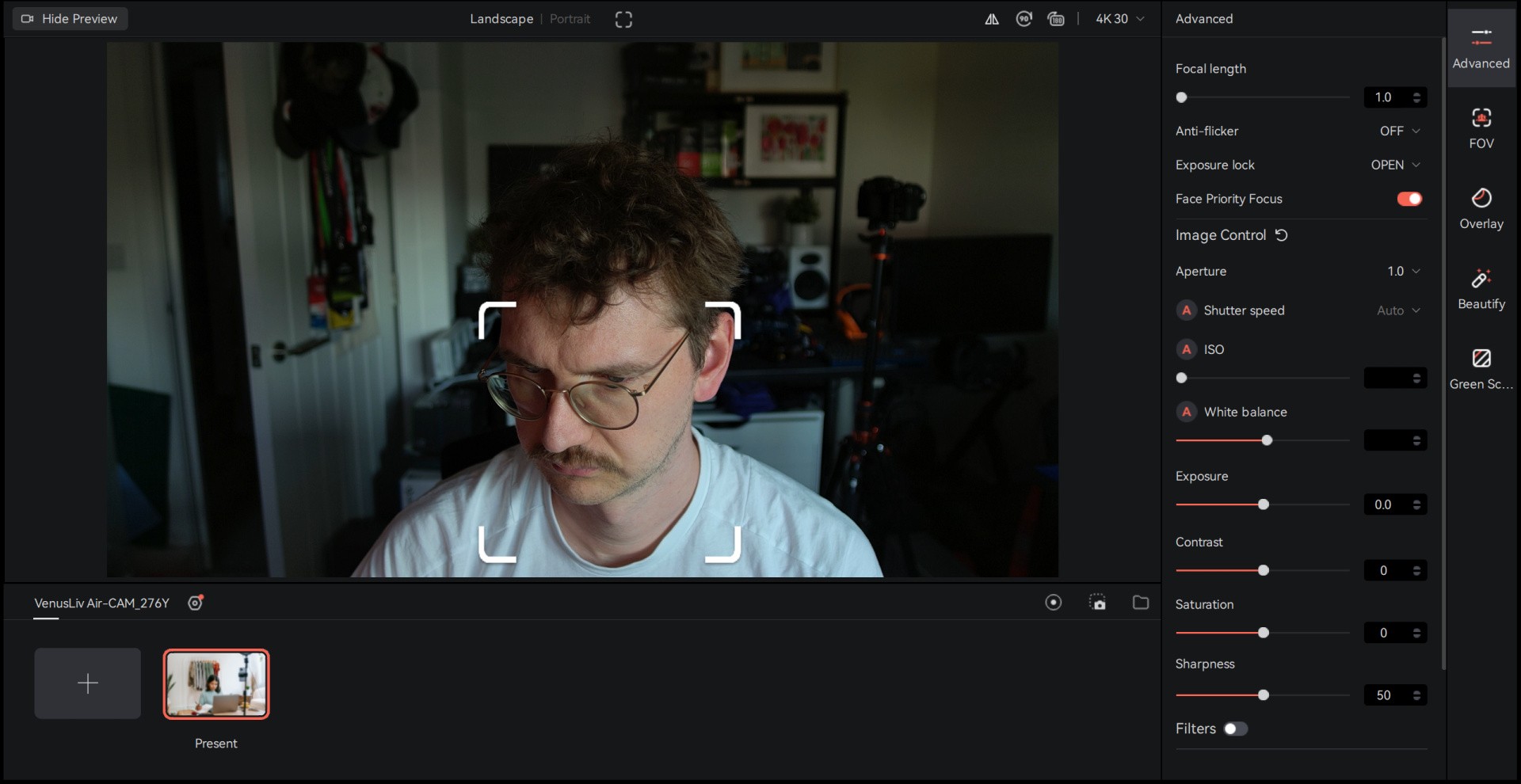
The one slight downside here is the Holly Studio software for Windows, which is good but not as polished or extensible as Elgato's Camera Hub software. You do get a good range of options to lock in the look you're after in terms of shutter speed, ISO, white balance, exposure and so on, with the ability to save presets and activate various filters, but it's all fairly basic stuff.
Elsewhere, you can click to focus, toggle face tracking and change between 4K30 and 1080p60 modes, but the beautify modes just make you paler, and the green screen function does require a proper green screen to work rather than using AI to remove or blur your background as you might expect.
As a standalone offering, there's no integration with other products here - one area where the Elgato offering strides ahead with its easy interoperability with same-branded Stream Decks, microphones, lights and so on. Hollyland does produce a staggering range of cameras and microphones, but it's largely professional gear rather than something targeting gamers and streamers like the Elgato range.
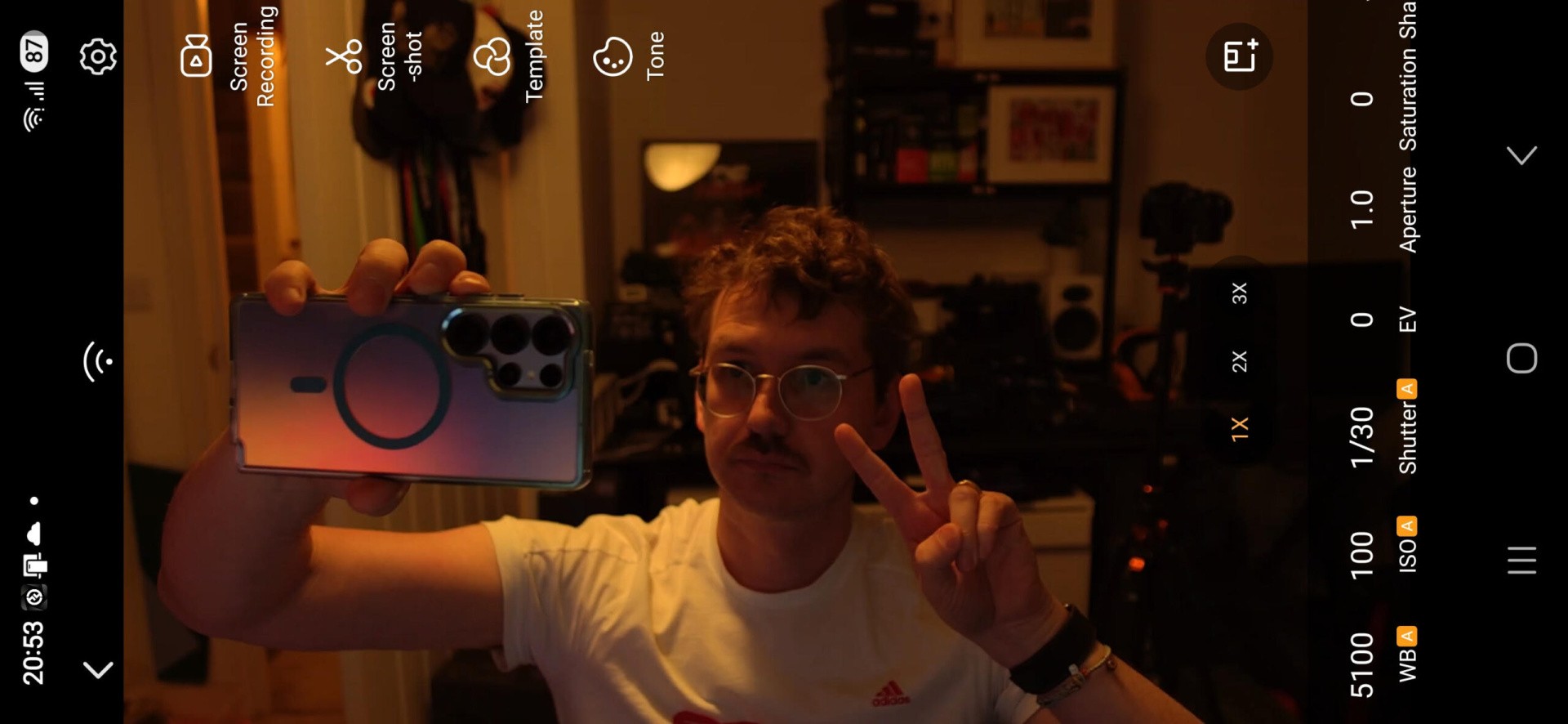
If you prefer to change settings via mobile, HollyCam (previously known as VenusCam) is also available on Android and iOS, where you get a smaller subset of settings, but the core options are there. I wish the app supported a landscape orientation though, as it's a bit disorienting having to choose between your video feed or your controls appearing correctly.
There are some other minor usability flaws with the camera as a whole. Having a rubber lens cap is better than nothing, but I might have preferred a slide-to-close system so that I don't have to keep track of an extra accessory. Similarly, should you want to turn the camera off, you need to long-press the power button, wait for a "power off?" prompt to appear, then confirm it. The camera doesn't seem to turn off by itself, even when the PC it's connected is powered down, so an eco mode that does this automatically would make sense.
There's also no obvious way to make the camera battery-powered, which would be pretty sweet for use for IRL streams - even if it would require a hefty battery pack or only work for a short time period. The image quality, touchscreen controls, mic compatibility and direct live streaming are all suited for this use-case, so perhaps someone (like Hollyland itself) can rig up a barrel jack to USB-C battery adapter so you can take the camera on the go.
I'd also love to see a simple way of exposing the camera over the network, without needing to pick up a Pyro S or Pyro H transmitter. After all, if you can already see the camera stream via the mobile app, why not push the same feed out through a webpage?
Overall though, it's hard not to be impressed with the VenusLiv Air's image quality, breadth of features and ease-of-use. It's certainly overkill for a streamer that's just starting out at £500/$550, but I can see this as a smart middle ground between a more expensive camera-and-capture-card setup and a cheaper webcam-only situation.
Please note that some external links on this page are affiliate links, which means if you click them and make a purchase we may receive a small percentage of the sale. Please read our FTC Disclosure for more information.


Comments 0
Wow, no comments yet... why not be the first?
Leave A Comment
Hold on there, you need to login to post a comment...