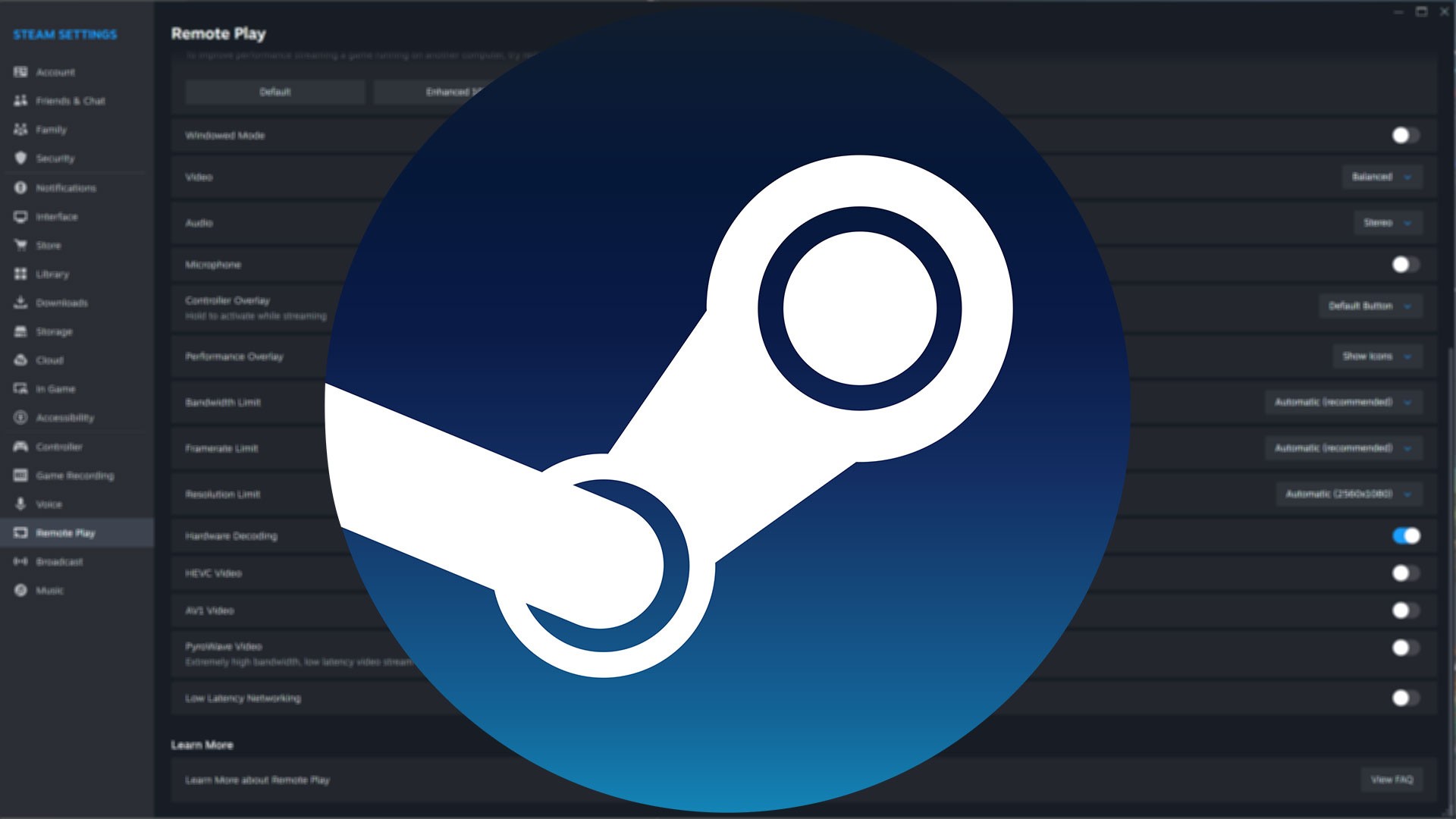
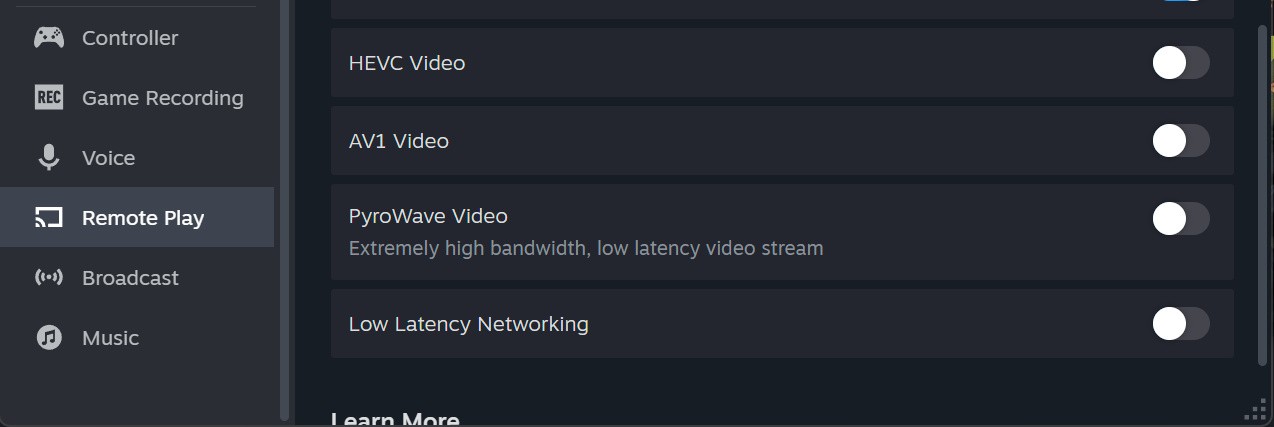
Steam's Remote Play feature works well for local game streaming, but it tends to be less aggressively developed than open source alternatives like Sunshine and Moonlight - the focus is simplicity rather than power. That dynamic has shifted with the latest Steam Client beta, which incorporates an experimental video codec called Pyrowave.
The idea is to make full use of available bandwidth to cut latency as much as possible, something Valve describe in their blog post as a "unique characteristic". In fact, the codec can use an order of magnitude (up to 10x) more bandwidth than other streaming codecs like H264, HEVC and AV1, so Valve suggests it's only useful on computers directly connected with at least gigabit ethernet on a local network.
In exchange, the codec uses GPU encoding/decoding for low latency; supports full colour (YUV 4:4:4) which is useful for 4K desktop streaming; and HDR is automatically enabled for streaming if it's used by both client and host systems.
The codec was created by Hans-Kristian Arntzen, a frequent Valve collaborator who is best known for their work on the VKD3D-Proton framework, which translates DX12 to Vulkan to allow Windows games to run on Linux.
Arntzen explained the idea behind Pyrowave more completely in a blog post last year, and it's fascinating stuff - in short, the codec essentially processes each frame independently, rather than relying on motion prediction to compress the video stream, while also eschewing other common tactics like entropy coding and discrete cosine transforms (DCTs). I won't pretend to understand video encoding this deeply, but it's interesting to see how Expedition 33's overworld is shown as an example of an extremely tough test (lots of fine foliage detail with TAA), while Stellar Blade's "blurred backgrounds" make it easier to stream. The full blog shows early results for Street Fighter 6 and Final Fantasy 7 Rebirth too. Clearly, the codec has developed substantially since last year to make it to the beta version of Steam.
Note that while Pyrowave is available for desktop Steam clients currently, it isn't yet available for the mobile app - though Valve employee Sam Lantinga says that it will be added to the mobile app "soon". Similarly, this is useful for streaming "flat" games, rather than being a Steam Frame or VR-related update.
In my testing between my desktop and an ethernet-connected Xbox Ally X at 1080p60, 007 First light streamed with 10ms of latency (<1ms input, 9ms display) at a bitrate of ~190mbps. Doubling the frame-rate to 120fps worked out to 15ms of latency at a bitrate of 380mbps.
Why not give the new codec a try yourself and let me know the results in the comments below?


Comments 20
Sounds great, but what would I stream this to? A Steam Machine? Anything running Bazzite? I can get a 10 Gbps NIC for my PC, but you clearly can't get a 10 Gbps NIC for a Steam Machine.
@Someguyperson Good question. Focusing only on hardware from Valve perhaps the steam frame can benefit with the dual wireless connectivity? That or a dongle to add 2.5g ethernet to the steam machine.
@Someguyperson 1Gbps is totally fine, so any wired connection from the past decade should work!
This is interesting as I already use Sunshine/Moonlight to stream from my PC to my TV (Android) and it works brilliantly, no perceptible lag on a controller and from having tested it as best as I can with a 240fps camera it only seems to add around 25ms when streaming at 4k60HDR and only with occasional drops. On a controller game that is totally fine, I am usually playing older games this way, high end PC games I usually play at the desktop.
Years ago I used to use Steam Link to the TV but it has huge latency now and seems to struggle with anything over 1080p and even at times 720p on exactly the same hardware and connection, when Sunshine/Moonlight are happy at 4k with near zero blips. This new codec might be a huge boost but I would also recommend anyone wanting to tinker with streaming to a TV from their desktop to give Sunshine/Moonlight a go, it is relatively simple to set up on both, maybe even an opportunity for a small article if @wsjudd gets a chance at some point?
@MattGPT Wish I still had my Steam Link (or an Android-based TV)! If you have the time to test it, feel free to email me some notes and I can write them up
@wsjudd Quality always seems good but I have no way to capture directly from the TV but I will see if I can figure anything out. I tested latency by videoing with a GoPro at 240fps as I wanted to see what it was like with my Steam Controller (as an aside it finally turned up and I think it is excellent).
It might take me a while with work and a few other bits but I will see if I can pull anything useful together and send it over.
Ally X on ethernet feels like a tiny niche of a niche situation, but while I can see a few situations where this may be useful it still seems aimed at a small portion of users.
@MattGPT exactly the use case I was thinking of! Last time I looked into it, I gave up pretty quick. Any simple guides out there? I might have been one too many beers into it last time...
@themightyant It was just a quick test to see it in optimum conditions, and it's not any more annoying than playing it plugged into the wall - and WiFi 7 ought to offer faster than gigabit speeds too! So, definitely not the new default, but perhaps more broadly useful than you're thinking.
It's nice to see improvements on that side. But why Valve don't use gamescope capabilities to change the host refresh rate and resolution to match the client. I don't want to change my settings if I go from my computer (connected to my tv, so 4k 144hz no vsync), to my steam deck (800p 60hz vsync).
@SL0MAR Setting up both Sunshine and Moonlight is easy, Moonlight was just an install from the Play Store onto an Android TV and Sunshine is just installed onto the PC as a service and configured via a browser. I think the total process took less than a couple of minutes. By default it was set to 540p, but I changed that to 4k, 60hz and enabled HDR and I was up and running. The only other thing that might be different is I disabled the HID prompt from Sunshine as am using my Steam Controller connected to my PC and not using a controller connected to the TV.
Just make sure you get the current version of Sunshine and it should be easy enough, there is a rough guide on the official GitHub, but it mostly just fire and forget once one picks the right resolution.
@MattGPT I thought the Steam Link only supported 1080p 60 Hz output? I haven't used mine in a little bit, but the lag seemed relatively reasonable on a controller. Your network configuration would have a lot to do with latency as well.
@Someguyperson that is the hardware Steam Link, the app does 4k60.
The latency thing is weird as I was playing around with it this weekend, Sunshine/Moonlight was much lower to the point I did not perceive it with a controller, although I could on a mouse, but with Steam Link it felt almost unplayably laggy. Same network, same hardware, just the difference between Steam Link and Sunshine/Moonlight.
I have a really busy week with work, but when I stop drowning I am happy to pull together what I can and I will send it over to Will so he can see if there is anything interesting in it all. I should be able to measure latency reasonably well using a 240fps camera, I can figure out a way to show the macro blocking with Steam Link and see if there is anything interesting in any of that.
Very sad PyroWave Video option is greyed out on CachyOS
@MattGPT According to Valve's own documentation, these are the only supported resolutions on a Steam Link (source: https://help.steampowered.com/en/wizard/HelpWithGameIssue/?appid=353380&issueid=351&nodeid=189&return_nodeid=12):
Your Steam Link boots at 480p (Steam Link logo), then switches to 1080p by default.
You can change the boot resolution to any of the following:
1080p
1080i
720p
480p
MV_PE_VOUT_FORMAT_720_480_I_5994
MV_PE_VOUT_FORMAT_720_480_I_60
MV_PE_VOUT_FORMAT_720_480_P_5994
MV_PE_VOUT_FORMAT_720_480_P_60
MV_PE_VOUT_FORMAT_720_576_I_50
MV_PE_VOUT_FORMAT_720_576_P_50
MV_PE_VOUT_FORMAT_1280_720_P_25
MV_PE_VOUT_FORMAT_1280_720_P_2997
MV_PE_VOUT_FORMAT_1280_720_P_50
MV_PE_VOUT_FORMAT_1280_720_P_5994
MV_PE_VOUT_FORMAT_1280_720_P_60
MV_PE_VOUT_FORMAT_1920_1080_I_50
MV_PE_VOUT_FORMAT_1920_1080_I_5994
MV_PE_VOUT_FORMAT_1920_1080_I_60
MV_PE_VOUT_FORMAT_1920_1080_P_24
MV_PE_VOUT_FORMAT_1920_1080_P_25
MV_PE_VOUT_FORMAT_1920_1080_P_2997
MV_PE_VOUT_FORMAT_1920_1080_P_50
MV_PE_VOUT_FORMAT_1920_1080_P_5994
MV_PE_VOUT_FORMAT_1920_1080_P_60
Also, the Steam Link only supports "Fast Ethernet" which is 100 Mbps, it doesn't have a gigabit connection. The Steam Link isn't nearly good enough anymore, so I'm not surprised at all that the newer streaming solutions are substantially better.
I tried it today from my pc to steam machine and when I started to stream PyroWave video changed from on to off and grey. Bit odd. The stream seemed ok but didn’t have much time to scrutinise it with any details. So not sure if it was a bug or just not working properly at the moment.
@Someguyperson
Your details seems to be for the physical Steam Link device which is a legacy product.
https://ibb.co/TBvrXyKX
That is the Android TV app, there are a bunch of options in customise, but it does do 4k.
@wsjudd
Is it really using 380MB/s, or is it 380Mb/s. I'm finding it hard to believe it's the former, given you said gigabit works fine.
@ts9tHekgpb6CaG Yup, good catch! Fixed, thank you
@wsjudd Still got my Steam Link, have they updated it in a while?
Show Comments
Leave A Comment
Hold on there, you need to login to post a comment...