
 by
by 
There's a growing support amongst PC gamers for Linux, as Windows 11 becomes increasingly complex and Valve's Proton compatibility layer for running Windows games gets ever better. That's caused something of a crisis within Microsoft, especially given its upcoming Project Helix console, and we're now starting to see signs of the major Windows 11 update intended to redress those concerns.
According to Zac Browden at Windows Central, the update is codenamed K2 and is intended to be a structural overhaul that focuses on speed, simplicity and customisability across several updates. Here are the six best mooted features.
Improved gaming performance
Windows has been the de facto home of PC gaming for years, so the fact that Windows games can run faster via Proton translation on Linux is something of a bloody nose for Microsoft. Similarly, it's never a great look when your previous operating system beats your new one in terms of average frame-rates, something that we saw in our CPU testing a few years back.
The Windows Central report suggests that the firm is looking to meet or beat SteamOS when it comes to gaming performance, though it's not clear if that extends to a better solution for preventing shader compilation stutter - presumably not. Games typically run faster on Linux due to the operating system consuming fewer resources, so debloating and better prioritising CPU, RAM and VRAM could make a small but significant difference here.
What's your #1 wishlist item for Windows K2? (1,761 votes)
- Faster gaming performance
- More responsive Windows performance
- Less annoying updates
- More taskbar flexibility
- Less (prominent) AI
- Other
A faster start menu
The start menu is a classic battleground for Windows changes, with pretty much every new major release shifting what the start menu can do and how it looks. For K2, the start menu is being rewritten in the latest framework, WinUI 3, which reportedly brings with it a 60 percent improvement to responsiveness. Ads are being removed too, while search for local files should be essentially instant as web results are deprioritised. These are all smart changes in my book, especially as start menu speed is one of the biggest changes you can notice when moving to Linux (or older versions of Windows).
Less annoying updates
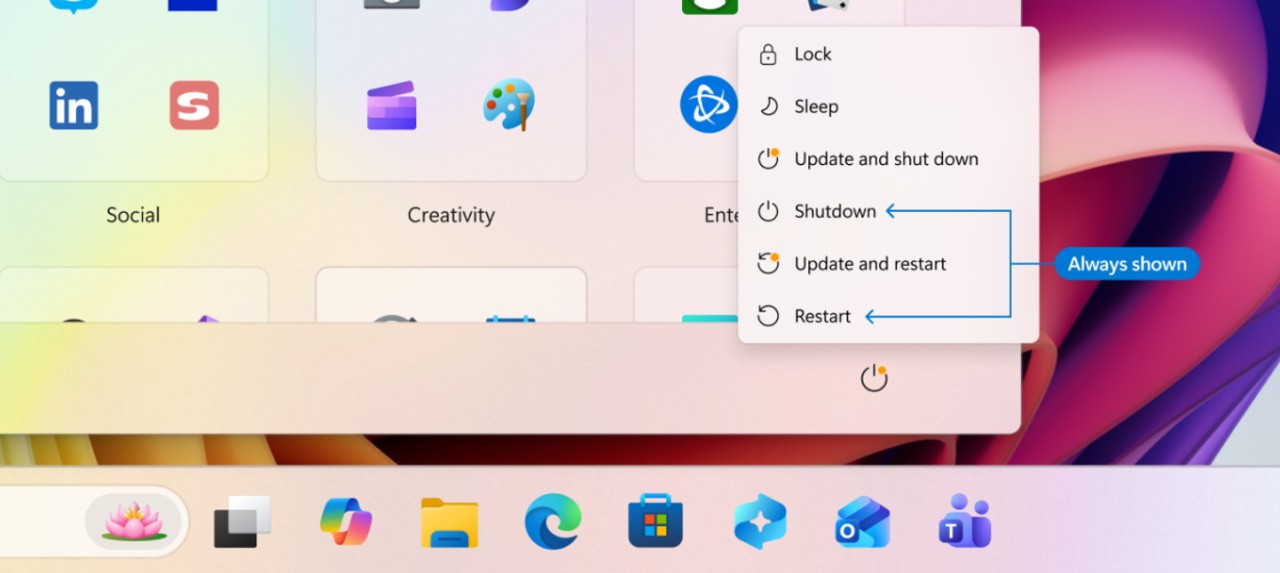
Windows updates should be an exciting time - wow, new features! A fresh splash of paint! Tighter security! Unfortunately, that tends not to be the case when the updates come thick and fast, require reboots (or prevent reboots until installed), and sometimes break existing functionality. The K2 programme aims to offer the ability to pause updates indefinitely, which is nice, but more importantly updates should only arrive once a month. Similarly, display and audio drivers should only update during a restart, rather than while you're using the PC, to prevent issues there. Microsoft recently added the ability to skip post-installation updates and restart or shut down without installing updates, so further changes along these lines are most welcome.
More responsive file explorer
As well as faster gaming and a more responsive start menu, your classic explorer.exe file browser is also seeing improvements. Simply moving through your computer should become faster, and calculations (like working out the size of a folder) should speed up too. According to Windows Central, Microsoft is looking at the third-party file browser File Pilot as a source of inspiration and as a benchmark for performance.
Taskbar flexibility
The vast majority of people use the taskbar on the bottom of the screen, but that's (slightly) because Windows 11 forces you to. Part of the updates now in Insider testing include better taskbar management, allowing you to move the taskbar to the left, right or top of the screen, as well as making the taskbar thicker to allow for multiple rows of open apps to be listed. This is all stuff that was possible in prior Windows versions, but adding it back eventually is better than nothing.
Less prominent AI integration
AI is part of Windows 11, and that's not going to change despite the pushback. However, Microsoft has committed to slowly changing how it deploys AI, with fewer "unnecessary entry points" in apps like Notepad and the Snipping Tool. K2 will hopefully go further than that too, eg by using the experimental Feature Flags page that surfaced recently in Insider builds to make it easier to opt out of specific AI features. Ideally, there would be a massive toggle to disable AI integration entirely, but that would be a massive u-turn from a company that is still very publicly driving adoption of generative AI.
It's a promising to-do list, but as the codename suggests, this is still a heck of a mountain to climb. Still, I'd like to add several of my own suggestions too, if Microsoft are taking them:
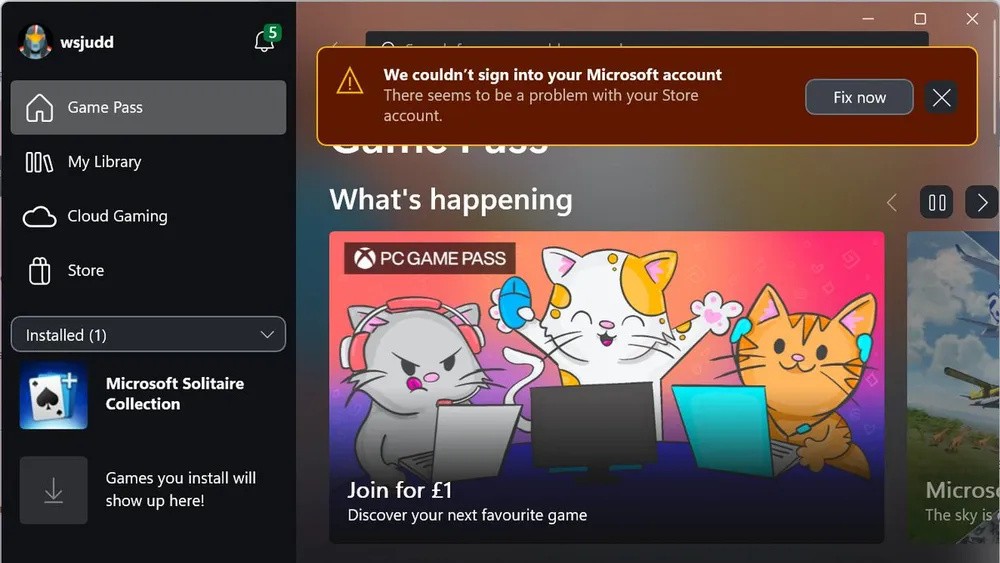
- Make the Xbox app as bulletproof as Steam: I absolutely dread needing to use the Xbox app for benchmarking, as I've run into dozens of different issues over the years, often to do with Game Pass or multiple PC entitlement, downloads failing, games failing to launch and so on. Normally, the only solution is to completely delete the game and its updates and start over, which is insane. Downloads on the actual Xbox console seem OK, so improvements here are surely possible - and even if you can't match Steam, matching the Epic Game Store, Battle.net or Ubisoft Connect would be a start.
- One-click telemetry opt-out: It's absolutely fair for Microsoft to request telemetry to make building their operating system easier, and I'm personally happy to leave it on. But for the privacy-conscious, there ought to be a one-click option to opt out that's actually respected. Pushing people into using random, potentially dangerous debloating tools to accomplish this is just stupid.
- Local user accounts: If you often install and reinstall Windows 11, you'll know that getting your Microsoft account logged in can be a long process, especially if you're swapping components. It would be wonderful if I could set up local accounts easily when I don't want to use Microsoft services. (If the Microsoft services were actually great, then you wouldn't need to force people into using a Microsoft account - people would sign up of their own accord.)
- Stop asking me things repeatedly: If I say I don't want to switch to Edge, or tell you what I'm going to use the computer for, or sign up for location tracking, or activate phone integration, then for the love of god, remember that choice. If I turn on my computer after an update again and get the same euphemistic "change browser settings" prompt again, that's it - Linux time.
What do you make of the changes, and have you thought about (or actually started) to move to Linux for gaming or just general PC use? Let me know in the comments below.
[source windowscentral.com]


Comments 7
Nothing in the long term but in the short term let me do offline installs of Windows without having to jump through ever increasingly absurd hoops.
At this point Microsoft is to financially invested in all this AI integration nonsense to make anything but the most superficial of changes.
Im just waiting for Nvidias Linux drivers to improve enough to make the switch from Windows permanent.
It is slightly irritating that it has taken Valve and SteamOS to make Microsoft sit up and pay attention to their own shortcomings but likewise I welcome any and all Windows improvements. Competition breeds innovation and from the time of Games for Windows LIVE to the rebrand into an Xbox, Microsoft could and should do better.
I switched to Bazzite long time ago.
for work I use Apple products.
I had never heard of File Pilot before. Thanks, DF!
It baffles me how bad windows has gotten over the years. The issues seem so obvious from the outside yet the OS has continually become more bloated, fragmented, buggy, and frustrating to use so clearly there is disconnect within Microsoft about the direction of where the product is headed vs where it should be headed.
I’ve started using a Mac for work within the last year and it’s convinced me to switch when the time comes. At least for general computing use. These days I mostly game on consoles, and if I ever do decide to get back into PC gaming it’ll be because Valve has created an alternative OS that works, hopefully with nVidia, and without all the bloat associated with Windows.
Personally I just want to have the high end performance of a PC with the simplicity of a console. I understand that the nature of the PC platform means it won’t ever be as plug and play as a console, but I’m confident Valve can create a streamlined experience much more suited to the living room than anything Microsoft could do outside of their Xbox ecosystem which is increasingly looking like it will be merged with windows for better or worse.
PS: It’s given me a good chuckle reading Will’s frustrated tweets (is that what they’re called on blue sky??) linked in the articles. I hope for Will and the team’s sake windows can make big strides in the right direction with this update.
With TPM 2 and AI. You are the product.
It took me a while to leap but once I moved to MacOS about 5 years ago I’ve never looked back. Whenever I have to touch a personal Windows based machine these days I can’t believe how bloated and unintuitive it all feels. Microsoft really was trailblazing enshittification before it started to become so popular.
Show Comments
Leave A Comment
Hold on there, you need to login to post a comment...