
 by
by Now this is hardcore! When we first received review code for Sucker Punch's excellent Ghost of Yōtei, we made a beeline for the PlayStation 5 Pro, to get an idea of how the game had been improved for Sony's newer, enhanced console. What surprised us immensely was the inclusion of ray traced lighting effects, which arrived with no marketing at all from Sony. So, when Sony offered us the opportunity to talk to the developers directly, John Linneman leapt at the chance, and you get to read the full transcript here today on the Digital Foundry website.
Examples of the information gleaned in the below interview:
- How Ghost of Yōtei's RTGI solution was built only after ensuring a non-RT mode would work properly
- In general, Yōtei's lighting model revolves around probes
- Confirmation that PSSR is on for every PS5 Pro graphics mode, and how its implementation was built off the back of FSR 3 as a development default on base PS5
- How the game nearly skipped TAAU in favor of a 1512p resolution
- How HDR optimisation is applied to reduce black crush on SDR panels
- How terrain tessellation detail can vanish when walking back and forth on surfaces in Yōtei, thus causing awkward placement of feet on the ground, and how Sucker Punch has addressed this in a patch
- The game's DualSense haptics system was led primarily by the audio team, who also leaned on reflection occlusion and other dedicated effort to make each scene sound more realistic and differentiated
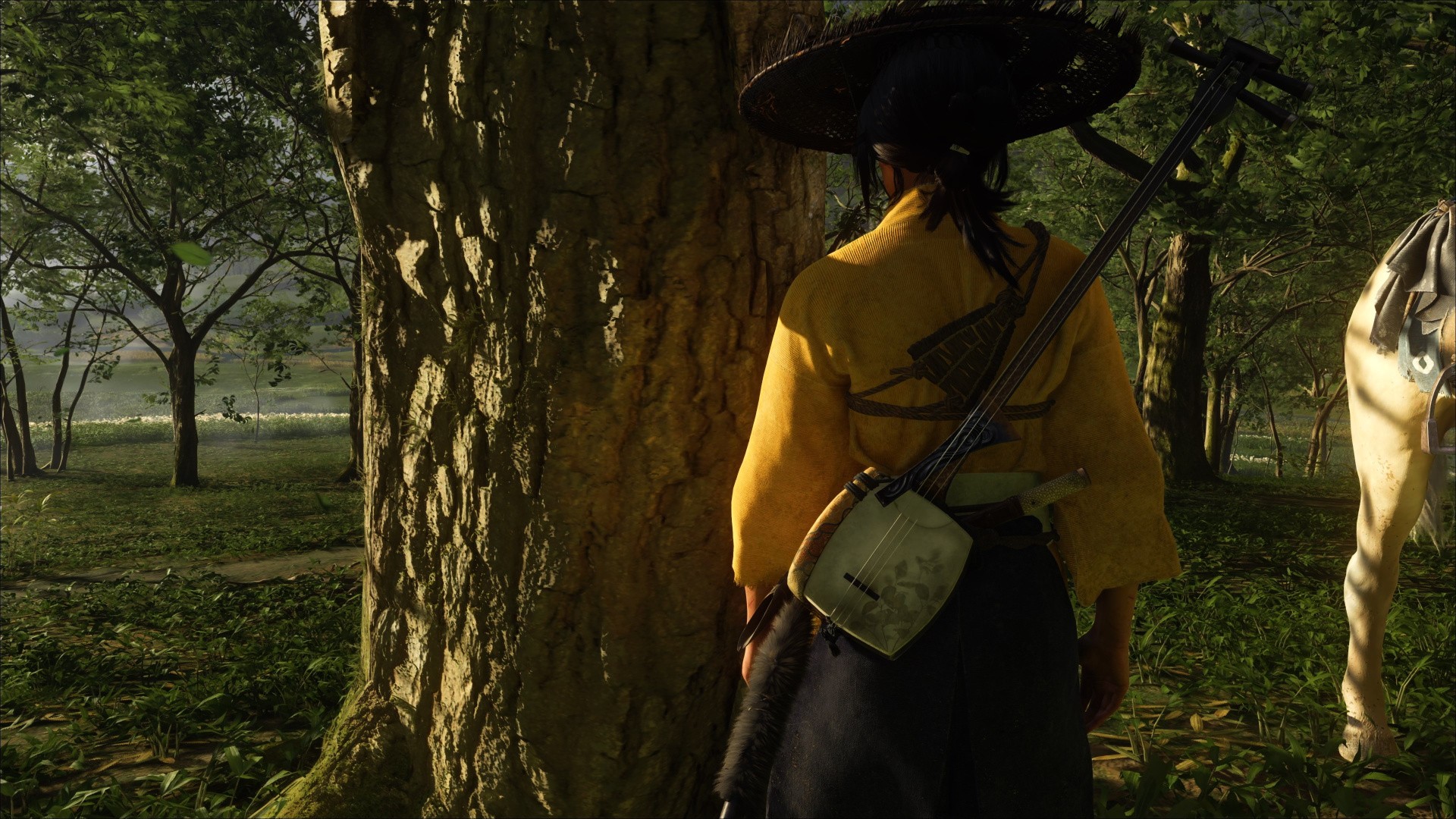
Digital Foundry: When I booted Yōtei for the first time, I was shocked to realize there was ray tracing in this, and I spent maybe 20 minutes figuring out some form of global illumination here, along with other interesting bits. I'd love to start by knowing more about it: when did you start developing GI in Yōtei? What was the goal? And how was it implemented?
Jasmin Patry, Lead Rendering Engineer: Right at the start of this project, we knew we were aiming at the PS5, and we hadn't really explored any of the ray tracing features for [Tsushima] Director's Cut, which was native PS5, but was really a PS4 port. And we were anxious to get started on that. Eric in particular was super excited to explore that space.
Knowing that we're making a game in 17th Century Ezo, there's not a whole lot of reflective surfaces. There's water, but other than that, we wouldn't get a lot of bang for the buck for reflections. The other concern was, there's tons of alpha-tested foliage that's all moving, and making that performant for ray tracing would have been pretty difficult.
We were pretty risk-averse. We wanted to make this an optional feature, because we didn't have a lot of experience, so we wanted to make it something that users could opt into, but that wouldn't be core to the experience if we weren't able to ship it on PS5 base.
Ultimately, there wasn't really that much debate about what we wanted to try. We knew we wanted to make the indirectly lit spaces look great. RTGI [ray traced global illumination] just seemed like a natural fit there. I think the starting point was, we wanted to up the quality of the non-RTGI solution so that they could integrate better and fall back better.
Eric Wohllaib, Senior Graphics Programmer and RTGI Architect: Yeah, like Jas said, we wanted to have higher fidelity world space probes that could capture local lights. And then we wanted to try to augment that with ray tracing as much as we could. The idea being that we could have a good, solid GI solution, before we add ray tracing on top of it.
We knew it was going to be coming in kind of late for us, because there's a lot of tech to spin up when you're starting ray tracing, right, all the BVH [Bounding Volume Hierarchy] stuff. And then on top of that, getting actual material information into the BVHs is a whole can of worms. Even after all that, actually ray tracing it, getting something that's temporally stable and smooth-looking, that reacts correctly and quickly, is a lot. So we needed it to be more of an improvement on what's there, not a wholly different [set of assets]. Otherwise, our lighting artists would kill us.
If we go to 1080p, which is our absolute bottom, then we'll end up doing a tenth of a ray per pixel.
So what we ended up going with: we break the screen into 16x16 tiles, and then for each of those, we pick one quadrant randomly. Drop a screen space probe in there. Then we go over each of the next three quadrants. And then, if the probe isn't appropriate, or it doesn't cover it well already, we place another probe there. So each 16x16 can have up to four relatively evenly spaced probes inside of it. The idea there being, for large, flat surfaces, we can really get away with sparsely placed probes. But for dense corners and, you know, the grass being a rough one, we end up spawning quite a bit more probes to make sure that we have good coverage for all sorts of different surfaces.
After that, we try to reconstruct per probe last frame's lighting information. So we look at the results of last frame. And then if there's not good data, like in the case of disocclusion, or, a camera cut or lighting cut, we fall back to those world space probes to build up some lighting information, and then we use that to guide our rays, to try and get more rays to go to where more light is, to try and pick out as much detail as possible.
After that, we end up casting rays. We shoot 64 rays per screen space probe. When running at full 4K, this ends up being about a quarter ray per pixel, which is kind of on the high side, but oftentimes our dynamic resolution will push us a bit below that. And if we go all the way down to 1080p, which is our absolute bottom, then we'll end up doing like, a tenth of a ray per pixel, which has pretty good performance characteristics. And that's including multiple screen space probes per 16x16 tile.
We ended up having to cast some shadow rays on top of that, too. It's just, you know, unfortunate, but you sometimes just need the extra detail.
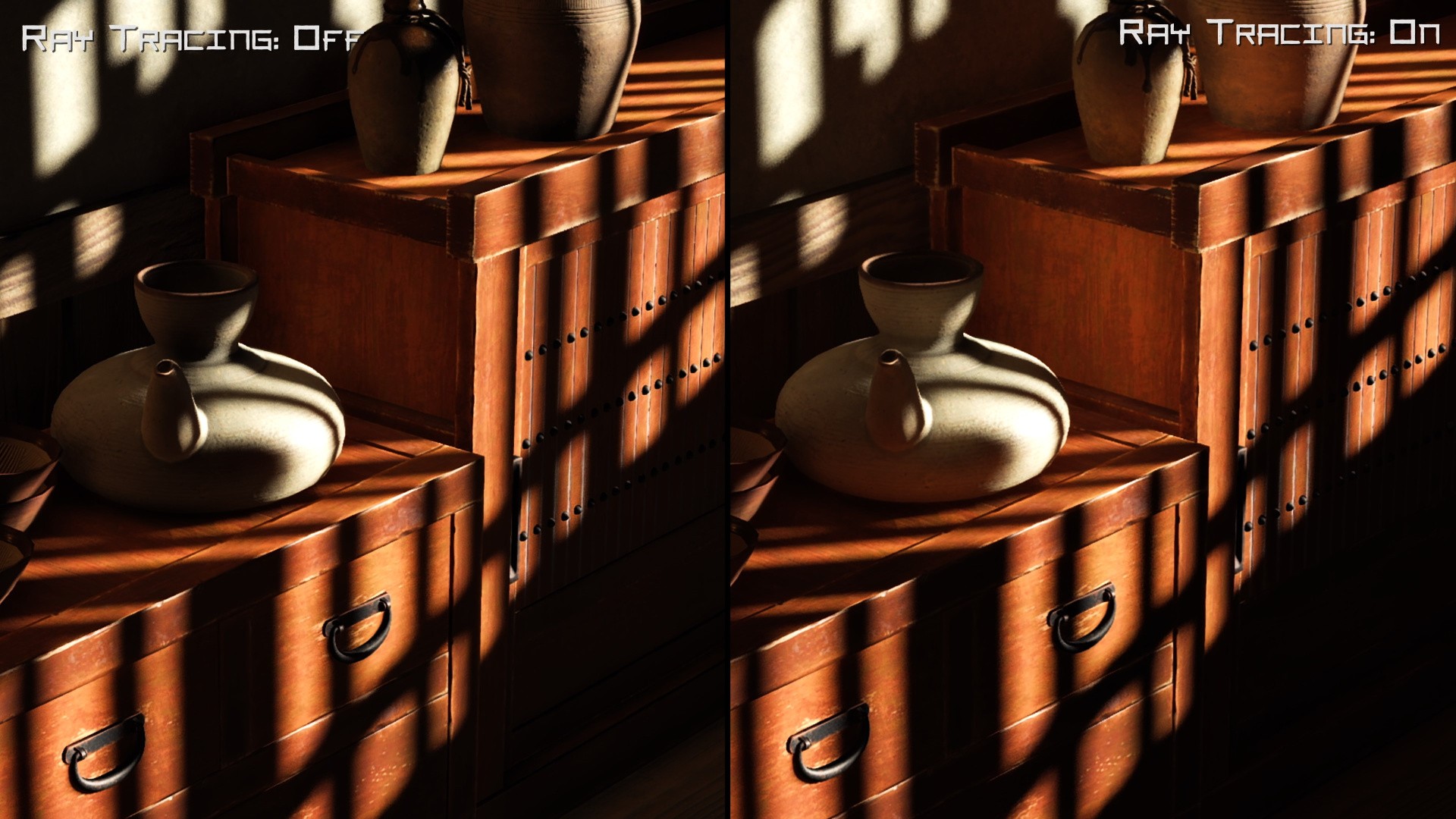
Digital Foundry: I'm impressed with the fidelity you're getting using probes. You probably saw the example that I use in the video, with those little pots, with the sun shining in. It really gave you this per-pixel level of detail on the GI bounce which was really precise. Usually when using ray tracing with a probe system like that, you don't usually get that kind of precision, I find.
Eric: Part of that is, we do a pretty wide filter. We filter in screen space, and part of that is, we do a bit of parallax correction per probe. If I have two nearby probes and they're both shooting rays this way, if they're close together, then they're likely to have hit the same thing. But if they're far apart, and this one is, you know, intersecting something nearby, we need to write this one at this angle as opposed to this angle. That ends up helping keep things sharp, even as we do these large-scale filters and I think that goes a long way.
We ultimately do sample them per pixel because we convert those rays to SH, and then we get a nice per-pixel sample. That helps keep our normal map strong. Early on, we tried just a single value instead of converted SH, which saves a ton of memory, way faster to compute, but we lose so much detail in these normal maps that it really kills us. So we opted to keep the SH representation for, you know, per probe.
Digital Foundry: I assume the standard baked lighting side is still done via multiple bakes, to match the different times of day? And then maybe an interpolation between them? Or how is that done?
Eric: We were really inspired by a Demon's Souls 2021 GDC talk, where [Bluepoint] talked about their octahedral GBuffer, and that game is so beautiful.
Digital Foundry: Isn't it?
Eric: It's incredible. So that was one of the first things where I was, like, Jas, can I please do this? And so that's one of the places we were interested in moving forward. Giving our artists the ability to include local lights in the ambient diffuse is an absolute game-changer for how they light spaces. We don't have illithids casting spells through dark dungeons and things like that. So it doesn't feel as necessary to have all these dynamic local lights, but once the artists can sit down, bake out the geometry of a scene into our probes, and then start placing lights and seeing them bounce immediately, it saves them hours and hours.
Jasmin: Just to be clear, dynamic local light bounce is what we're getting. We've had dynamic local lights forever.
Eric: Sorry!
Jasmin: [laughs]
Digital Foundry: Yeah, it is very effective then in the end, for sure, and a nice overall leap from where the last game was, especially with interior spaces. I would like to talk a little bit about your PS5 Pro experience, or as I often say, the Professional. On that, you can enjoy the game with full ray tracing features at 60 FPS. And it looks like you're using PSSR in that mode as well.
When doing the pixel counts, I was surprised at how it was noticeably lower in terms of the input pixel count, but the actual end result was really comparable to the much higher input in the other modes. What were your experiences on experimenting with the PS5 Pro, and how did you end up deciding on its modes?
Jasmin: We use PSSR in every mode on the Pro. It's always on. So even at 4K, you get very nice super-sampling, filtering of fine detail, and some sub-pixel detail reconstruction. It's really effective at doing that. But it holds up, like you mentioned, it holds up really well as that rendering resolution goes down. You do start to see a little bit more noise and aliasing, and in some cases, quality does go down, but it's still very good.
Digital Foundry: When I was comparing them, the reason I was thinking PSSR was only used in the ray traced, 60 fps mode is because there's scenarios that I showed in the video where you get a lot of jittery motion when standing still in the other modes that in the RT60 mode, you do not get. You get a much more stable, like the surface of a building with a lot of fine texture detail when you stand back. You get moire patterns and jittery noise in the other modes. But when you're using the RT60 mode, it looks completely stable.
Jasmin: That's interesting. I don't know that I've noticed that. [PSSR is] on in all modes, just like FSR 3 is on in all modes on the base PS5. We worked with the PSSR team pretty much from day one, when they had something we could try out a few years ago.
We knew that it was coming. Mark had given us the heads up, and we knew we needed motion vectors on everything. So that was a big investment early on.
We only had motion vectors for characters and camera motion. Foliage did not get motion vectors in the first game, just because of the cost involved there. But we did a pass on all the shaders and our GBuffers and made sure that was available everywhere. And then integrating PSSR was actually really straightforward, and the results were super promising.
That sub-pixel detail, like I said, was visible right away, definitely beat native 4K rendering out of the box. Even at 1080, I would say it was really good. That was an initial version, then they did some work getting it performant and working for other games. We tried it again, and we noticed some issues. And we worked with that team to fix banding, which were very anti-banding. Our skies were banding more than we liked.
Conservative rasterization was actually a Cerny idea, and it worked out great.
And there were some hallucinations that we saw, especially on Atsu's kimono, the yellow kimono with very stripy detail. And they managed to fix those problems themselves, so props to them.
For post effects, that was another issue. Motion blur and depth of field both had issues with filtering, sort of the different colour space that PSSR works in versus the linear colour space that we were working in. If you rotated the camera, you would get some color shifts, which didn't look very good. But we had similar issues with FSR, and so what we ended up doing was moving those before post effects, especially the low-frequency post effects like depth of field, motion blur, bloom, things like that. And so we don't do all of those afterwards. We do some tricks to make them performant, so we don't do them at native 4K, but we get away with it.
Another issue with PSSR that we found was that we would lose bright sparks. They would often get too dim, just because partially the color space that PSSR works in, if you had sub-pixel sparks, they would basically be much less bright in PSSR. What we ended up using there was conservative rasterization: this was actually a Cerny idea, and it worked out great. You make sure that those sparks hit at least one pixel, unless they're zero-size, they're going to render at least one pixel with conservative rasterization, so that ends up making them persist over all the jittered frames, and you get the brightness that you want. It's also more temporally stable, so it works pretty well.
So that was basically the only spot fix that we needed to do for PSSR. There was a whole list of them for FSR3 that I could go over that we had to do, but for PSSR, the results out of the box were really good.
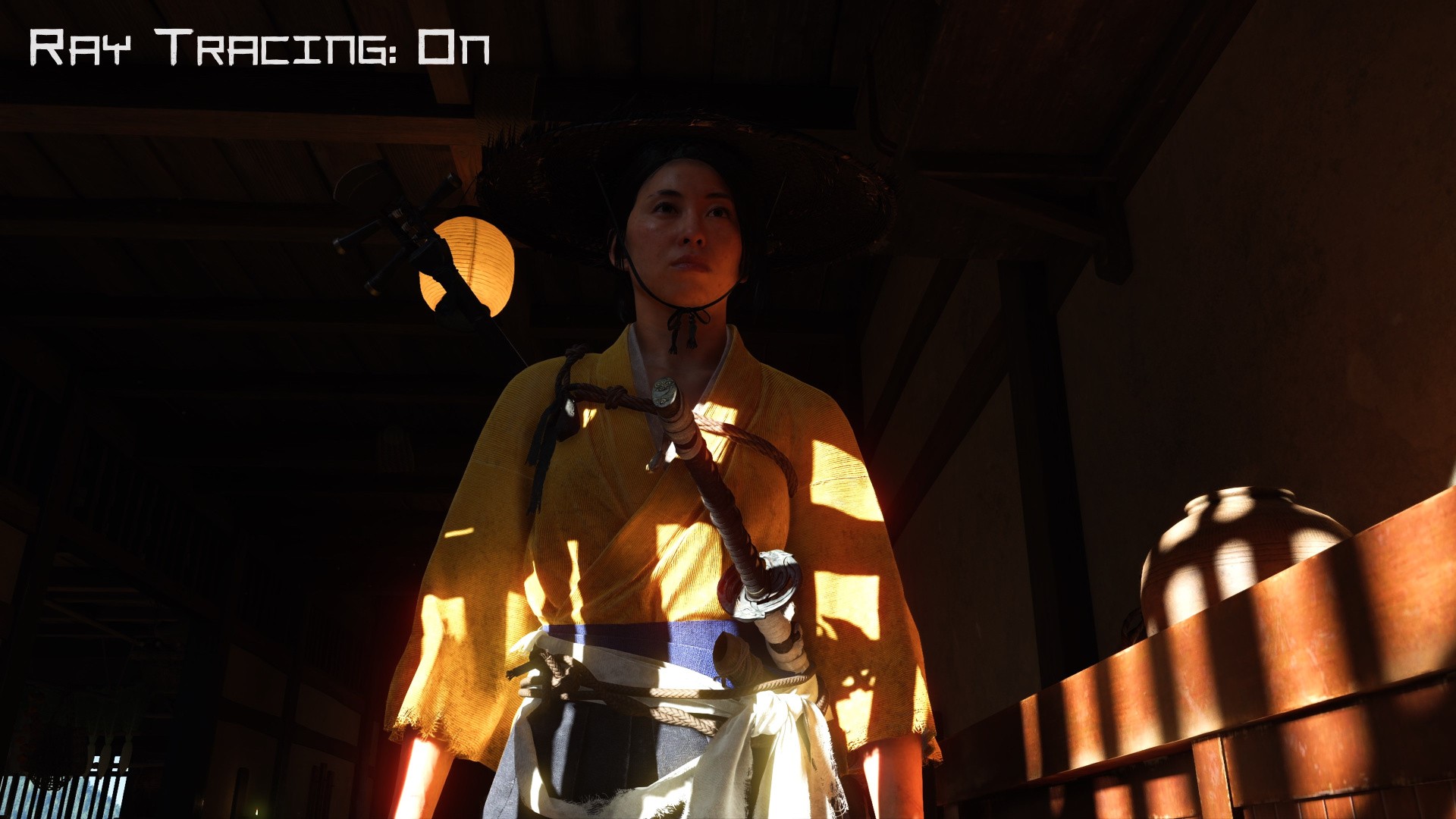
Digital Foundry: What was your experience jumping from Tsushima's checkerboard rendering up to temporal upsampling in general?
Jasmin: Like I mentioned, we were running at 4K checkerboard, effectively the same as 1512p in terms of pixel counts, and we were already running at 60 on PS5. Out of the box we didn't have a lot of room to... the low-hanging fruit had mostly been picked.
So it was challenging, because we didn't have PSSR early on, and we didn't integrate FSR3 actually until pretty late. We turned off checkerboard early, and we were trying to run close to 1512p as long as possible, but ultimately when we did integrate those TAU algorithms, we found we were able to go down in resolution, and we allow it to go as low as 1080p, but you know, it will go higher as performance allows.
So dynamic resolution was the other thing that we did early on. Once we turned off checkerboard, it was a balancing act, you know, a constant struggle. We wanted the image quality to be super high, so we were trying to maintain that render resolution as high as possible. Ultimately it paid off, because we did have ballast performance in our back pocket, we were able to lower that resolution in those more demanding areas, and get that performance back, so we were pretty happy with where performance ended up.
Digital Foundry: By and large, performance in Yōtei is very stable, I will admit. Our Yōtei video was rendered in HDR this time, because I thought the HDR was really good. Yet increasingly, games have been shipping with broken HDR. What lengths did you have to go to for your HDR implementation?
Adrian Bentley, Director of Technology: It takes a lot of attention to detail. And we were super early adopters. Naturally, natively targeting PlayStation helps because we have hardware that can wire directly to a TV and not have to worry about Windows weirdness or other things. But we were, you know, a super early adopter on HDR, and Jas can talk about that, as he worked on the original implementation, and he's been tweaking and improving it since.
Jasmin: Yeah, we were involved in the port to PS4 Pro, as well as the unveiling of the HDR features on PS4. Second Son was one of the early ones. And, you know, we learned some stuff there, for sure, we learned some more for Ghost [of Tsushima].
The implementation hasn't changed a whole lot since Ghost. So, you know, there's just some tweaks. But, you know, we also participated in the HDR Gaming Interest Group meetings early on. And so, you know, we were able to advocate for what we thought were good practices, and find out from TV manufacturers what their considerations were. I think we met in a fairly good place in the middle.
For tone mapping, we've constructed our own curve out of the ACES curves.
We do all the rendering to an HDR light buffer, 16-bit floating point, to minimize banding and give us extreme dynamic range. We try to stick to physically plausible lighting values as much as possible for sun, moon and physical lights, candles, you know, all that stuff. Our lighting artists author lights in physical units.
For tone mapping, we've ended up constructing our own curve out of the ACES curves. We're still using the same tone mapping curve that we used for Ghost of Tsushima, but it's effectively an ACES curve that scales up to the max luminance of your display, as reported by the PS5 during the calibration process and scale our tone mapping up to that.
Then to maintain the look in the lows, we graphed on an unscaled version of that tone mapping curve. So, we get this high curve that scales with the display, and low dark tone mapping that stays the way we like it and doesn't drift from where we'd want. Because just scaling the whole thing looks horrible in darks.
Then we actually use that same low-end curve from the HDR curve in the SDR implementation. So, it's quite close, but the SDR one does some black crushing that we didn't like. So, we kept them the same there. We offline pre-compute for every single max TLL, or whatever it's called, value, what the tone mapping curve is, and load it as needed.
Digital Foundry: Okay. I do want to ask about the animation system, because I saw that you made some updates in the day-one patch, as well. Because I raised this with Tsushima, it was slightly better this time when I first tested it, and now it's better still. But I always took issue with the foot placement, inverse kinematics, and how feet interact with the ground in the game. So I want to ask, how is your animation system is designed to work, and is that an inherent animation issue for your engine?
Adrian: It's often a challenge that we're balancing things like responsiveness versus smooth animation. And at least like at Sucker Punch, we really value character control. The three C's, we call it. And so responsiveness is often what wins tie breaks.
Certainly it's possible to do more complicated things, but when you're turning a character, their foot could land here, but as you turn, it's going to land somewhere else. There're predictive aspects to the thing. So you end up having to, if you want to make it perfect looking, you have to drop your ability to respond to controller input at least a little bit.
We changed the heuristics to pay attention to terrain tessellation, because that's one of the things we added this game.
There's probably a better universe we can find, but we ended up deciding not to completely revamp our locomotion system and instead focused on things like the weapon swapping and combat. We do interesting things there where, with pose matching, where we'll smoothly get you into place, be able to do nice, smooth combat moves. Also, other things around NPC traversal, slides, interrogations, buddy combat, things like that. That's where we put a lot of our effort this time.
Certainly, the foot-matching stuff was a thing that came up, and we definitely took some swings at it. One of the things we adjusted fairly late, actually, some of it came in in the day-one patch. We basically changed the heuristics to pay attention to the terrain, that terrain tessellation, because that's one of the things we added this game. When you do that, your physics representation of the terrain is not often aware of all that detail. In fact, the terrain, as you move back and forth, will morph to a more flat representation, which has normals and such, but you can see their shadow detail and stuff when you're up close.
But that means that if characters are standing on the terrain, they have to be aware of what the GPU is doing. We had information that we were sampling on height, that we move around for things like particles and whatnot to get more accurate information, but we weren't forwarding that into our animation system. So fairly late, we actually put in some changes to basically track that as you're moving around.
And when we lock feet to various positions, we turn that on more often. It's hard to do that without getting stretching and other things. So there was some heuristics we used there. So it's not perfect, but we did get into a somewhat better spot, where, if characters are standing still, their feet should be on the terrain.
But it's definitely a thing that we'd like to make better still, because it comes up and people complain about it. And there's a month to go and we're, like, oh crap, well, we can do this. Let's try it. So yeah, more to come, I think.
Digital Foundry: That makes sense. But you just raised something I was curious about, the addition of tessellation in the terrain system. Can you talk more about that?
Adrian: Sure, like in Ghost of Tsushima on the PS4, I can't remember exactly how much we did, but when we went to PS4 Pro and PS5, we ended up doing I think a parallax occlusion mapping approach. That was only a thing we could turn on at a faster performance profile at that point. That works pretty well... you can tune it so that as long as you're not at super glancing angles it would work, but for shadows and if you got really close to certain angles, we thought tessellation worked better.
One of the other things we really wanted to go after is environmental interaction, like for snow. This is a constant request from the art team, even during [development of] the original Ghost of Tsushima, but we wanted to make snow deformation be a thing. Rather than just sort of footprints that are decal-based or whatnot, we wanted to actually cut troughs in the snow! And roll! It took a lot of back and forth. Heuristics of what to render, when to render it, how to recover, and how smooth to make the edges and particles around the sides, and stuff like that.
That's one of the things that we really like doing: coming up with a system, and then adding hooks into the other systems - particles are a big one we lean on a lot - and then layering enough stuff that you can have a pretty cool solution. But tessellation, you know, the snow wouldn't have been possible without tessellation.
Digital Foundry: Does snow deformation tie into the leaf system, as far as leaving a wake through leaves?
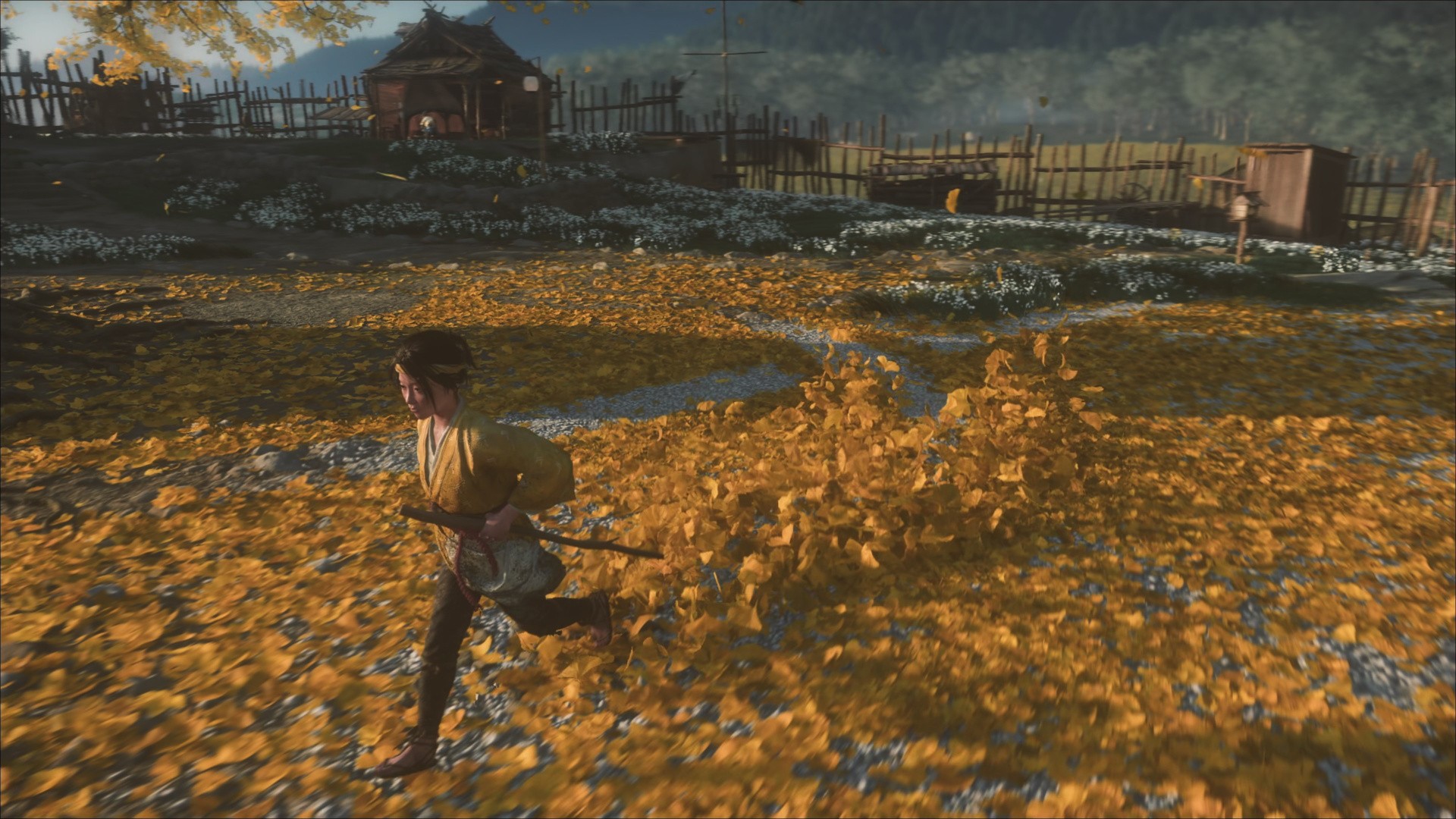
Adrian: That stuff is somewhat similar. In Ghost of Tsushima, we had a mix of particles and also textures that represented a sparser version of leaves. But in this one, they just turned the particles to 11, and they used that as the only way to represent leaves on the ground. and so you can knock them all around. It's not in all situations, but in your homestead area, that's one of the areas where you can you can see it a lot.
The particles interact with a lot of things. They can land on water and flow downstream. If you hit somebody, their blood will spray and hit the snow, and the contrast is pretty cool there. And when blood pools in the water, it'll kind of change shape and flow. Those sorts of systems, where you can get that working in in a global way, it really helps anchor the characters with the world. And put feedback on the characters, too: they get mud and blood and snow on them. All sorts of things we try and do to make the game really feel alive.
Digital Foundry: As far as detail that makes the game feel alive, I noticed very precise audio samples placed around the world to give an impression of place. If I just stop and listen, I can hear the difference between standing in this place versus this place, as if the audio is attenuated properly. Do you have anything to share on that?
Adrian: A lot of that has to do with Brad and his team. They have a lot of good intuition and technical skill. Ideas about how to make stuff sound awesome. In terms of changes, we actually changed audio subsystems this game. It gave us extra performance in certain places, while it required us to replace certain bits that we got for free last time. But we got other things out of it.
Certainly, the reflection occlusion system, we worked on trying to get it better, like, "if the sound is coming from inside this building, it's actually going to be best if it goes through this window," or "the doorway bends around," and such. Audio is a very hard problem, so these are all very approximate, but that altogether worked pretty well.
You get more flavor, more anchoring of the character in the world, by having accurate audio.
We've had a system for ambience in the world that knows about, "hey, there's trees here," and we got better information about trees from a layered growth system that we added to our procedural approach. Things like, spatially sampling around areas to say, "what materials are are these?" and "the rain hits the roof here, so like let's make that sound."
We also had some information about what materials the terrain is [made of] that we feed back to footsteps. That's a big one. They have a huge system that looks at materials to decide what footstep sound to make, along with all the NPCs in the environment based on distance. Also, what armor you're wearing, or what weapons you're using: remixing that to to make it sound [realistic]. You get more flavor, more anchoring of the character in the world, by having accurate audio.
They also did a ton of work on the haptics. We had about a year to kind of bring Tsushima up [with DualSense haptics], but they went to town this time. The combat team helps in terms of timing and what sort of flavor of [haptic] things, but in terms of actually shaping the feel of what the haptics are doing, that's all the audio team.
Digital Foundry: The best way to end this: is there anything you're particularly proud of that you just want to talk about?
Eric: I'll point out that we do have characters other than Atsu in the BVHs. They're hard to see, but they are in there, I promise [laughs].
Digital Foundry: How far out into the distance does the BVH draw?
Eric: Oh, about 80 metres. After that, we fall back to our world space probes.
Adrian: The actual probe light rays don't go 80 metres. They're shorter distance.
Eric: Those go about four metres.
Adrian: Load times are a big thing we're proud of, but we've talked about that elsewhere. Lighting, we've focused on a ton. Cut scenes can be really amazing when tuned with the right parameters. But it's really a big team effort in trying to make the game great.
Jasmin: Stability, as well.
Adrian: Yeah, stability is an interesting one. One of the pieces of feedback we get from people that start working at Sucker Punch that come from other places, or even focus testers, they're all, like, "Wow, the engine's so stable! It doesn't crash really much at all." That's great, because we can lean on that, actually, when we're trying to finish the game. What I mean by that is, we can make lots of changes, and be confident we won't break everything in the process. It really helps with the polish process, to file off all the details and make things sing.

Comments 5
Great article! There are a couple of instances where the whole paragraph of DFs text is bolded fyi.
ADMIN REPLY: That's been fixed, thanks for the note. (DF style is to embolden all question paragraphs, and that wasn't propagating across the entire piece for some reason.)
playing through Yotei now, the game looks amazing!
great interview John!
A very detailed and honest interview, great work!
I wished they would upgrade the water graphics. Everything else looks great though
Show Comments
Leave A Comment
Hold on there, you need to login to post a comment...