
 by
by 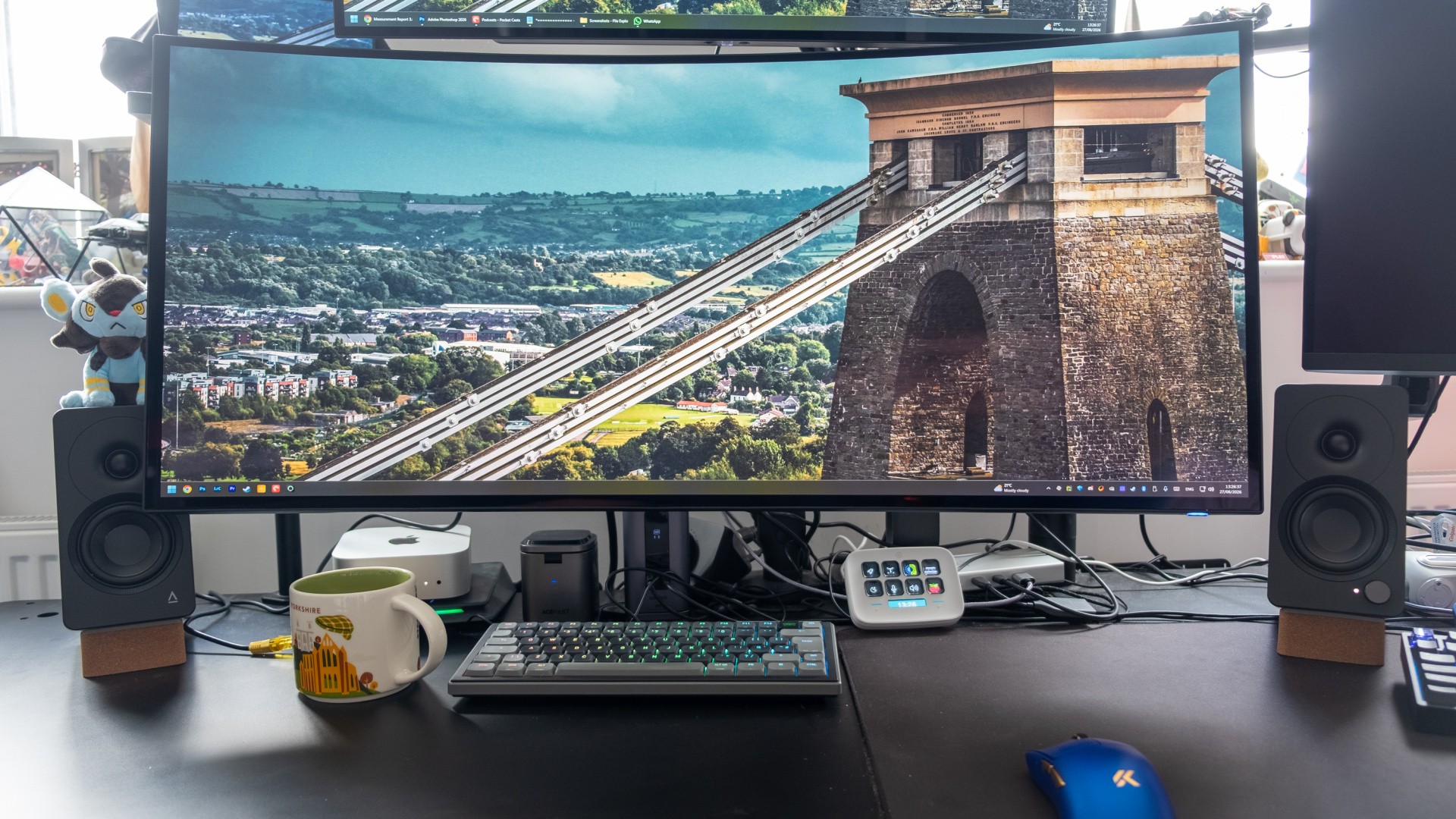
Last year, my colleague John got a titanic 45-inch "5K2K" ultrawide OLED monitor, combining a 5120x2160 resolution with a 165Hz refresh rate. Now, its little brother has arrived in the form of the Dell Alienware AW3926QW, a 39-inch model with exactly the same specs, built around a fourth-generation tandem stripe W-OLED panel that redresses some of the biggest complaints with OLED panels, like text rendering and burn-in risk.
This is also reasonably affordable for a bleeding-edge monitor of this size, costing $1100/£1000 versus the $1300/£1600 of the larger 45-inch model. It's not cheap, by any means, but displays are one of the few PC categories where value is broadly improving over time, rather than regressing - as we've seen with SSDs, RAM and graphics cards.
Does this new model hit the sweet spot for high-end PC gaming? Is 21:9 ultrawide the way to go over a traditional 16:9 aspect ratio display? And will that new panel tech mean I can happily upgrade from the 4K 240Hz QD-OLED I've been using for the past two-and-a-half years?
Specs & Features
| Spec | Alienware AW3926QW |
|---|---|
| Screen Size | 39-inch (38.9" viewable) |
| Panel Technology | 4th-gen tandem W-OLED (RGB stripe subpixel layout) |
| Curvature | 1500R |
| Resolution / Refresh Rate | Native: 5120x2160 at 165Hz Dual-Mode: 2560x1080 at 330Hz |
| Response Time | 0.03 ms GtG |
| Peak Brightness | 1300cd/m² peak (300cd/m² typical) |
| Contrast Ratio | 1.75M:1 |
| HDR Support | VESA DisplayHDR True Black 500, Dolby Vision HDR |
| Color Gamut | 99% DCI-P3 (Average DeltaE < 2) |
| Adaptive Sync | FreeSync Premium Pro, G-Sync Compatible, VESA AdaptiveSync |
| Video Inputs | 1x DisplayPort 2.1 (UHBR20) 2x HDMI 2.1 (FRL 6 48Gbps, eARC) |
| USB Connectivity | 1x USB-C (10Gbps upstream, DP 2.1 Alt Mode, 90W PD) 1x USB-B (5Gbps upstream) 1x USB-C (5Gbps downstream, 15W PD) 2x USB-A (5Gbps downstream) |
| Adjustability | Height (110 mm), Tilt (26°), Swivel (40°), Slant (10°) |
| Warranty | Three years (including burn-in cover) |
Benchmarking
To benchmark the monitor, I used a Datacolor SpyderPro colourimeter, which is able to perform a barrage of tests and officially supports modern OLED displays, something absent from prior Datacolor products like the Spyder4Elite I've used in the past. The software interface has changed remarkably little, however, as has the test procedure - place the colourimeter on the surface of the screen, held in place with a weighted USB cable, take measurements and adjust the monitor's settings as instructed. Display uniformity is also tested by moving the colourimeter to different areas of the monitor, which is always a bit tricky with a curved model as we have here.
The benchmark results are shown in the gallery below. As you'd hope for a premium monitor that comes with a calibration report built into the OSD, the monitor is extremely accurate out of the box and suitable for professional work, with complete coverage of the sRGB and DCI P3 colour spaces, 94 percent of AdobeRGB, 92 percent of NTSC and 79 percent of Rec 2020.
Display gamma is measured at 2.1, just fractionally away from the quoted 2.2, with a normal-looking gray ramp. SDR brightness is measured at up to 348 nits at maximum brightness, which is actually higher than the 300 rated nits, with essentially infinite contrast due to the pure-black screen. White point shifts downwards as brightness increases, coming close to the 6500K target.
Colour uniformity is generally good, though again the curved screen can make this test hard to perform. Similarly, luminance uniformity varies by a maximum of 28 percent, which isn't great, though I didn't notice any drastic changes in real-world use.
Colour accuracy is excellent, with most patches showing a Delta-E rating below 1.0, averaging to 0.90 overall despite readings that are just on the edge of perceptibility for some grayscale values. The Spyder software's overall rating is 4.5/5, with luminance uniformity being the sole "good" result and the rest being great or excellent.
I also used an xRite i1Display Pro to calibrate the monitor using open-source tool DisplayCAL, providing some additional post-calibration results. Here, a more realistic black point of 0.0014 nits was measured, as you'd hope for an OLED panel, with accurate gamma 2.2 tracking, a calibrated brightness of 157 nits and exceptionally close colour tracking across 51 test patches, with an average Delta-E of 0.44.
You can see the full report reproduced in the gallery above, but the takeaway is that it's possible to improve on the factory calibration with your own colourimeter that takes your working environment into account.
Subjective Testing
The Alienware AW3926QW is a technically proficient monitor - but how is it like to use? I've been testing it for the past two weeks, and it's proven a transformative upgrade in almost every game I've tried.
Turn-based strategy titles like Civilization 7 and BattleTech: Advanced benefit from the wider aspect ratio compared to the 32-inch 4K 240Hz model I was using before, while being only fractionally harder to run due to its increased resolution. The improved text rendering from this generation of OLED panels, which use an RGB stripe layout rather than a triangular arrangement, is a nice upgrade for parsing the dense interfaces of these sorts of games, while the 300 nits of brightness is sufficient to ensure that units remain visible even in the nighttime sorties common to BattleTech missions. It takes a bit of time to adjust to UI elements being in the corners of your vision, but the gentle 1500R curvature helps slightly.
Switching to ultrawide is a more uniform improvement when it comes to first and third-person games with a single-player focus; I spent most of my testing time in 007 First Light, which proved quite immersive, though the field-of-view feels a little claustrophobic without modding in higher values. The game also hilariously cuts to what is obviously intended to be an ultra-wide aspect ratio for cinematics, but these are presented with black boxes on all sides of the screen. It feels like a "yeah, we support ultrawide boss!" approach where these resolutions are supported, but the actual implementation is obviously lacking.
I didn't spend a lot of time playing games in HDR, because each time I try, I feel like consoles are generally better places to do so, but I did fire up Doom Eternal and Doom: The Dark Age with HDR enabled. This locks out most display controls, so you're at the mercy of game implementations - which are a mixed bag at the least. Thankfully, with 1300 nits of peak brightness, the AW3926QW can get plenty bright enough to make highlights impactful, while the great colour reproduction and perfect blacks ensure a good presentation elsewhere. This is the first monitor I've had that I've actually sought out HDR games, and I'd be interested to return to this subject in future testing when I've had longer to suss out the best options.
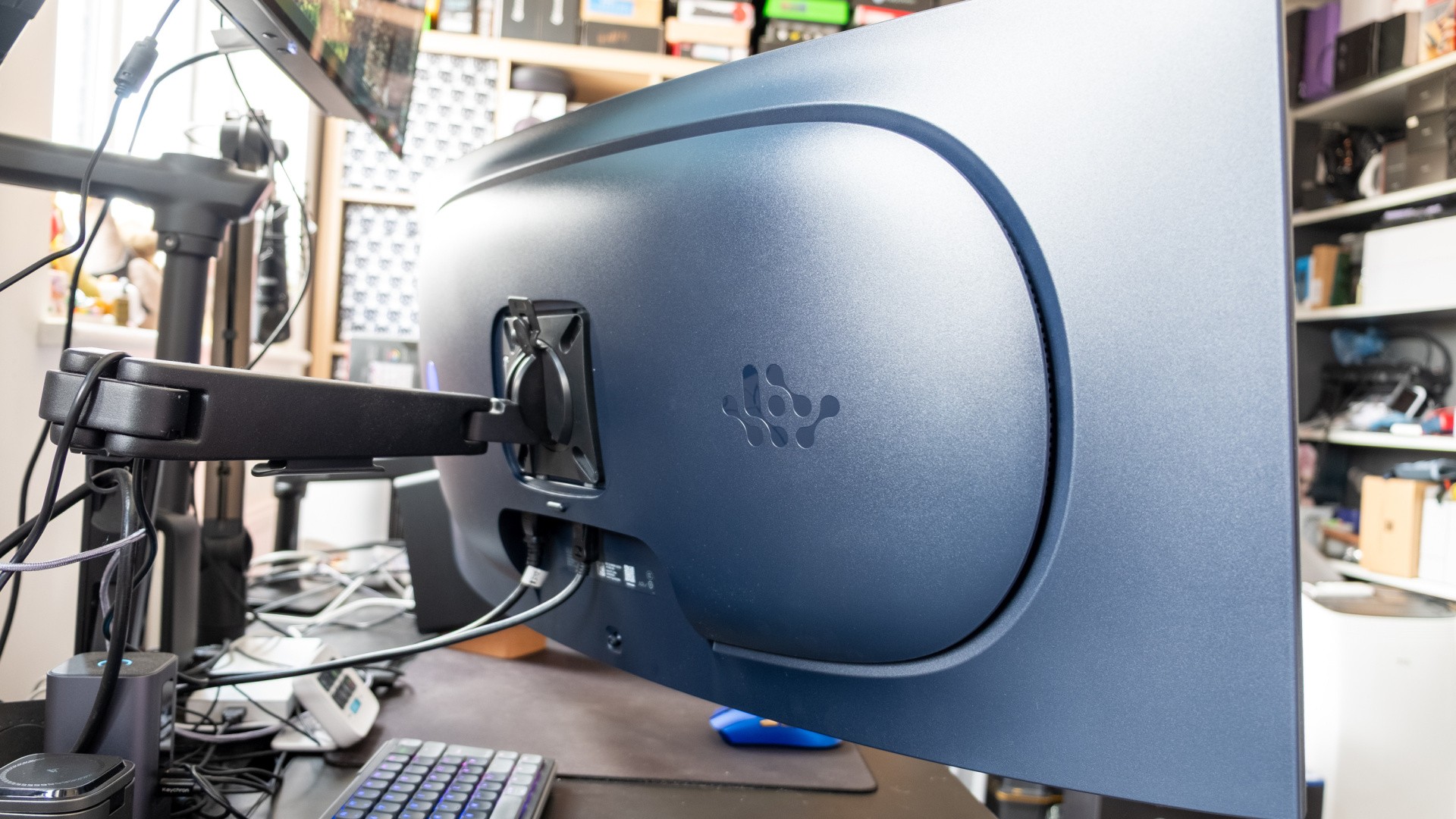
While I'm coming from a modern 16:9 OLED as a point of comparison, it's worth bearing in mind how the AW3926QW compares to the 34-inch 3440x1440 VA models that are the most common ultrawide spec for gaming. Boosting the resolution and swapping to OLED makes for a monitor that is significantly more usable for general web browsing and content creation, not to mention media consumption and gaming. The slow response times typical of VA panels is thoroughly eradicated, while the fourth-gen W-OLED panel also banishes the text clarity and fringing issues typical of earlier OLED designs as mentioned earlier. This makes the monitor much more of an all-rounder than its predecessors, rather than a gaming specialist.
The 39-inch size also hits a good balance between immersion and practicality, proving significantly easier to mount on an arm (or find space on a desk) than the 45-inch titans that previously were the exclusive domain of this resolution. The 1500R curvature is also quite mild, which helps smooth the transition to or from flat displays.
The only noticeable downside here is that the 165Hz refresh rate feels quite pedestrian, even when paired with a rapid OLED panel. It feels like a big downgrade compared to the 4K 240Hz QD-OLED I was using previously, though truthfully it is only in esports titles that you're likely to see frame-rates above 165fps at this higher-than-4K resolution. Still, it beats 60Hz into a cocked hat, so I'm grateful for that at least.
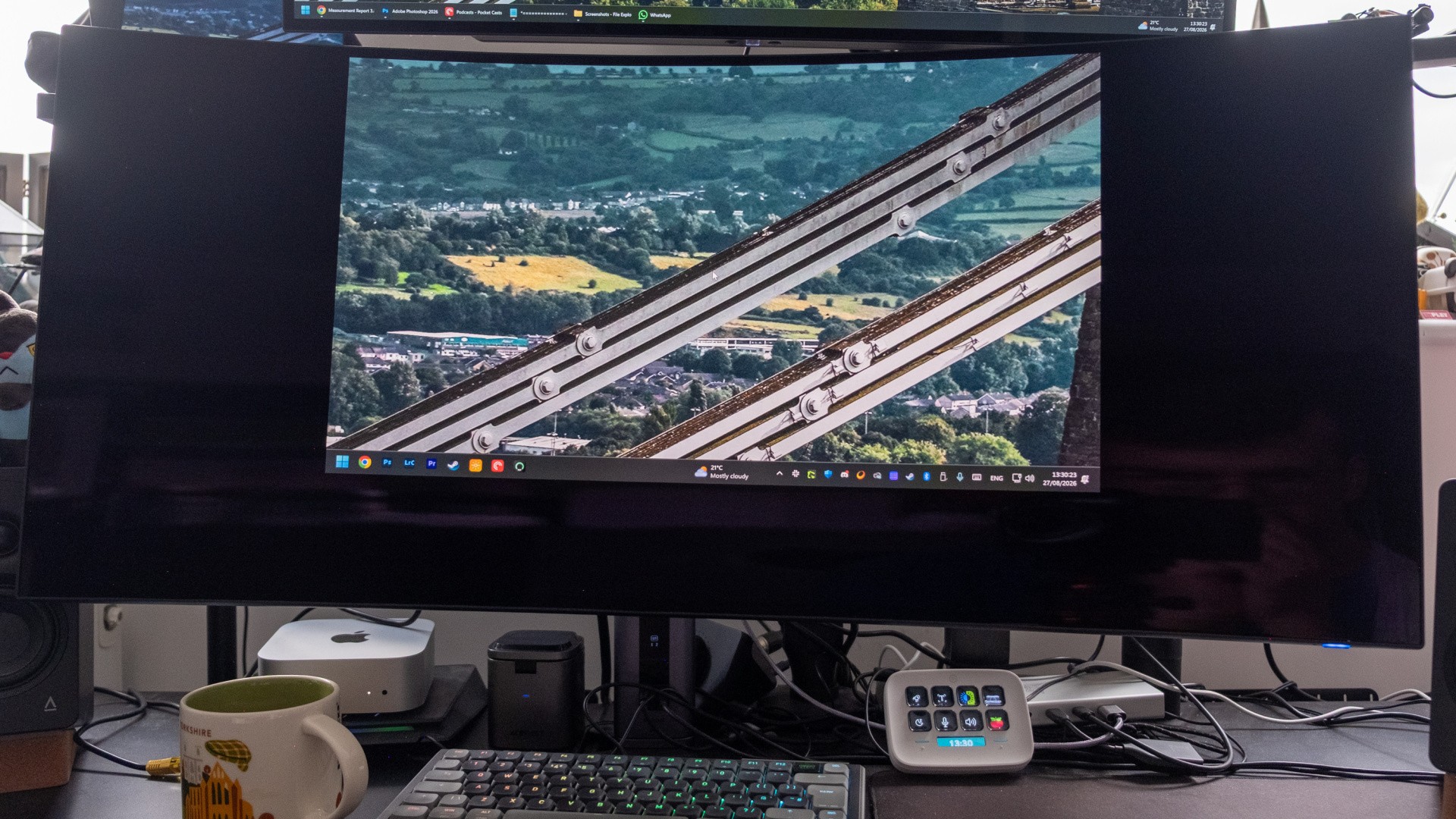
There is also the option of a 330Hz dual mode, but dropping the resolution to 2560x1080 feels a bit ridiculous for a monitor of this size, even in Counter-Strike 2 where pros commonly use resolutions well under 1920x1080. I do appreciate the inclusion of an esports mode that adopts a 16:9 aspect ratio at 25-inch and 27-inch sizes, which can be dropped into at a push of a button, positioned in the top, centre or bottom, and feels more sensible for CS2 - as the black periphery of the screen can be fully turned off, it does act like a typical esports monitor.
Beyond the core tech, Dell has done well to optimise the rest of the monitor's offerings. The OSD is snappy and responsive with the back-mounted joystick, the monitor wakes from sleep quickly, and I didn't encounter any crashes or hangs as I sometimes get on the Dough Spectrum Black model I used before this. That makes a huge difference in usability, as I often had to swap to a different monitor when accessing the BIOS or doing anything out-of-the-ordinary with the Dough - and even just waiting an extra five seconds for the monitor to turn on felt like an eternity. The AW3926QW feels a lot more polished overall.
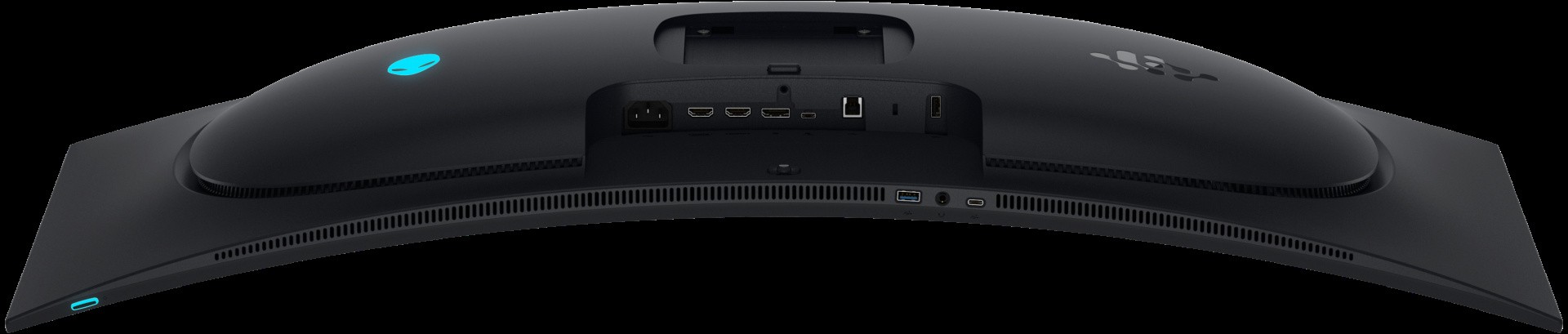
Similarly, the Dell monitor supports the full gamut of connectivity options, including HDMI 2.1, DisplayPort 2.1 (UHBR 20) and USB-C, the latter of which includes 90W of power delivery for a single-cable laptop solution. There are also plenty of USB ports, allowing the monitor to work as a KVM - luxuries not afforded to many gaming-focused OLEDs, including the aforementioned Dough Spectrum. If you have multiple PCs (and/or consoles) at the same desk, this is a really nice feature to have, especially as it cuts down on cable clutter and removes the need for a separate KVM box. There's even eARC for connecting a speaker system.
Wrapping up
The AW3926QW is a smartly specced and beautifully polished monitor that establishes a new blueprint for high-end ultrawides. It takes advantage of OLED's inherent strengths in terms of colour reproduction, motion clarity and contrast, while the latest-generation panel minimises concerns like brightness, longevity and text rendering. This is the easiest OLED to recommend that I've ever tested, and a brilliant ambassador for ultrawides as a form factor.
This Alienware is still an expensive proposition at $1100/£1000, but you do get a noticeable upgrade over the 32-inch 4K 240Hz OLEDs like the AW3225QF that launched at $1200/£989 just two years ago - and still costs similar money today. Against a backdrop of PC components getting increasingly unaffordable, spending this amount of cash on a big monitor upgrade feels downright reasonable by comparison - and if you're lucky enough to have the AW3926QW in your budget, the experience is immense.
The Alienware AW3926QW review unit was provided on loan by Dell. The Spyder Pro colourimeter was provided by Datacolor.


Comments 5
Release date?
@adorablebob Already available in the US, "coming soon" to the UK - will update with a UK link when it's live, likely September.
The problem is that after using 32:9 monitor for a few years now I just can't go back.
@stoper I haven't tried one in ages! Maybe Samsung will be nice enough to send me their latest 32:9 giant. What model are you using?
Will your "fairly standard monitor arm" looks like it resents the cavalier way you address its struggle for life. The monitor's price point, while of course alarming to any sensible person, is "surprisingly reasonable," as you say; I feel like not two years ago you'd spend significantly more for a smaller, less capable monitor. I hope this is indicative of a trend downwards for at least one category of tech!
Show Comments
Leave A Comment
Hold on there, you need to login to post a comment...