
 by
by 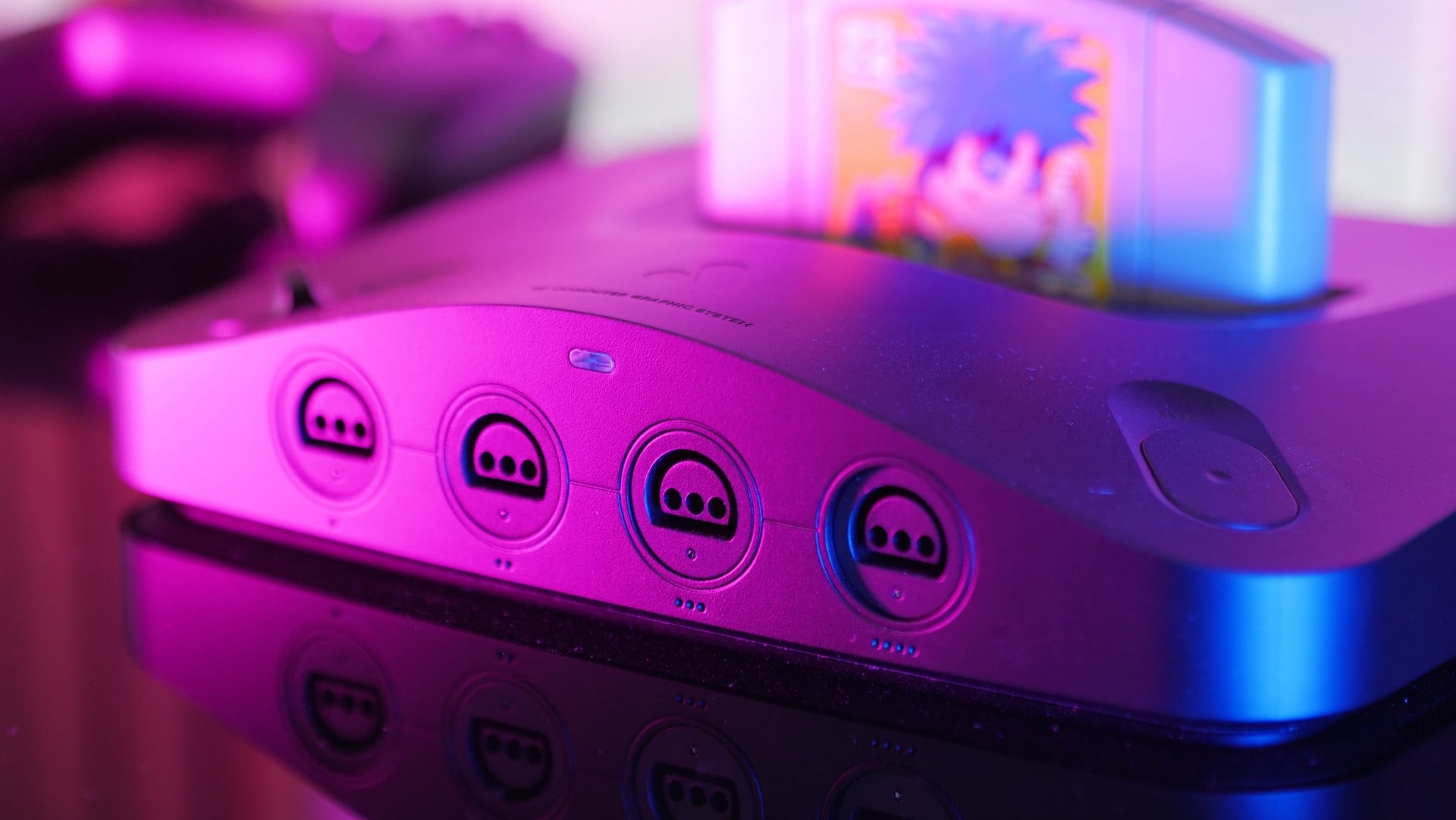
After establishing itself as a major player in the retro gaming market over the past decade, Analogue heightened customer expectations two years ago with its most ambitious announcement yet: a facsimile of a Nintendo 64. This system, the $249 Analogue 3D, was advertised as a way to authentically play original N64 cartridges using the same Field Programmable Gate Array (FPGA) concept employed in their other consoles.
The firm promised that its traditional "hardware emulation" approach would do right by the N64, but we knew this would be their toughest target platform yet. N64 games are notoriously iffy as recreated via more popular "software emulation" options, with even Nintendo's own Switch Online version of the N64 having a somewhat woeful track record.
Other Analogue systems have recreated the likes of Super Nintendo, Sega Genesis and Game Boy/GBC/GBA with a heavy emphasis on accuracy. We immediately wondered: can they do the same for the powerful-yet-unwieldy hardware at the heart of the N64?
We've waited quite some time to get a solid answer. A3D's announcement came with zero video captures or screenshots to support its sales pitch, and in the two years since, Analogue's silence grew more alarming, with only one brief off-screen video appearing roughly two months ago. That all changed earlier in November, when Analogue sent a pair of A3D review kits to the DF team.
And in a first for Analogue, we've discovered the A3D actually overdelivers beyond what its initial advertising promised. For the most part, that's a very good thing.
At its $249 price, Analogue 3D is currently the best way to play N64 games on a modern HDMI-equipped TV, particularly a 4K set. (So long as you can buy one, anyway; A3D's pre-order allocation has been sold out for over a year, and we don't know when to expect restocks.) But its core sales proposition has changed from past Analogue consoles. Instead of serving as a wholly authentic recreation, Analogue 3D - in its default settings - is actually an overclocked N64.
We've focused the vast majority of our pre-release A3D testing on that aspect, because while it's overall a welcome and tasteful addition to the N64 experience, this overclocking approach is neither perfect nor consistent. And while we'd love to tell you what A3D does and doesn't do for your favourite old games, its impact is largely game-specific. After all, one person's Aero Fighters Assault is not the same as another person's Zool: Majū Tsukai Densetsu.
What you need to know
Let's start with some crucial top-of-line notes, both to summarise our lengthy review and to cut off false impressions at the jump.
Overclocking is entirely optional. Though Analogue leaves the feature on by default, you can turn it off system-wide or even save your own game-specific preferences.
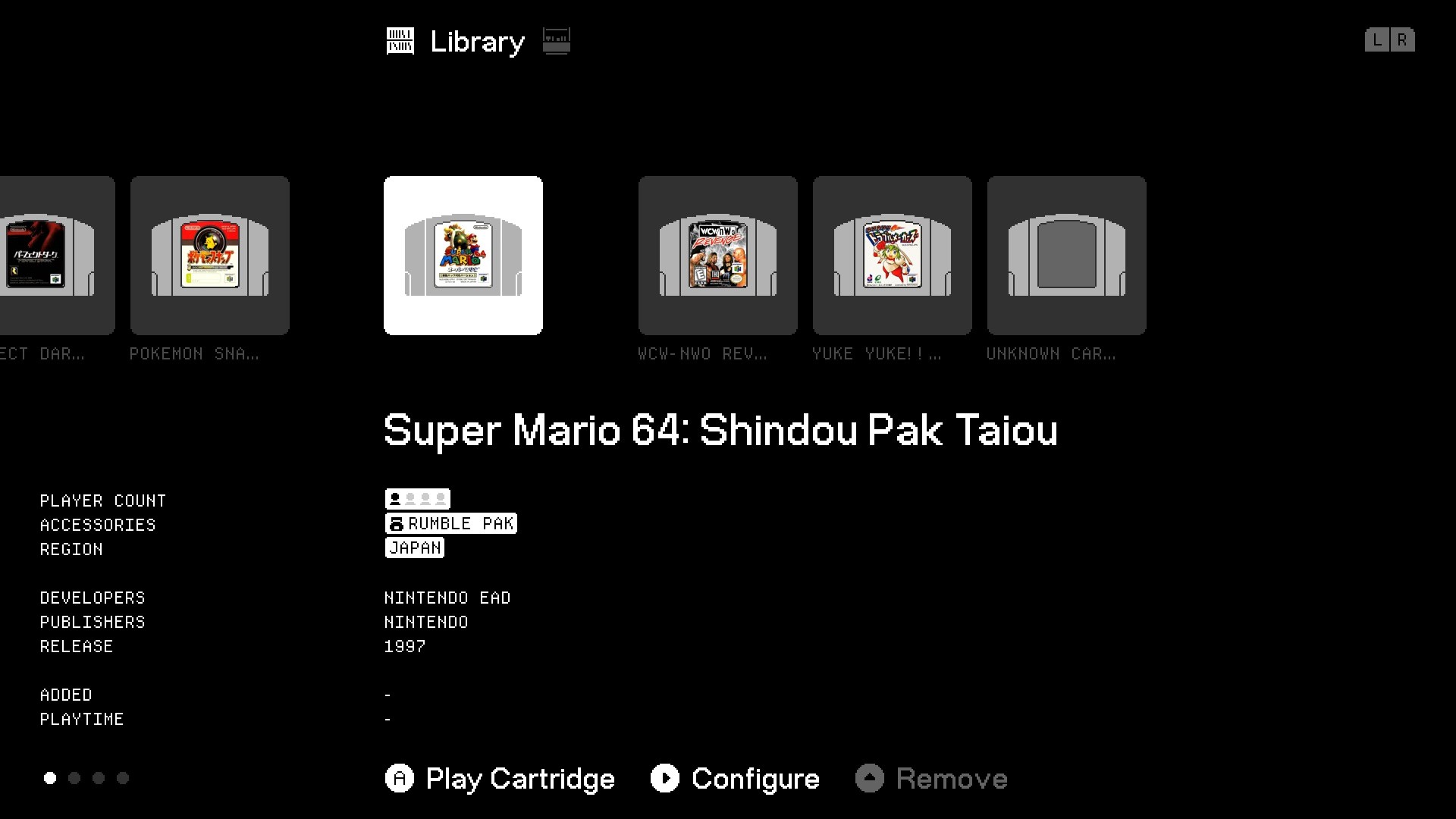
OC is tuned on a game-by-game basis. In default settings, A3D recognises each cartridge, then applies Analogue's recommended OC setting based on its game ID. (Which, again, you can disable.)
4K TV support means you get the best built-in Analogue video filters yet. But they're not perfect, and their customisation choices are limited.
OC does not change N64 games' base resolutions. 4K support targets the system's CRT-like video filters, as opposed to upscaling games' assets.
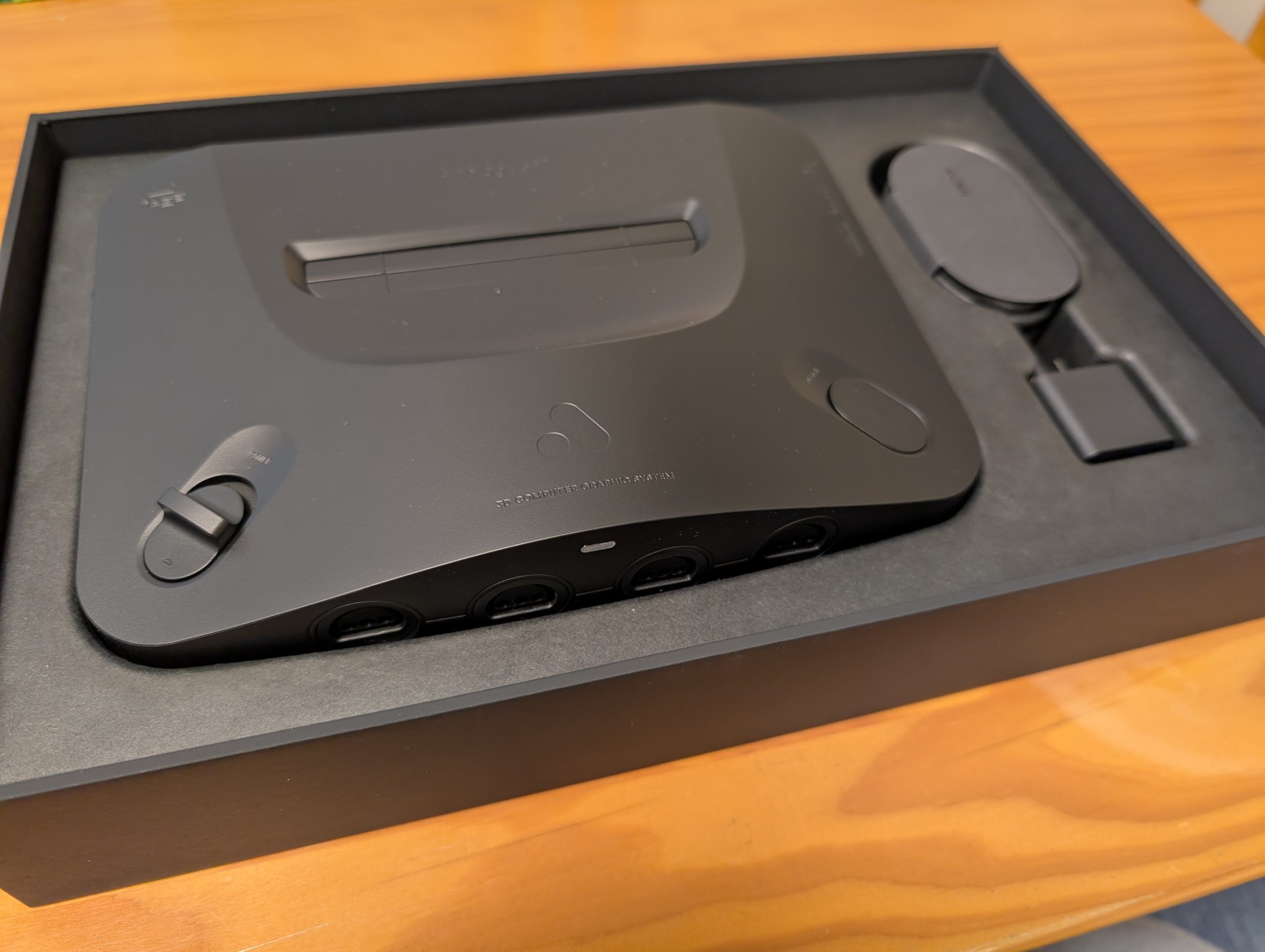
Original accessory support is mostly stellar. The mouse, the GB transfer pak, even that rare Japanese shogi cartridge with a modem: we've yet to plug any controller-port gamepad or controller-expansion accessory into A3D and run into issues.
But there are exceptions. You can't plug a 64DD into A3D, and as of press time, select flash carts aren't compatible, either.
Most modern gamepads connected via USB or BT don't work. 8Bitdo's latest N64-styled gamepad is the loud exception as of press time.
Cool visual toggles that we've seen in HDMI-modded N64s are here. Plus a few other unique options. They work great.
Without OC, games appear to run (almost) identically to the N64. Not just frame-rates but how content is rendered. If you want an authentic N64 experience, warts and all, you're set.
With OC, the story gets more complicated. No easy summary here, but it's mostly good news. Read on.
No jailbreak yet. Every Analogue system up until now has eventually gotten a ROM-friendly jailbreak, despite the company's public silence on the matter.
Other unannounced features are coming. Are they going to be valuable? We have no idea, despite Analogue's CEO suggesting he has planned "so many cool things."
From performance bottlenecks to overclocked power
The original Nintendo 64 had both a pioneering and limited design. Its beefy spec sheet was sadly limited by a number of factors, with cartridge storage sizes being the most obvious and consumer-facing. On a performance basis, the system's most brutal engineering choice was to make all system components share one memory bandwidth pool - meaning, CPU, Reality Coprocessor (RCP) and audio all squeezed through the same pipeline. Other bottlenecks include all CPU requests being routed through the RCP and all sound processing being done directly on the CPU.
Analogue 3D, then, sends a time machine back to the late '90s and asks: What if you could crank up the memory bandwidth? And what if you could overclock the CPU and RCP? What kind of N64 experience would you end up with? Would your favourite game's frame-rate finally climb to a reasonable level?
The answer is equal parts aggressive and conservative. Analogue CEO Christopher Taber suggests a 50 percent faster RCP and 33 percent faster CPU on A3D when its full overclock setting is enabled, while the company doesn't place as firm of a number on its memory bandwidth boost. In an email, Analogue Lead Hardware Engineer Marshall Hecht offers some context on his work on the A3D' memory module:
A3D has modern-day RAM that can provide a lot more bandwidth than the original Rambus interface on the N64. To ensure compatibility and timing accuracy, we introduce very specific delays to model how the original Rambus works. Basically, we slow things down. [The A3D's "Enhanced" setting] will bypass all these, letting things rip, but there's more. In the process of designing the 3D we developed efficiency improvements across how various parts of the RCP utilise the RAM, which are enabled with "Enhanced," also.
"Enhanced" is the lowest-level OC setting on A3D, since it's arguably the tweak least likely to break any classic games' built-in logic or timings. "Enhanced+" is one step up, and this adds an overclock to the RCP and its pair of components. Hecht says this offers "faster rendering without speeding up the audio pitch or breaking the sync rate." In his team's testing, they found this setting has the widest performative impact across the N64 library.
For one further, if graphics-related OCs still leave a struggling game in a CPU-bound state, there's the "Unleashed" OC setting to then enable a CPU overclock. Hecht points to Rare's N64 games as generally CPU-heavy titles who see boosts with this enabled, since they "are heavier on the CPU largely for the vertex skinning of 3D mesh animations and for MP3 decoding."
Overclocks in the wild: Awesome, for the most part
Hecht suggests Super Mario 64 as a stress test of this setting, and sure enough, it works in a level that the platforming classic's speedrun scene is familiar with: the water-filled Dry Dry Docks. That zone's famous slowdown is eradicated with A3D set to "Unleashed," as are the moments where alpha particle effects like clouds and decals might cause the frame-rate to dip.
That's really rad. It's also a slight bump to performance in a game with a rigid 30fps cap. Which is to say, A3D can't retroactively touch up classic games' code to remove those kinds of caps and play with the new FPGA console's raised performance limits. Nintendo first-party classics like 1080 Snowboarding and F-Zero X already ran at steady frame-rates and thus feel identical on A3D. (The same goes for Nintendo's Wave Race 64, whose 20fps frame-rate cap feels brutal on a potential-filled system like A3D.)
Depending on your frame-rate sensitivity, then, simply locking N64 frame-rates from the 25-30fps range to an apparently locked 30fps refresh may feel revelatory - meaning, you can expect smoothed-out frame-times not just for Mario 64 but for the already-competent likes of Star Fox 64 and Super Smash Bros.
The N64 library has its share of games with sluggish performance and no frame-rate caps, and we're still working our way through tests of A3D's overclock impact on these titles. Thus far, our testing results have been all over the map, ranging from transformative to slight.
One of our most revealing tests has stemmed from a fan-made patch to Perfect Dark, which includes code optimisations derived from its codebase's major decompilation milestone in late 2022. After applying this patch and loading the game on a flash cart, we can tap the "L" button on an gamepad to bring up a verbose grid of performance metrics. These report current and average frame-rates, along with a percentage of load on the CPU and the two halves of the RCP.
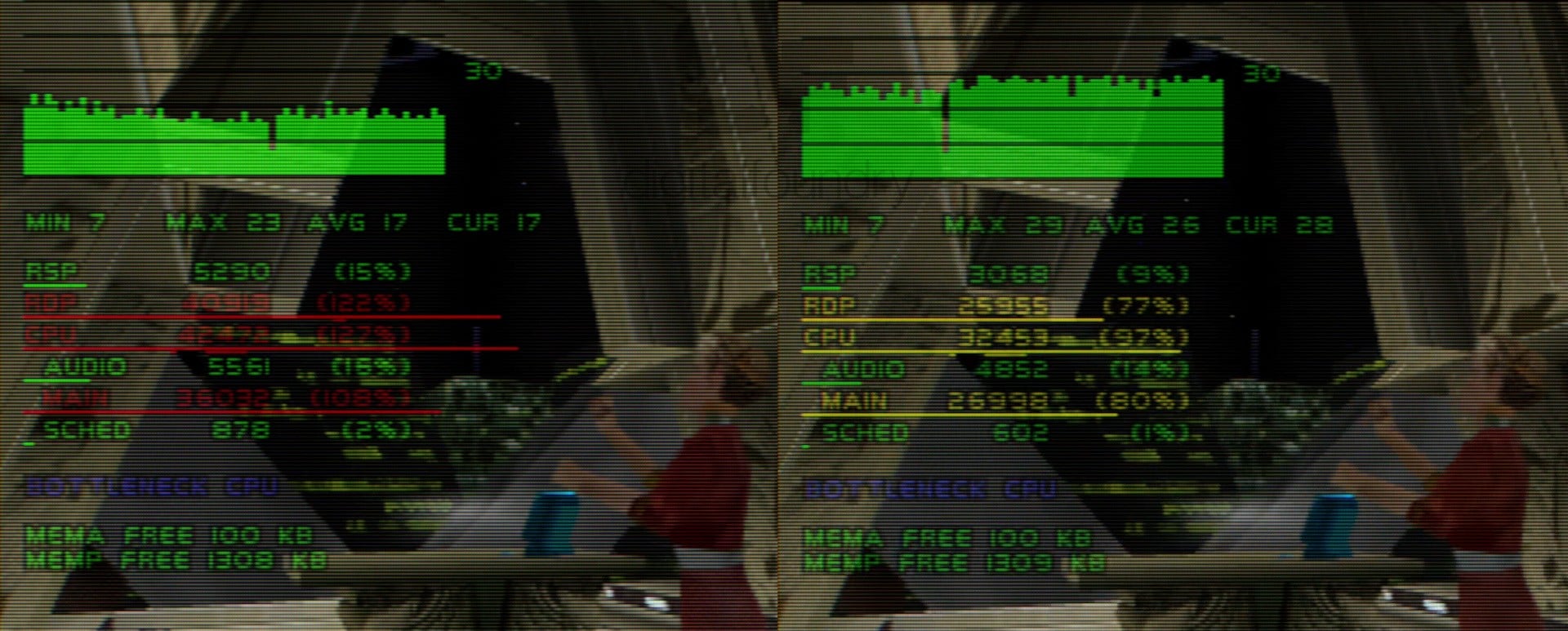
With overclocks disabled in the starting point of the game's first level, the N64's CPU and RDP (Reality Display Processor) are pushed above 90 percent use each with an average frame-rate reaching 28fps. With A3D set to its maximum "Unleashed" OC setting, those same system elements see their utilisation drop to 53 and 76 percent, respectively, with frame-rates averaging 44fps, a whopping 57 percent jump.
It's far from a fully optimised first-person shooting experience with A3D OC enabled, as frame-time spikes figure regularly into the action, but this version of Perfect Dark plays more like how you might remember it: imperfect but serviceable. The real version, comparatively, borders on slideshow territory. The same perceptible boost applies to PD's four-player split-screen deathmatch, as that mode's frame-rates jump comparably, as well. (If you don't have a patched copy of PD, you'll still get noticeable performance boosts across the board with OCs enabled.)
Interestingly, when we test Goldeneye 007 on A3D, its campaign content enjoys an even more appreciable boost in frame-rates, yet its split-screen modes do not. For whatever reason, even with maximum OCs enabled, Goldeneye 007 with four players continues to feel like a frame-rate slideshow; the performance uplift is there and measurable, but barely. (Also, in the game's opening sequence, James walks just a little too fast into the crosshair view. We leave that on for the giggles.)
Many split-screen games become impressively performative with A3D OCs turned on. Quake 2 and South Park Rally transform into entirely new split-screen sources of fun, while Turok 2 and Turok 3 receive appreciable-but-imperfect boosts of their own. Yet one split-screen game proved the disastrous exception to the A3D rule: Mario Kart 64. Its split-screen racing was apparently engineered to sync to one of the system's core clock speeds, then tuned to run at a certain cadence, arguably to compensate for reduced bandwidth.
Play MK64 with maximum A3D OC enabled, and the whole thing starts to feel like a Benny Hill skit. Everything moves too fast, and you'll start humming "Yakety Sax" while unintentionally laughing.
The possible cartridge wild-west scenario
As a reminder, OC is not enabled by default when you play MK64, or other timing-sensitive games we've uncovered like Batman Beyond and International Superstar Soccer 2000 (in addition to "attract mode" timing being broken when OC is enabled in titles like Beetle Adventure Racing, Rayman 2 and Banjo-Tooie). Analogue stores a database of every officially published cartridge in its firmware. It then checks this database for its own tested recommendation for an OC setting and applies it automatically. So far in our testing, our own official cartridges have seemingly stuck to a proper auto-OC setting.
But in testing fan-patched games on flash carts, including randomiser patches, performance tweaks and impressive homebrew efforts like the Return To Yoshi's Island demo and the unofficial Smash Bros. expansion Smash Remix, we don't get the benefit of an auto-OC setting. And we have not yet comprehensively tested every N64 cart in the wild from every region, so we aren't yet confident that Analogue has all potential OC messiness sorted out on your behalf.
Thus, understand that you may face a wild-west scenario with your own carts, and there's a far more intensive requirement on a Flash cart to quit out, change the OC setting, and start the cart again for every ROM you select.
There's also the scant-but-existing issue found in every other FPGA recreation on the market: it's never 100 percent perfect at replicating original hardware. One close-but-not-quite example we found is Nagano Winter Olympics '98, whose cross-fade effects in its intro sequence display slightly incorrectly in all of A3D's modes.
We also found rendering issues in the PAL version of the aftermarket 2021 cart Xeno Crisis, which Analogue is currently addressing. But this also brings up a pretty cool A3D perk for cross-regional N64 cart collectors: It natively plays NTSC and PAL regions by default, instead of the original N64 requirement of needing each region's console to natively play their carts. (In the future, we'd love to see an above-and-beyond toggle to force 50HZ or 60Hz modes as we see fit on A3D.)
Somewhat related: there's no plastic tab to pop off that might otherwise block one region's cartridges from fitting into another region's N64. Cartridges generally fit snugly into the system, as well, resulting in arguably the best cartridge slot that Analogue has yet produced.
Filters and other visual features
Analogue 3D includes the best CRT-resembling filters yet built into an Analogue console, handily surpassing the options available on the Analogue Dock. Scanlines, grid lines, pixel bleed and other screen-coating effects benefit hugely from Analogue's jump to its first-ever 2160p video output. In our retro-loving opinion, the inherently blurry, fuzzy-textured N64 library needs video processing like this to match developers' aesthetic visions; N64 games were built to benefit from an imprecise video signal, not from emulation-fueled trickery like sharper polygon edges and higher resolutions.
And the N64 hardware's woeful texture memory cap of only 4KB of data can't be fixed by harsh upscaling as per popular software emulators. Analogue's filter-first approach, with default settings that resemble a BVM, PVM and other monitor types, is the way to go on A3D, or you can disable the filters at your own tiny-texture peril.

Sadly, this is one system aspect where you get what you pay for. At only $250 for the system, you're not getting the verbose, 2160p-compatible video customisations you'd find by combining an original N64 (usually in the $100-and-up range at resellers) and no less than a $399 RetroTink CE upscaler.
We're not sure Analogue should let its lower price define its lacking video filter options. The hit to overall gamma levels by the default scanline and gridline thickness is a bit too much, so long as users can't adjust their thickness. While A3D sends HDR-specific data via HDMI, its container doesn't carry full luminance data, which might otherwise improve its current scanline-darkness issue. Worse, A3D lacks an HDR calibration process. (Even the Switch 2, with its iffy handling of HDR, at least offers that.)
And for games that run at the N64's supported 480i "high res" mode, users are forced into a "weave" deinterlacing model, which is never our preference over the motion-friendlier "bob" alternative. Interlaced video benefits from proper image processing to fill in the horizontal lines that are skipped every other frame, and something as simple as a line-doubler is arguably the concession we face with a lower price than we'd pay if we added a dedicated upscaler device.
We've been told to expect HDR, deinterlacing and scanline-customisation updates that may eventually render these launch-day complaints quite moot. But as with other Analogue's promises from the past few years, we recommend keeping your expectations in check until they actually arrive.
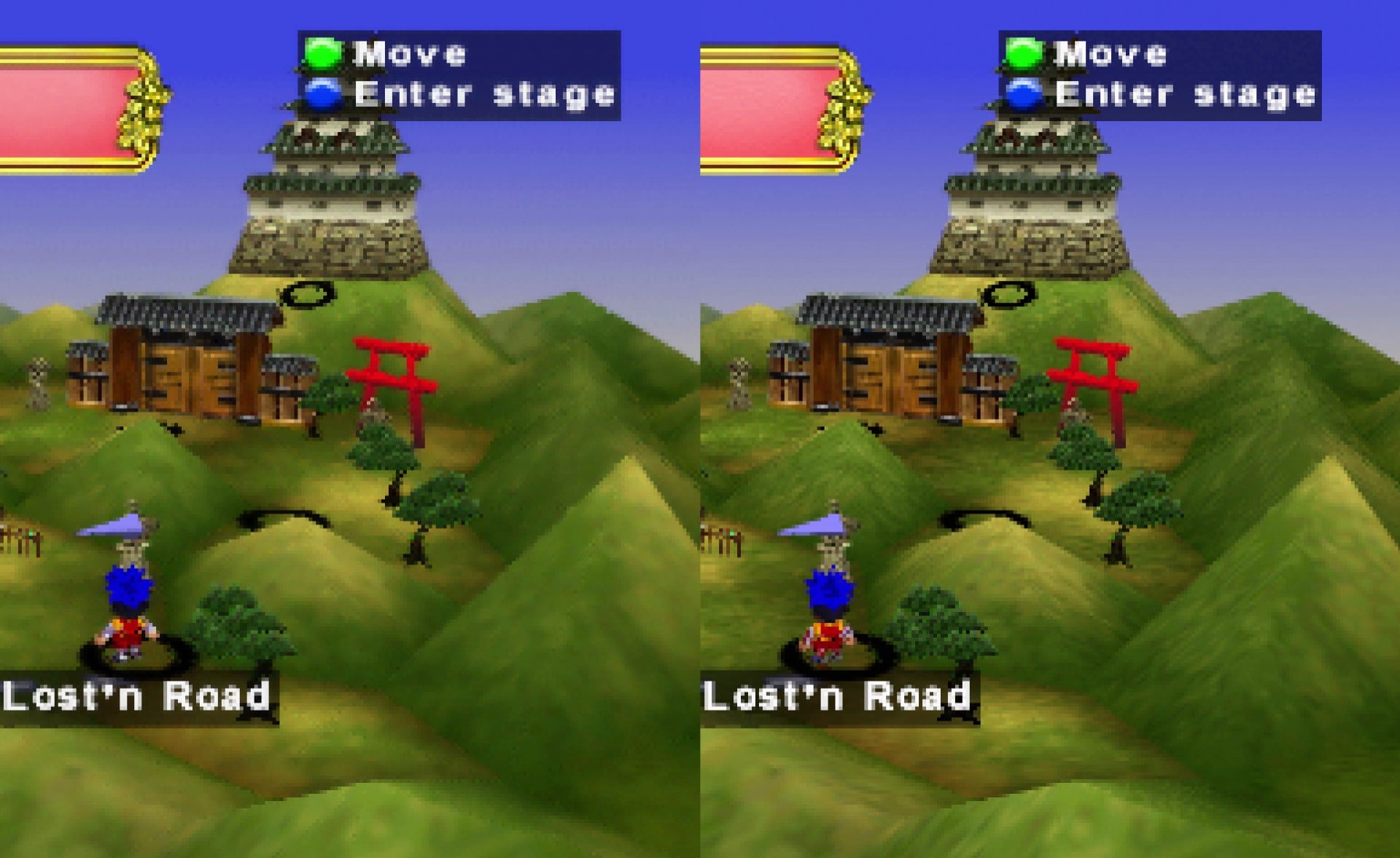
In the here-and-now, 32-bit colour information as A3D's default is one of its quietest superpowers. In some cases, this reduces the "dithering" pockmarks that interrupt colour-banding stretches of solid color on screen, although in others, the dithering remains or even looks a bit more pronounced. Yet this is more than made up for by the console displaying far more texture fidelity and geometry detail across the entirety of a scene with 32-bit colour enabled.
No other N64 modification on the market does this, and this boost alone could be a selling point for N64 image quality purists. A3D additionally includes handy toggles to disable the N64's default blur and anti-aliasing passes, which resemble identical features found either on N64 HDMI-out mods or as toggled by GameSharks and select flash carts. We definitely recommend turning off the aggressive VI blur (which Analogue does for you by default), while the N64's anti-aliasing method is definitely more of a game-by-game determination in our opinion.
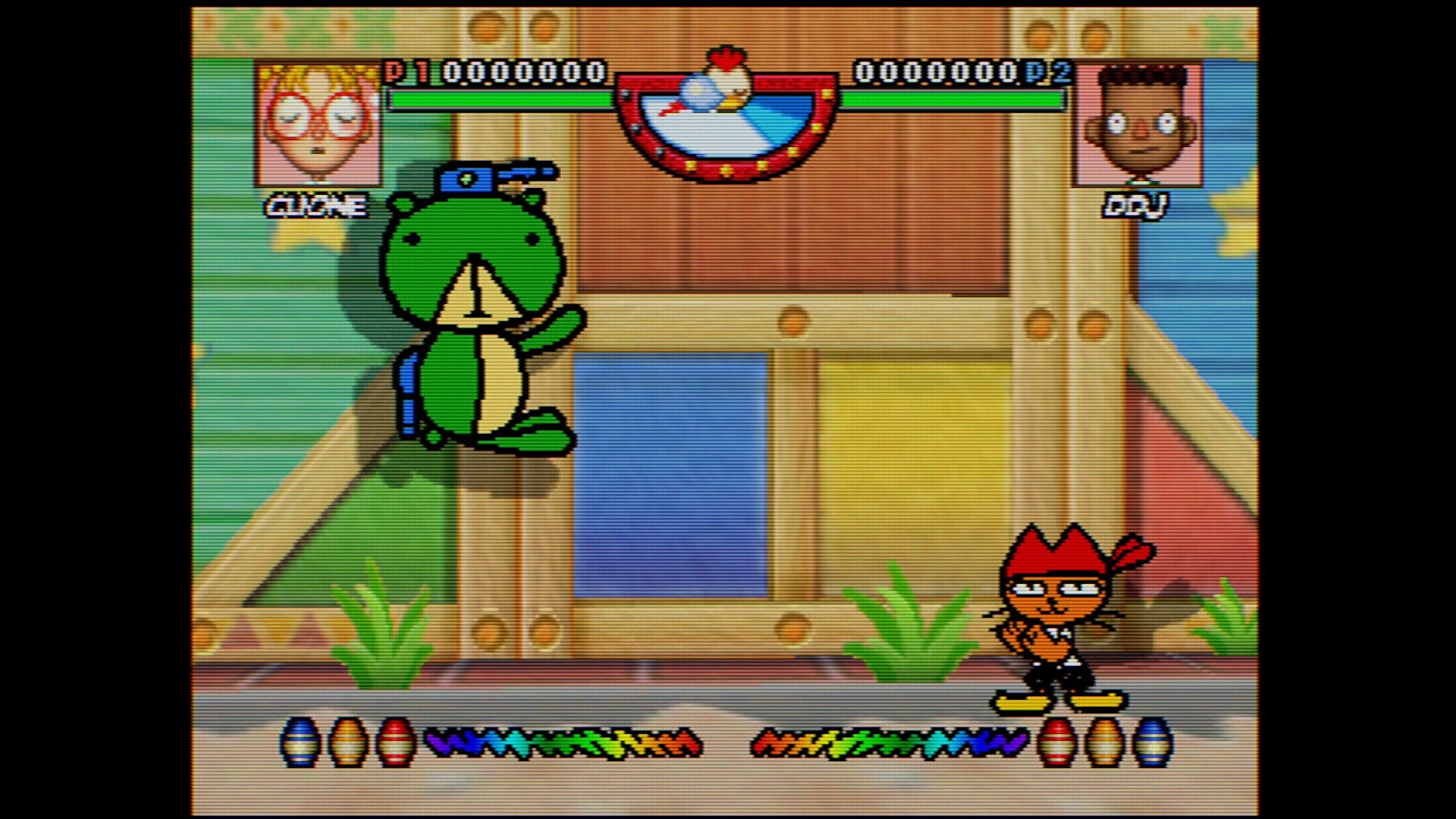
To close out the filtering conversation, we note that A3D's technical makeup is split between running a hardware-emulation approximation of original N64 hardware and a process that attaches that pixel information to a separate upscaler and image processor. The former remains fixed at original games' target pixel resolutions, while the latter doesn't include any form of machine-learning super-sampling or other resolution-boosting fakery. You can stretch the image beyond an integer-based upsample, whether to toggle a widescreen ratio for games that support such a feature or otherwise more fully fill your screen, at least.
And whatever filter you choose, you can save dialed-in settings on a per-cartridge basis if you wish.
Hardware design, gamepad support
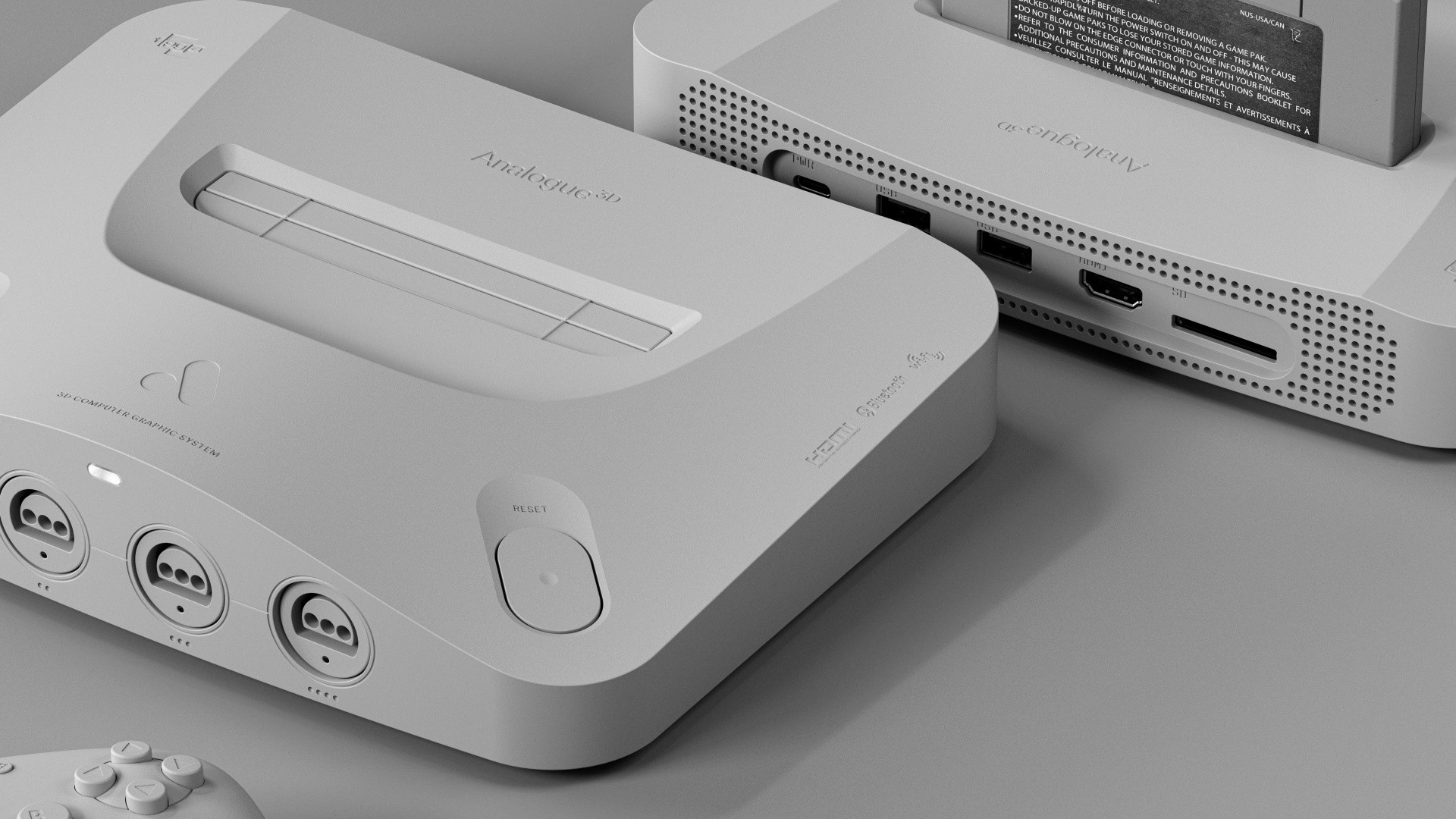
On a different aesthetic front, Analogue 3D's hardware is possibly the company's sleekest device yet. It tastefully borrows from the original N64's spaceship-styled curves on top, yet also smartly ditches the puck-styled bulges on its front.
Measuring at 23cm x 18cm x 4.5cm, its living room footprint is surprisingly close to an N64, with its nearly halved height being the most noticeable difference. While the system feels dense to hold, it’s lighter than a real N64 at 845g.
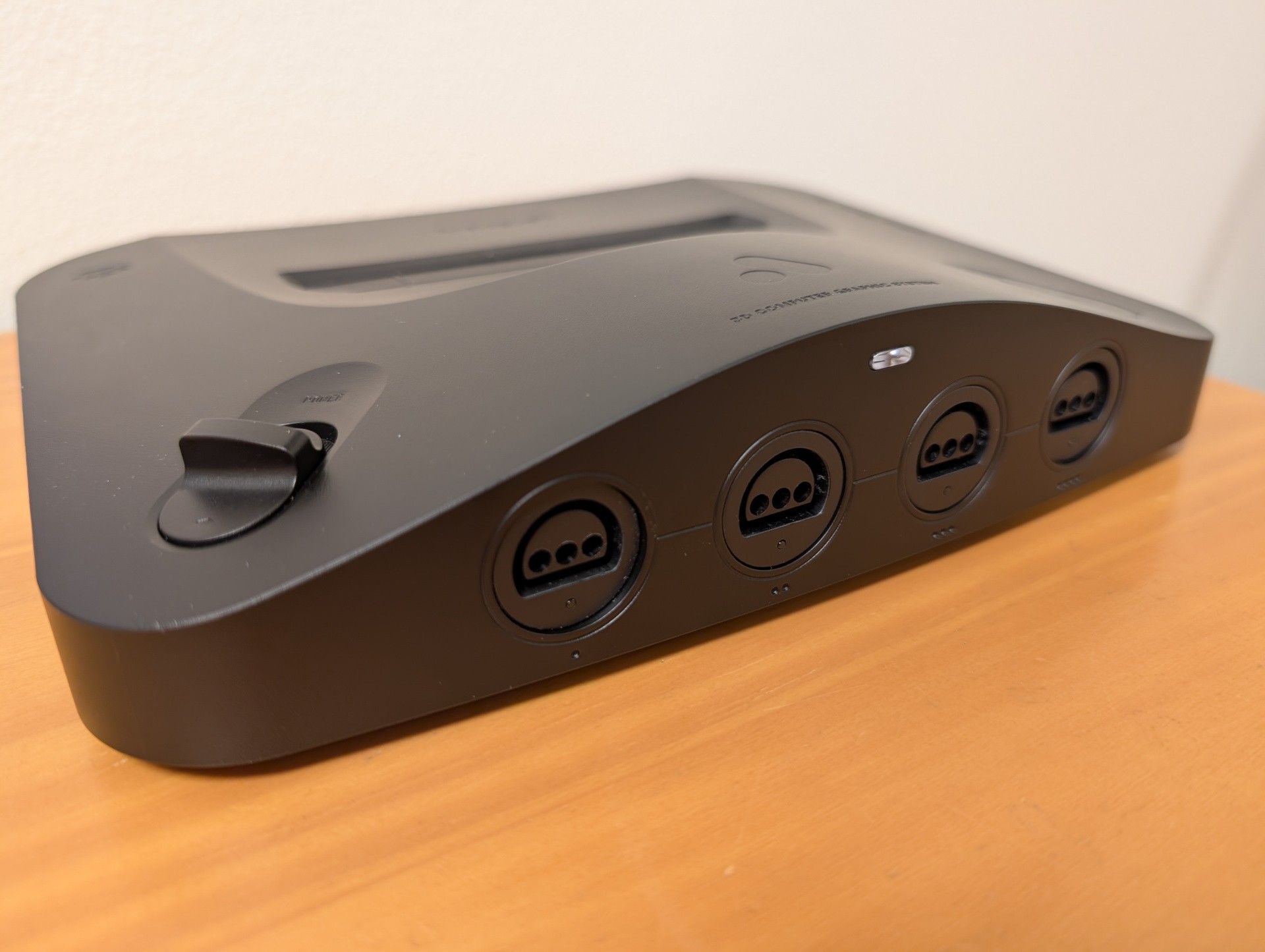
An RGB light at the top of its front face lights up with different colours to suggest anything from a Bluetooth pairing attempt to an error code, while each controller port has its own small light to confirm if a wireless gamepad is connected to that port. The recently launched 8Bitdo 64 gamepad was apparently designed with A3D compatibility by default, as the pair of devices pair quickly and neatly, and the 8Bitdo 64's extra menu buttons are compatible with system functions like pulling up a mid-game menu and accessing in-game shortcuts. On original N64 gamepads, the same shortcuts require button combinations that include Z+Start as a default triggering combo.
Whichever gamepad you use, a tap of the Start button powers the A3D on from sleep. However, the system includes neither a button-tap path to turning the system off, nor does it automatically power down after a certain amount of time. You'll have to walk up to your A3D and tap the power button. We wish the same elegance for powering A3D on from our couch worked as well to power it off.
In some of our least-favourite news to report, Analogue 3D does not currently support any gamepads outside N64 controller-port devices and the 8Bitdo 64. This may possibly stem from Analogue's OS not supporting button remapping of any kind, which would be essential to let users translate Xbox-styled gamepad inputs to the N64's unique controller however they see fit.
But what's really shocking is that even Nintendo's official Bluetooth N64 gamepad isn't supported by A3D as of launch. We hope Analogue fixes this, because we have to imagine other prospective A3D customers snapped up Nintendo's official, modern option due to the same assumption we'd made. (Analogue's Christopher Taber says more diverse gamepad support is on its way.)
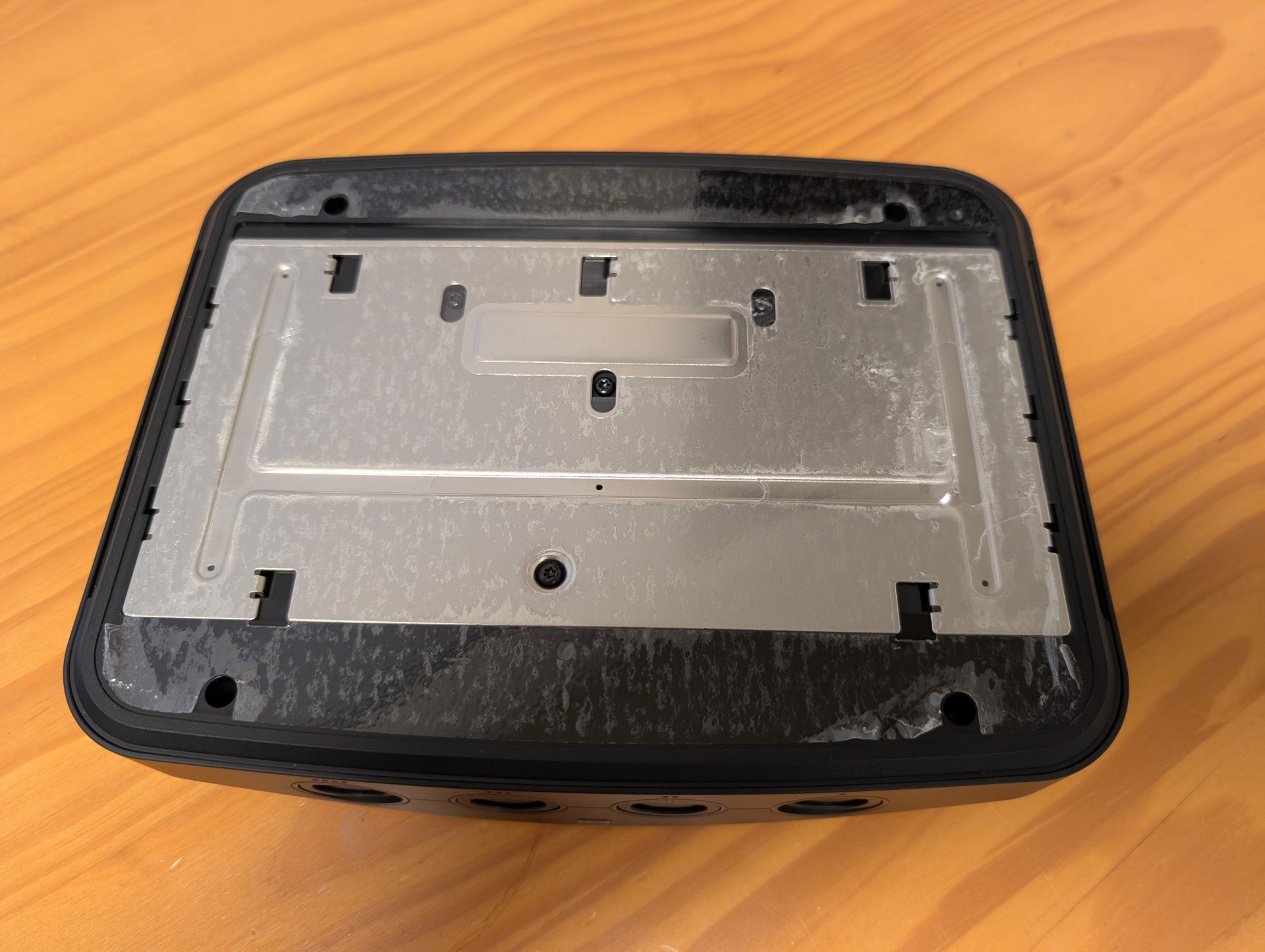
A3D's rubberised bottom has the same angled-line pattern as found on 2023's Analogue Duo, and it too peels off to reveal a series of Torx screw bits. However, this time, Analogue has made a full motherboard exposure attempt much trickier, thanks to a series of interlinked clips that seem to require a bespoke all-at-once clinching tool to release A3D's bottom metal shielding plate once the screws are removed. We couldn't fish this off ahead of today's embargo to look at what FPGA hardware is being used to power A3D - and to determine whether this is indeed a dual-FPGA system like the Analogue Pocket before it.
Brief MiSTer Education
One huge comparison point worth noting is that the open source community's MiSTer ecosystem has matured enough to match Analogue 3D on an N64-emulating basis. It, too, includes a "default" and "turbo" way to play every N64 game with similarly positive OC-related boosts. Its gamepad support is far wider, as well, in case you'd prefer to attach, say, Xbox-styled gamepads to fill out a four-player session. Its general support is upheld by a massive community, rather than by a single company. And if you've already ripped your own carts as digital ROMs, MiSTer supports those by default.
But MiSTer boxes generally aren't as handsome as Analogue 3D's sleek chassis. The MiSTer platform's support for official N64 hardware attachments is more limited. Its OS is more cumbersome. And its built-in filters, while more customisable, max out well short of 4K resolution; you'll need an additional devices like a RetroTink CE or RetroTink 4K to make N64 MiSTer games look as era-appropriate as on A3D.
More testing highlights, and notes on flash carts and jailbreaking
Since you've made it this far, let's offer more OC-driven performance highlights that we appreciated in our testing. Because, really, they outshine the lowlights. These include:
Two-player split-screen actually runs decently in the Midway racing games Cruis'n USA and Hydro Thunder. Daikatana, while still certifiably a terrible N64 game, is at least playable from an, er, preservation perspective, whether in solo play or split-screen. Gex 3: Deep Cover Gecko's frame-rate now runs closer to 30fps, which sadly reveals consistent animation judder that was previously hidden by its hideous default N64 performance.
One thing Analogue 3D gets right is resolution-swapping in the middle of a game. Resident Evil 2 is a good cartridge to test, as its N64 port switches frequently between 240p and 480i, which older retro-console upscalers like the OSSC and Framemeister can struggle to parse. A3D has no such issue - you'd never know about the issue as played on this version of N64. (Such resolution-swapping smoothness would be great on a future Analogue Saturn or PSX Analogue, fingers crossed.)
Good news for the Rebellion: Star Wars N64 games run better across the board. Star Wars Episode 1: Battle for Naboo in particular enjoys a transformative jump in frame-rates, while Star Wars: Shadows of the Empire can on occasion max out its wholly uncapped frame-rate. Not only can you power past the dreadful Battle of Hoth stutters on original N64 hardware, you can also approach closer to 60fps in the later Ord Mantell Junkyard train level. This speed-up coincidentally makes the train reach locations in less real time, without affecting gameplay animation speeds. That's a welcome acceleration, as far as we're concerned.
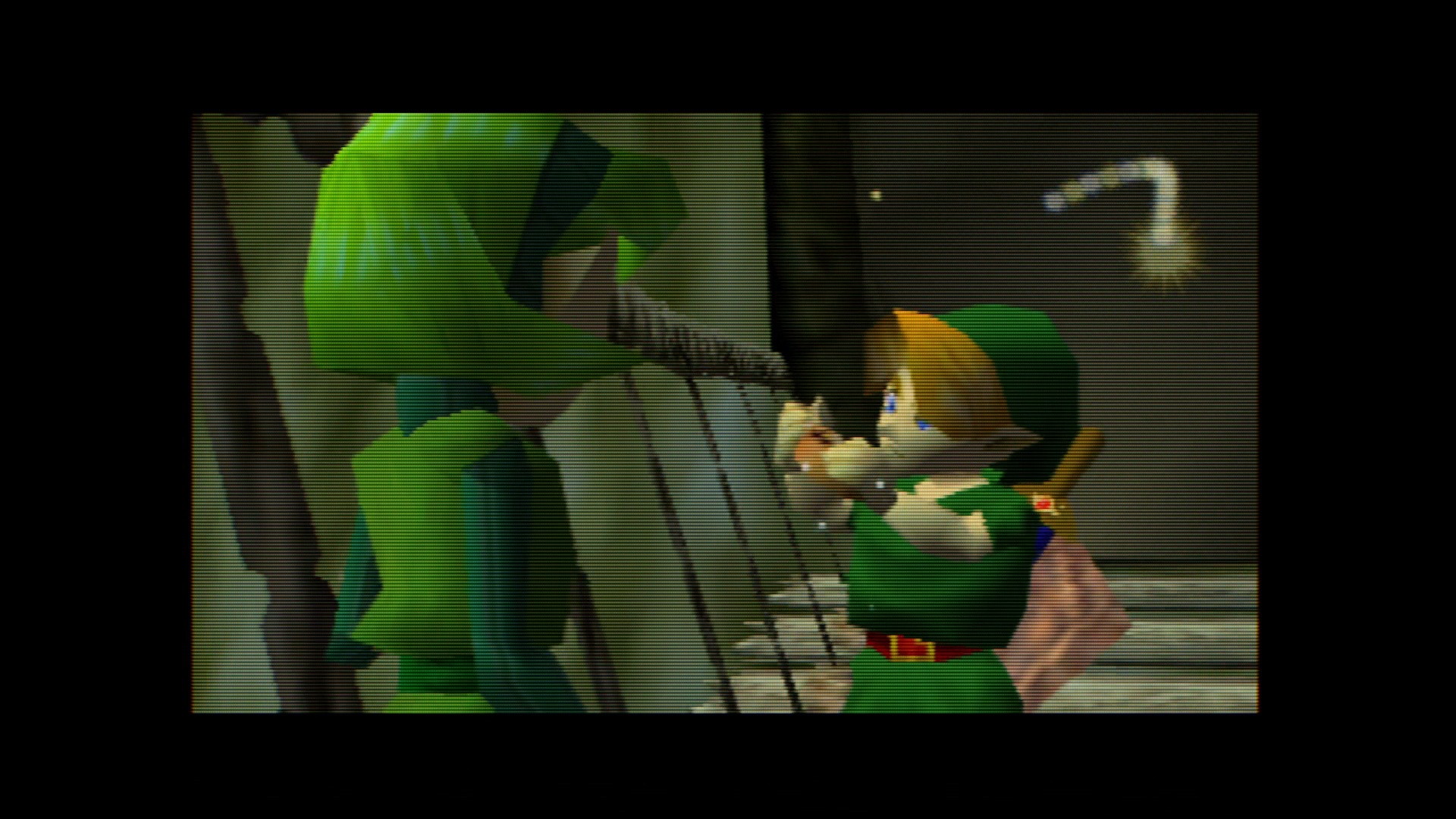
And by applying a fan-made patch, Diddy Kong Racing can run at a near-constant 30fps on A3D, whether in single player or split-screen. But this, again, is another example of a ROM patch as played through a flash cart - and as of press time, some flash carts in the wild, particularly newer models of the EverDrive 64 (ie the X5 and X7), are apparently throwing up incompatibility issues. We had testing success with both an older EverDrive and a modern, fully updated Summercart 64 without any apparent issues - except for one case of the Japanese version of Wave Race 64 having its music pitch upward for some reason in a way that the cartridge version does not.
Every Analogue console released since the Analogue NT has included some form of post-launch, tucked-away download that, when placed onto a compatible SD card, opens up the ability to load and play your own library of cartridge-ripped ROM files. Analogue's official comms channels have never acknowledged these system patches, and Analogue 3D is currently advertised as being exclusively compatible with cartridges.
Should one eventually arrive, we don't know if such a "jailbreak" would play nicely with the A3D's per-game toggles for overclock and display filters. As of this article's publication, a flash cart requires adjusting these settings every time a new ROM is selected.
We also sincerely doubt Analogue will ever open the A3D up to play other consoles' games, though with built-in video filters like these, we'd love to run even classic 8- and 16-bit games through them one way or another.
Rose-tinted glasses, in console form
Perhaps my most telling experience with Analogue 3D came when I sat down one evening to test an old copy of Jet Force Gemini. I figured this would be a decent game to push A3D to its limits, since its polygon counts and visual effects sometimes bring original N64 hardware to its knees. Sure enough, I confirmed the A3D's OC setting revved this game up to a nearly locked 30fps.
That could have been it, with me tapping a checkmark on a game-testing list and moving on to the next cart. But I stayed inside JFG. It's one of many 3D games that exemplified a certain N64 game-design ethos of uneven ambition, where game makers slapped so many control methods, camera angles, combat mechanics and open-adventure concepts into a new era of ample polygonal headroom.
As it turns out, JFG is quite charming as played in the right setup: with a smoothed-out frame-rate, on an N64-specific gamepad and with a 4K TV that supports the full resolution of A3D's CRT-styled filters. I got lost for hours in its brutal difficulty and its ant-dismembering madness in a way that, well, felt very authentically 1990s.
And that's been my biggest takeaway from my Analogue 3D reviewing experience. As testers, we've stretched ourselves a bit thin across a hundreds-of-games selection of titles to boot no less than three times each and look for issues big and small in the system's overclocking sales pitch. But as N64 fans, we've loved how many games run the way we remember them - sometimes at crisp frame-rates, and often at improved-but-wonky cadences.
Its performance impact is indeed noticeable if not universal; the gains you notice in fare like Conker's Bad Fur Day eclipse the limited boosts available to already-maxed-out games like Ms Pac-Man's Maze Madness or Mario Tennis. And stinkers like Superman 64 may see noticeably improved frame-rates, but those games' deeper rendering issues, particularly oppressive levels of fog, aren't reduced or patched out.
Even with that in mind, A3D ultimately puts the rose-tinted glasses of nostalgia on the performance-constrained N64 library. Filters, performance, interface, design and convenience all add up to Analogue's best home console yet.
Digital Foundry's John Linneman contributed to this review.

Comments 16
Excellent coverage folks. Can’t wait to see the video review.
Excellent write up. It's not for me, but I know it will be for some.
Great article. Sad on the X5/X7 compatibly. Unsure if Krikzz need to update them or it's an A3D issue. I'm surprised this article didn't mention that Marshell is the same guy who created the original Ultra HDMI mod.
Stellar review. Appreciate all the details. I wonder why Analogue kept us all in the dark these years. The product seems good. Why hide it?
Would love to see comparisons for the few games that have issues on MiSTer. Like the Madden games that have random exploding polygons on the players. Nearly every game runs perfect on MiSTer, but there are a couple exceptions. Regardless, already owning a MiSTer, this thing isn't really for me personally. But I'm happy it turned out well!
A terrifically detailed article which answered every one of my initial queries and offered a few surprises into the mix.
I'm eagerly awaiting some DF performance testing of this thing, but not as much as I'm eagerly awaiting my Analog 3D to FINALLY ship to me.
Excellent review! If only Analogue could create enough stock to keep up with demand, and continue to manufacture for years, rather than the "limited run" model it has kept so far.
@JJtheTexan Yeah I feel the same way. I don't need more FOMO in my life. If Analogue hopes to drive sales by artificially limiting stocks then I'll pass, thanks.
Did you test 1080p tv output? Do the display modes like CRT etc work there as well?
Looks like another lovely bit of kit, it's too bad it's "emulating" a console with so few good games you can count them on the fingers of one hand. Sorry N64 fans, it's a bad console. Yes it had Mario 64, Wave Race, and Ocarina (although that ran absolutely horribly), but not much else.
I'd love to see Analogue revisit their previous consoles, the NES, SNES, and MD and give them the 4K CRT goodness. The MD would also very much benefit from a CD drive and added Mega CD support. (dare I say it, there are more good MCD games than good N64 games)
Next I really hope they target the Saturn. I doubt they will, as it's another niche system, but it's one with a far better library than the N4.
The review itself is a bit rose-tinted towards analogue too. Promised features taking years to materialise or just never delivered (dac support anyone?), leaving customers in the dark with zero communication. Like their previous products, they will abandon the a3d when they get to the next big thing, you just need to hope they actually fixed most bugs when that happens.
Cannot wait for mine to arrive.
@ramu-chan
Less games does not mean bad games. What a ridiculous take that there are only 3 games on the console. Maybe there are only a few games you enjoy, but that doesn’t mean there isn’t a quality library.
Mario 64
Ocarina of time
Majora’s Mask
Smash Brothers
Mario Kart 64
Diddy Kong Racing
Donkey Kong 64
007 (goldeneye and the world is not enough)
Starfox 64
Waverace 64
Paper Mario
Banjo Kazooie
Banjo Twooie
Jet force Gemini
F-Zero X
Star Wars Rogue Squadron
Pokémon stadium 1 + 2
Pokemon snap
1080 snowboarding
Tony hawk 1+ 2
Mario party 1, 2 an 3
Mario golf and tennis
Kirby 64: The crystal sheds
Resident evil 2
I could keep going but I think you get the point. Even if you played one game per month and only kept to the best games on the system, there’s enough quality games to keep you busy for like 3-4 years assuming your not playing anything else.
@Stauf1515 I know the N64 has its fans. I imported one from Japan at launch and thought Mario 64 was the future of gaming as it made PSX stuff look so bad. Then I got Pilotwings and thought, okay, it's a blurry mess and the frame rate is catastrauphic. Then I got Wace Race and thought it plays well but oh boy, that frame rate.
And so it went on. A console with image quality and frame rates so bad it made even the PSX look good.
It's a shame really as from a hardware standpoint it's an interesting piece of kit. Perspective correct texturing, mip mapping, a proper alpha channel and a z-buffer. Way ahead of its competition. But also a terrible fill rate and a microscopic amount of RAM, and then of course, the tiny little cartridges in an era of CDs.
At the time I was super into J-RPGs so the PSX was my go-to. I do wish I had bought a JP Saturn at the time too as I'm sure I'd have liked it. I did try a UK Saturn and thought it was a joke, but that's what playing the likes of Daytona and Virtua Fighter does to you when you've been used to Ridge Racer and Tekken. Had I seen the Saturn's library of 2D arcade ports things would have been different.
As for the N64. it sat there gathering dust throughout that generation for me. I bought the ocassional game but nothing impressed me. I just saw blur, awful frame rates, and I had to endure the N64's farty sound chip's attempt at music. I'd struggle to think of a console that has aged more badly than the N64.
I want one, just to be able to overclock the games. But restock will probably take forever, as usual, and after 2-3 batches, they wont make any more, and stop supporting the console with firmware updates.
As a someone who owned the Super NT, and Mega SG, being stuck with some annoying bugs, made me go back to original hardware and a scaler instead.
If you could get a stable overclock, that doesn't make games glitch, on a original N64, I would have gotten that instead.
Show Comments
Leave A Comment
Hold on there, you need to login to post a comment...