
 by
by Nioh 3 arrives on PC with Team Ninja's in-house Katana engine as the game's technological foundation - and in many respects, this is the studio's most capable PC effort to date. The game boasts a surprisingly robust suite of graphics options, a sensible shader compilation step and impressively low input latency. Yet, despite these successes, there's a scattering of technical issues, some bizarre choices in frame-rate logic and a sense that the game simply isn't delivering the requisite visual impact for the GPU cost required. There's genuine progress here, but Team Ninja is capable of more.
On first boot, we're impressed to see that there's a shader compilation burn, which even tells you how many shaders are in the queue (around 17,000 in this case) which is over in just over a minute and a half on the Ryzen 5 3600. Shader passes are good but stutter-free gameplay is even better and it does seem as though the upfront friction is worth it. Across the first couple of hours of play, there are no glaring shader comp hitches when new effects appear - far from a guaranteed state of affairs no modern PC releases.
The PC port of Nioh 3 has received plenty of criticism online, but I actually think this is the best Katana engine release so far and there is much to commend it. That starts with the graphics menu. While I'm not a fun of menus within menus, Team Ninja's set-up runs in real-time in-game, allows you to make the menu transparent and means you get instant feedback on visual changes and performance costs as you tweak. There's also support for all the modern upscaling solutions - DLSS, FSR and XeSS - plus frame-gen functionality. Especially useful for this game in particular is the ability to use dynamic resolution scaling too.
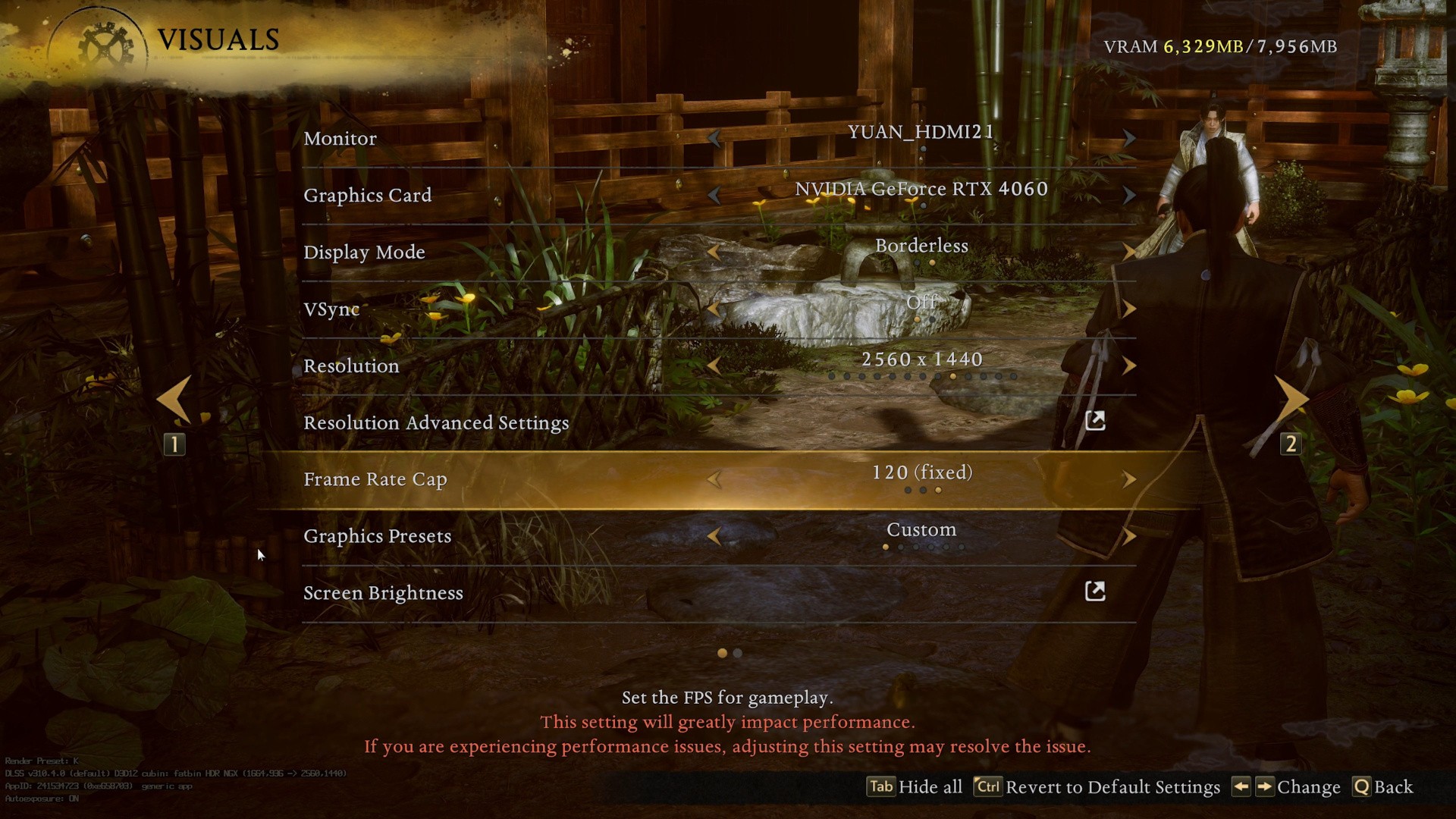
The UI does feel a little clunky, however. Beyond the options within options, the text is oversized - there's a sense that Team Ninja is orientated this interface for users with a controller experiencing the game at living room distance as opposed to using a mouse and keyboard at a desk.
I tested the game primarily on what I'd call an entry-level PC, but what many believe to be more mid-range in nature, pairing a Ryzen 5 3600 CPU with an RTX 4060. On first boot, the game defaults to 1440p with the "standard" preset using DLSS and dynamic resolution scaling. Cutscenes are capped at 30fps by default. Image quality can look noisy and flickery, especially in grass, shadow detail and water reflections. A lot of this comes down to overly sharp post-processing and compromised global illumination.
Matters are improved by reducing the sharpness slider from the default 1.0 max all the way down to zero, reducing the default image's "deep fried" look with harsh edges and ringing artefacts. Next, push global illumination up to ultra. Yes, there is a performance cost of around 15 percent, but the end result is a cleaner, less artefact-prone presentation. Lower GI settings don't interact nicely with upscalers, which are recommended for this game.
| Settings |
Optimised |
|
Global Illumination |
Ultra |
|
Screen-Space Reflections |
Standard |
|
Terrain Quality |
Ultra |
|
Sharpening |
0 |
|
Anisotropic Filtering |
16x |
|
All Other Settings |
Standard |
|
Dynamic Resolution |
On: 50-65% |
Tweaking terrain quality is another easy win. The standard setting has bizarre ground morphing issues close to the camera but shunting settings here to ultra resolve the issue with little to no measurable performance cost. Screen-space reflections don't look great but unfortunately, can't be fixed. I didn't see much difference between standard and ultra, so it's best to remain at the standard default.
Engage those settings tweaks, turn dynamic resolution scaling on and the RTX 4060 operates roughly between 720p to 960p in terms of internal resolutions pre-DLSS. You get the requisite 60fps that you wouldn't otherwise receive by using fixed DLSS quality levels. Only in effects-heavy scenes does DRS give out, seeing frame-rate drop beneath the target.
However, this reveals an uncomfortable truth about how demanding the Katana engine is. Nioh 3 performs worse than games that push cutting edge features - for example Avatar: Frontiers of Pandora or Star Wars Outlaws. On the flipside, input latency is genuinely impressive - targeting 60fps within a 120Hz container, PC latency clocks in at between 20-30ms, even with v-sync active.
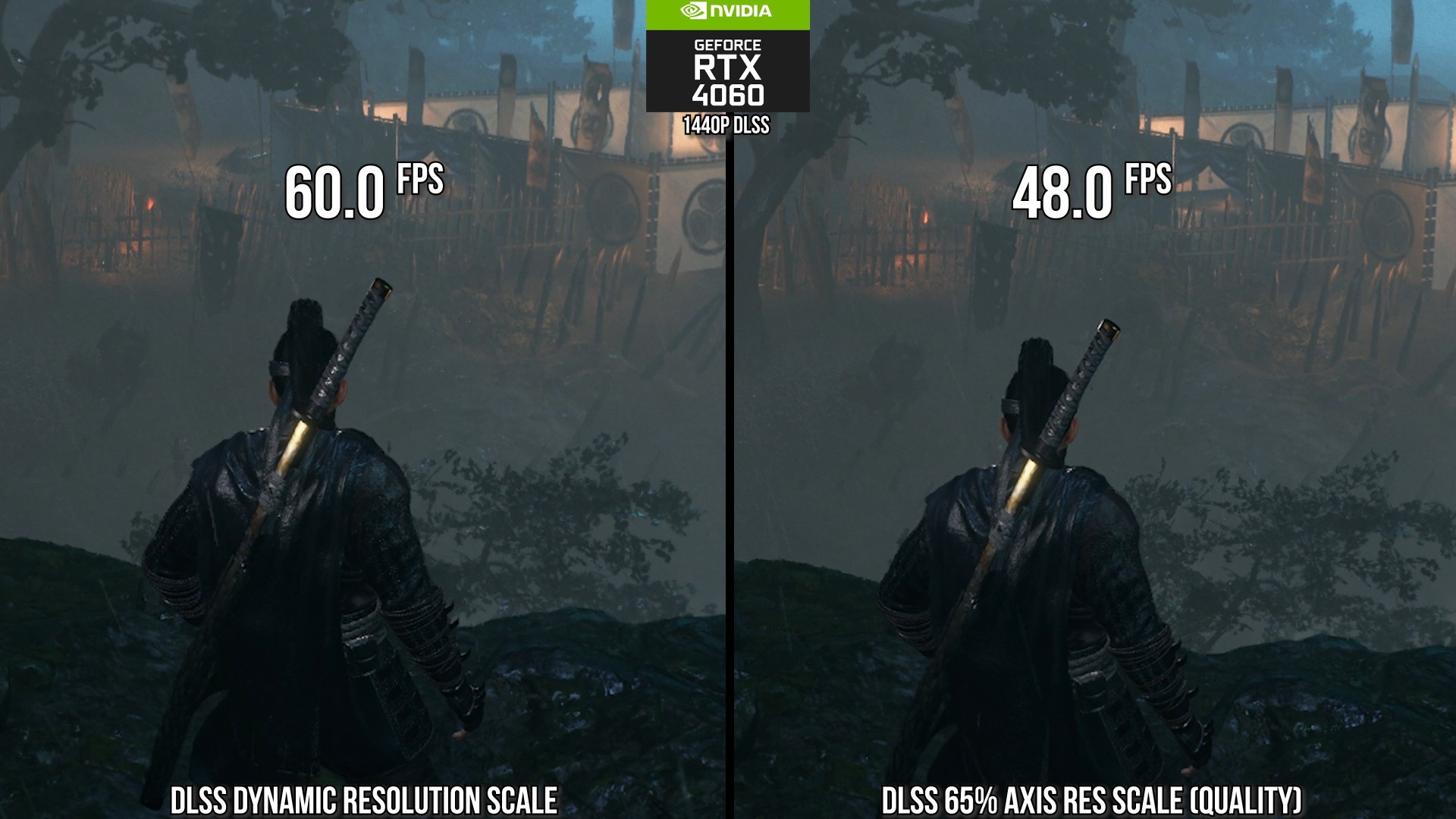
If you're wondering why we're still talking about 60fps and dynamic resolution scaling to get to that frame-rate, that leads us on to Nioh 3's Achilles' Heel. The game only "behaves" correctly at fixed frame-rates: essentially you need to run the game at 30fps, 60fps or 120fps. With the "FPS Dynamic Adjustment" option turned off, if the game doesn't hit its performance target, it'll literally run in slow motion. This option is on by default, thankfully, but when it is, animation errors and camera judder are the order of the day if you can't lock to the specified frame-rate. This means that effectively there's no proper VRR integration.
So, on the one hand, I'm impressed with improvements in Team Ninja's PC efforts - specifically the strong options menu, shader compilation that works, low latency and reasonable CPU demands for a modern action game. However, the lack of proper support for variable frame-rates is at odds with the standards we expect from a PC game. This needs to be fixed in a future update.
As for evolving the core Katana technology - this is about improving the balance between visual results and the GPU resources required to produce them, and perhaps returning to more modern features (Rise of the Ronin's RT reflections are MIA, for example). There's progress in Nioh 3 for sure and we hope to see more in future releases.


Comments 0
Wow, no comments yet... why not be the first?
Leave A Comment
Hold on there, you need to login to post a comment...