
 by
by Investing in a new display can often prove just as transformative as upgrading your graphics card or processor - and at a time when PC building is more expensive than ever, QD-OLED monitors are becoming increasingly affordable. Alongside successive reductions to price, modern OLEDs also getting better, brighter, more capable and less limiting. While many come with impressive resolution and refresh rate stats, these sorts of monitors also elevate pixel quality, ensuring that you get the absolute most out of your PC or console at any level of performance.
Almost every person on the Digital Foundry team has been using an OLED for years at this point, so in this article and accompanying video - sponsored by MSI - we're going to explain some of the QD-OLED options available. We'll explore a range of QD-OLED form factors, display generations and feature sets from the MSI range. We'll also recommend some techniques on the PC side that help you get the most out of any monitor's capabilities.
But first: why OLED? The inherent advantages of this technology stem from the self-emissive pixels that make up an OLED display, which can turn off completely to produce pure, inky blacks instead of the washed-out dark greys typical of standard LCD screens. Alongside infinite contrast, OLED displays deliver near-instantaneous pixel response times, measured in fractions of a millisecond. This ensures virtually blur-free motion clarity. Add on wide viewing angles and vibrant colour reproduction, and you have a monitor that can handle high-end gaming, media playback and creative work alike.
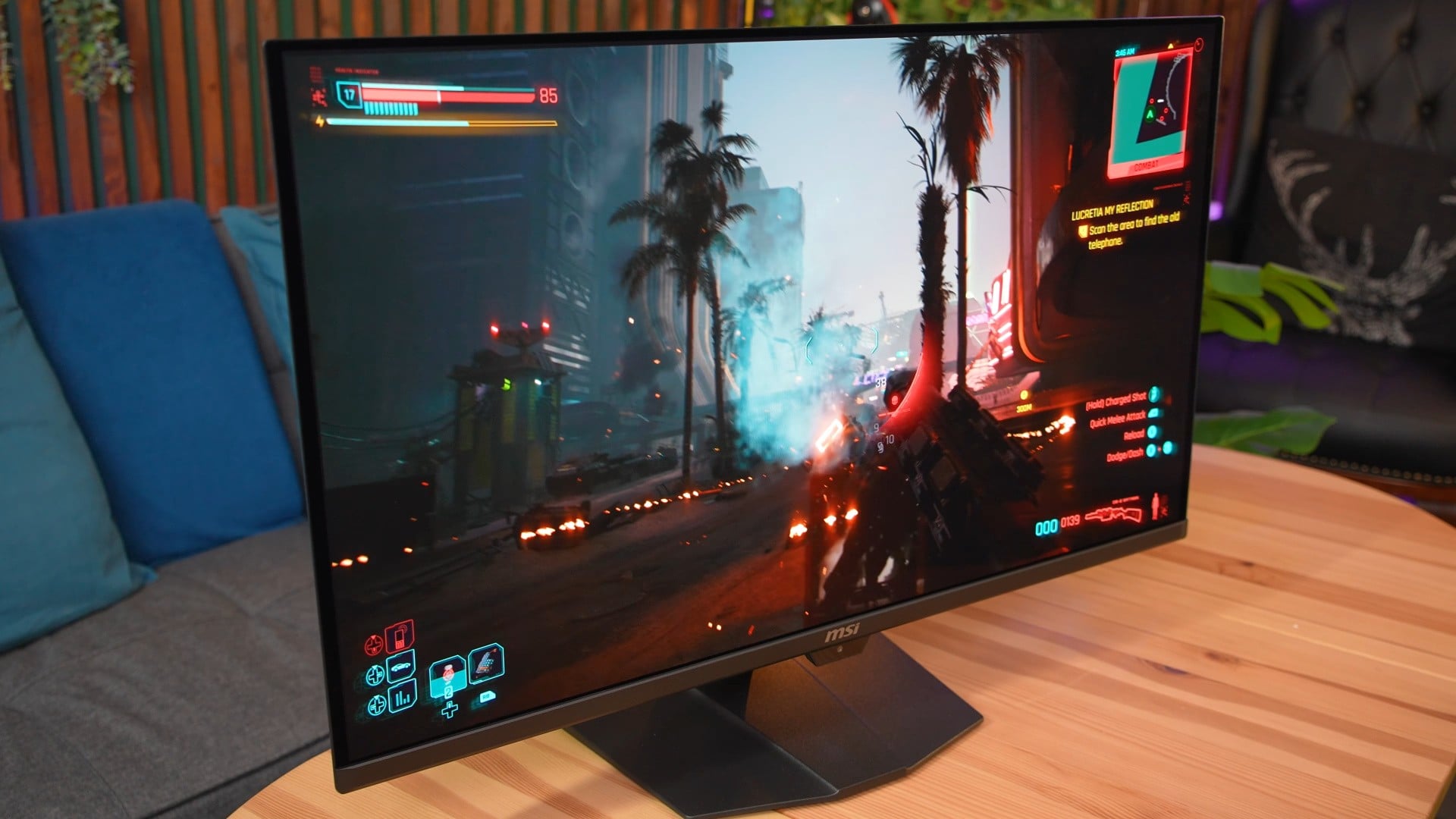
Historically, OLED displays have faced certain compromises, including subpixel layouts that caused colour fringing around fine text in productivity applications. Peak brightness has also trailed behind top-tier LCD backlights, with earlier QD-OLED layers exhibiting a slight purplish haze under direct ambient light, alongside lingering worries over permanent image retention. Thankfully, modern panel generations have largely mitigated these hurdles through re-engineered subpixel structures, improved anti-reflective coatings and sophisticated automated panel care routines. Many manufacturers, including MSI, also offer three year warranties on their panels that cover burn-in.
When choosing a gaming monitor today, most options fall into three broad categories: ultrawide screens designed for maximum immersion, high-refresh esports panels aimed at competitive response and versatile 4K all-rounders suited to both PC rigs and living-room consoles. Ultrawides provide extensive desktop real estate and a wrap-around field of view, while dedicated esports displays prioritise sheer speed to maximise competitive clarity. In contrast, 4K displays remain the most balanced choice for diverse multimedia setups, and make good companions to consoles and laptops as well as desktop gaming PCs.
For fans of immersive single-player games, super-ultrawide panels like the 49-inch MSI MPG 491CQP effectively merge two 27-inch 1440p displays into a seamless panoramic view. Powered by a second-generation panel, it offers a 5120x1440 resolution at 144Hz that is easier on hardware than native 4K, supported by DisplayHDR True Black 400 certification and 1000-nit peak highlights. The unit also incorporates USB-C laptop charging alongside HDMI 2.1 support, allowing console play at 1440p 120Hz with VRR whilst unused screen real estate stays completely dark. While first-person games like racing sims or shooters look particularly impressive at this aspect ratio, it's also handy for productivity work, as you have a single monitor that feels purpose-built for multi-tasking with a huge amount of screen real estate.
Competitive players prioritising speed and reaction times can look towards specialised esports displays such as the 27-inch MSI MPG 271QR QD-OLED X50. Featuring a third-generation panel with an upgraded subpixel structure for cleaner text, this model pushes refresh rates up to a silky-smooth 500Hz at 1440p. It pairs this extreme motion fidelity with DisplayHDR True Black 500 certification, low input lag and smart presence sensors that power down the screen when you step away to extend panel longevity. This standard 16:9 aspect ratio is easier to fit completely into your field-of-view, so you can see important information like ammo count or health without having to turn your head. Above all though, these high refresh rate panels are typified by extremely fast pixel response times, which help tracking fast-moving targets in competitive games.
The most versatile solution for mixed workloads and multi-platform gaming remains the 32-inch 4K category, represented here by the MSI MPG 322UR QD-OLED X24. Driven by a fourth-generation five-layer tandem OLED panel, it offers enhanced brightness, improved lifespan and a specialised dark armour film that prevents raised blacks under bright room lighting. Running at 4K 240Hz on PC, it also fully supports modern gaming consoles over HDMI 2.1 and arrives at a considerably lower launch price than earlier equivalents. This is also a great choice for productivity, as you can see full-screen 4K video at 1:1, connect a modern laptop over a single USB-C cable with 98W USB PD charging, and fit plenty on-screen at once with 150 percent or even 100 percent display scaling.
Sitting comfortably between formats is the 34-inch MSI MPG 341CQR QD-OLED X36, which employs a fifth-generation five-layer tandem panel featuring a true RGB stripe subpixel layout for flawless text rendering. The 3440x1440 resolution and 360Hz refresh rate offer a nice balance of spatial and temporal clarity, whilst being easier for mid-tier graphics cards to drive than native 4K. It also incorporates intelligent proximity dimming, one of many burn-in protection features that continue to grow more effective in successive generations of QD-OLED panels.

Ultimately, while many brands are building using the same OLED panels from the likes of Samsung or LG, there can be crucial differences when it comes to OSD features, port selections, burn-in countermeasures and warranty coverage. In general, we've found that the bigger brands tend to pull away from their smaller rivals in these areas, delivering a more reliable and usable experience thanks to investing greater resources into software development, tuning and packaging.
It's also worth mentioning that it's easy to see a spec like 4K 240Hz and think "well, that's all very nice and good, but I'm not able to max out by current 1440p 144Hz monitor!" That's fair enough, but it is worth experimenting with modern upscaling and frame generation techniques to boost your frame-rates, which are currently being ported even to older graphics card architectures with surprisingly usable results. Tools like Optiscaler, DLSS Enabler and Lossless Scaling are cheap or free community-made options, and even the likes of AMD and Nvidia are spending more time than ever before porting their new tech to older systems.
And again, beyond having more pixels thanks to higher resolutions and higher frame-rates, I'm a firm believer that having better pixels also makes a huge difference to your enjoyment of video games. The perfect contrast, bright highlights and brilliant colour reproduction of modern QD-OLEDs can make even a game running at 1080p 60Hz look fantastic, and it's been a joy for me to retry old favourites on a new monitor - and try new games for the first time and know they're looking their best.
This article and video are sponsored by MSI.