
 by
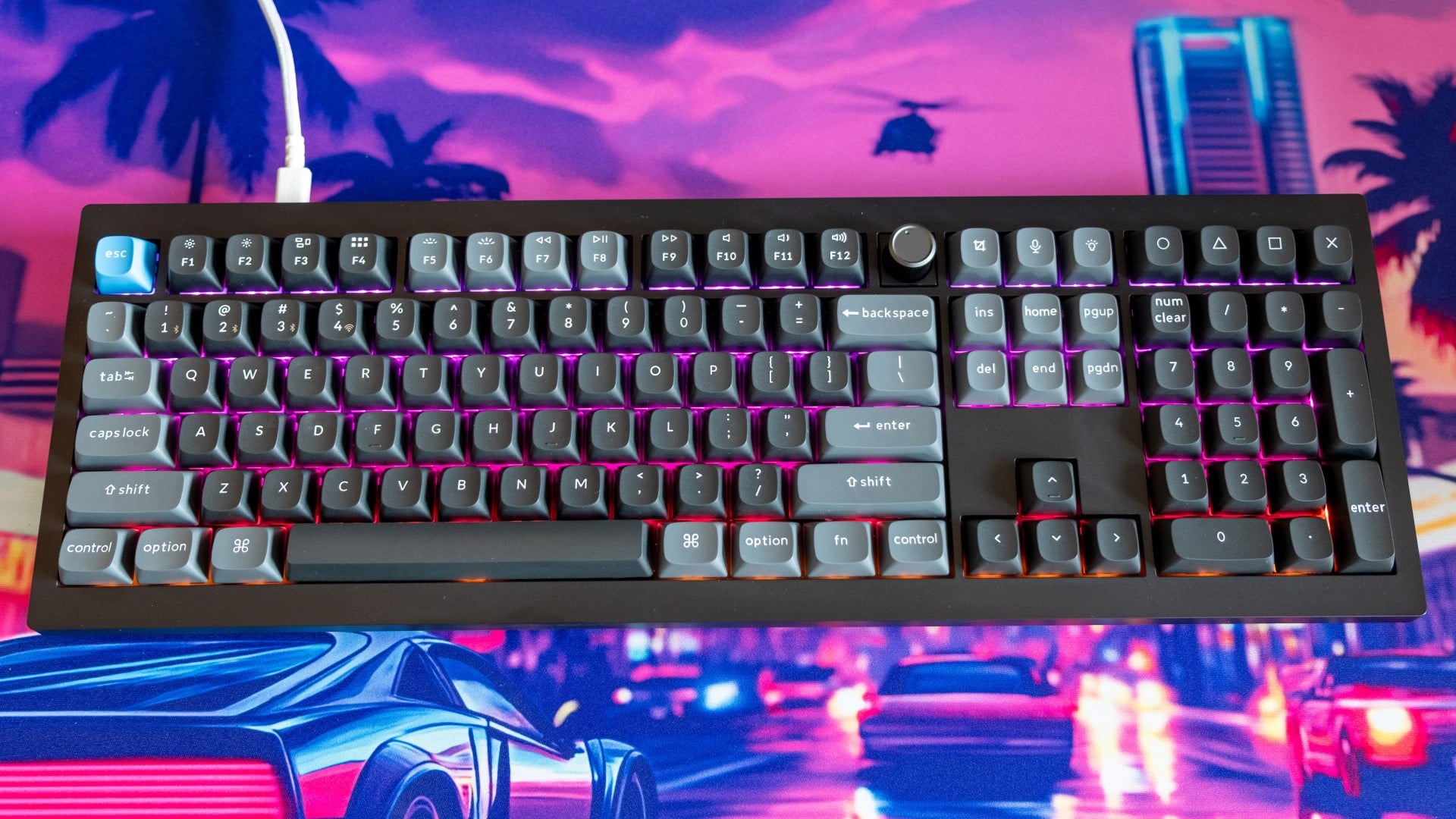
The Keychron V6 Ultra HE 8K is a bit of a sesquipedalian name, which is funny because this full-size mechanical keyboard is almost exactly a foot and a half long. Inside, pretty much every major keyboard trend is represented: hot-swappable Hall Effect switches, wired and wireless connectivity, sound dampening foam and full per-key RGB backlighting. For the $108 asking price, that's more than I expected, but that's almost par for the course from value kings Keychron.
So how does the keyboard hold up after a month of testing in games, word processors and integrated development environments? And is there anything here that would disqualify the V6 Ultra HE 8K from a full-throated recommendation, apart from its suffix-heavy name?
From a design perspective, the V6 Ultra HE 8K makes a dignified first impression. Keychron has historically nailed that balance between overtly eye-catching designs, more common in gaming keyboards, and traditional black office keyboards. The colour scheme here is a pleasant combination of black and grey, with a single blue escape key here for accentation. The lettering used for the double-shot PBT keycaps looks expensive, with lower-cased legends and politely constrained symbols.
It's actually macOS that is the default keycap style, with Windows alternatives in the box and a switch on the back to swap between the two. A second switch changes between the USB-C wired connection, 2.4GHz wireless via USB dongle and Bluetooth. On the first two options, polling rates can reach 8K, as the keyboard's name implies, which is slightly more responsive at the cost of battery life and (potentially) system resources.
The full-size layout is regrettably only available in an ANSI/US layout, with no ISO option available - unlike many other Keychron keyboards. There was a manufacturing issue with previous V6 keyboards, so perhaps that impacted availability of this new model. I personally prefer more compact layouts, but having the num pad (and four extra programmable keys above it) is nice for anyone that works in spreadsheets or data entry a lot, or simply has gotten used to having these keys available.
| Feature | Specification |
| Layout | 100% full size, ANSI, with knob |
| Connectivity | 2.4 GHz, Bluetooth, wired; 8000Hz polling rate |
| Switches | Keychron Silk POM Switch Red / Brown / Banana; hot-swappable |
| Build | Plastic, gasket mount, PC plate |
| Keycaps | OSA double-shot PBT keycaps |
| Battery | 4000mAh, up to 660 hours |
| Software | ZMK firmware; Keychron Launcher web app for key remapping and macros; works with macOS, Windows, Linux |
| Backlight | South-facing RGB LED |
| Weight | 1130g |
| Dimensions | 149x448mm |
| N-key rollover | Yes (wireless & wired) |
The Scroll Lock and Pause Break keys have been replaced with a voice dictation and keyboard lighting style button, respectively, which can be rebound in the Keychron Launcher web app if you prefer. I won't get heavily into the software experience here, given that I just covered it in my review of the Keychron G6 HE mouse that is more software-reliant, but suffice it to say that it is well laid-out with good explanations of each feature, easy to access with no downloads required (apart from automatic profile switching), and offers all of the key rebinding and other tweaking options I needed. There's even a typing speed test and a key tester with optional rubber chicken sound effects - what more do you need?
The 100 percent size here isn't ideal for FPS games, due to the lack of mousing space, but you do have the full gauntlet of magnetic switch features available if you want to use them - stuff like SOCD, which makes WASD movements more responsive, or rapid trigger, which activates and deactivates keys when they reverse direction rather than passing through a set actuation point. I used the keyboard in a fair few Counter-Strike 2 and Modern Warfare 4 matches, and apart from slamming my mouse into the num pad on a few occasions, it performed swimmingly.
The only real issues that I ran into are ones that I could see a mile off: the non-transparent keycaps here mean that the RGB lighting is more ornamental than useful, so you'd want to put in your own see-through keycaps if you want to see the letters in the dark. However, the layout here is quite standard, and you can change the switches here too if you fancy a different feel.
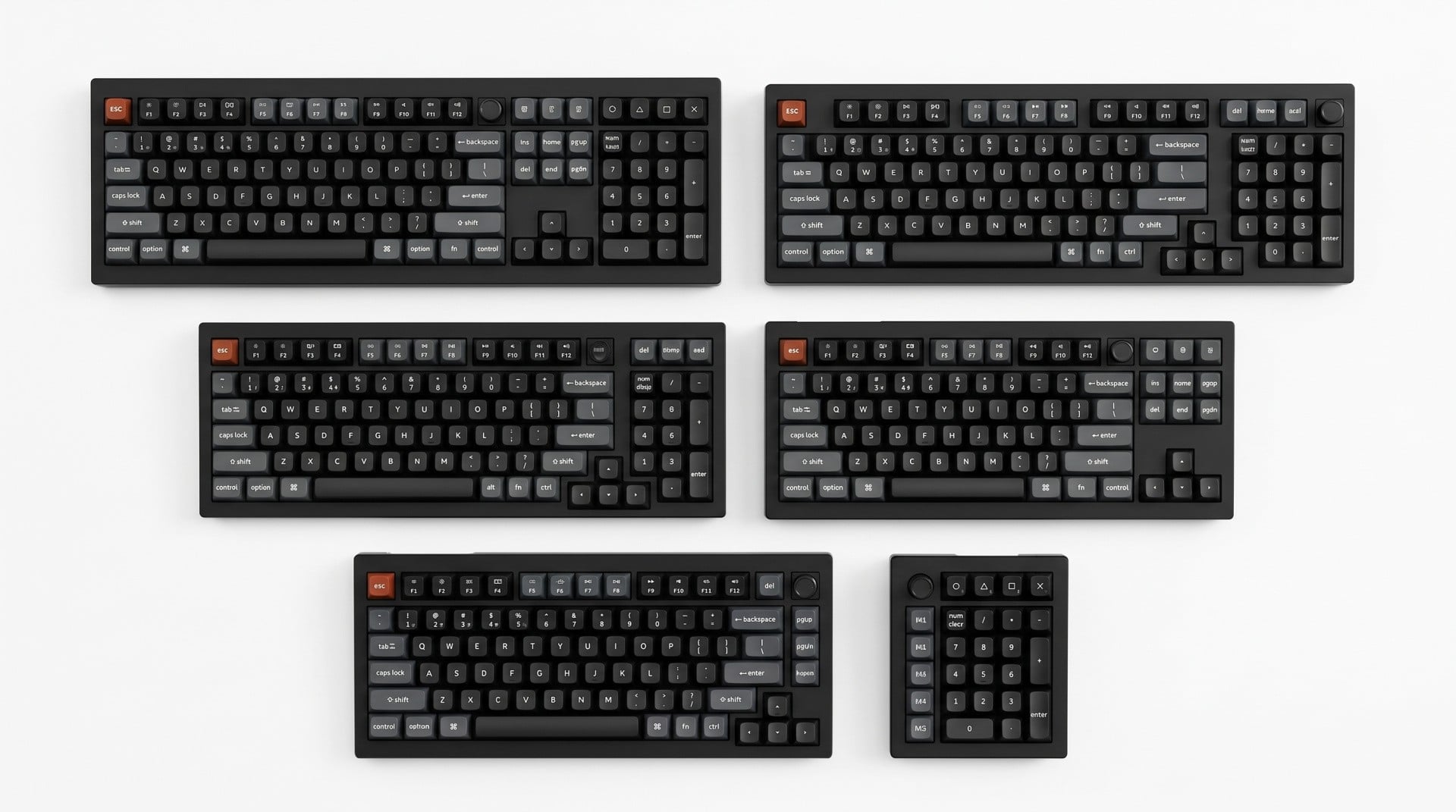
Three switch options are available out of the box - linear, tactile and heavy tactile - so there's room for more feedback if you want it. And, if you want a more compact size than the 100 percent V6 Ultra 8K, you can have a look at the V5 Ultra 8K (96 percent size), V3 Ultra 8K (80 percent), V1 Ultra 8K (75 percent) or even V0 Ultra 8K (num pad or macro pad).
Overall, it's easy to recommend the V6 Ultra HE 8K, especially as it's currently discounted to that $108 price point for Black Friday. Even at its standard $120 MSRP though, this is a high-quality keyboard for the money, ticking nearly every box when it comes to features and benefitting from a refined design too.