
 by
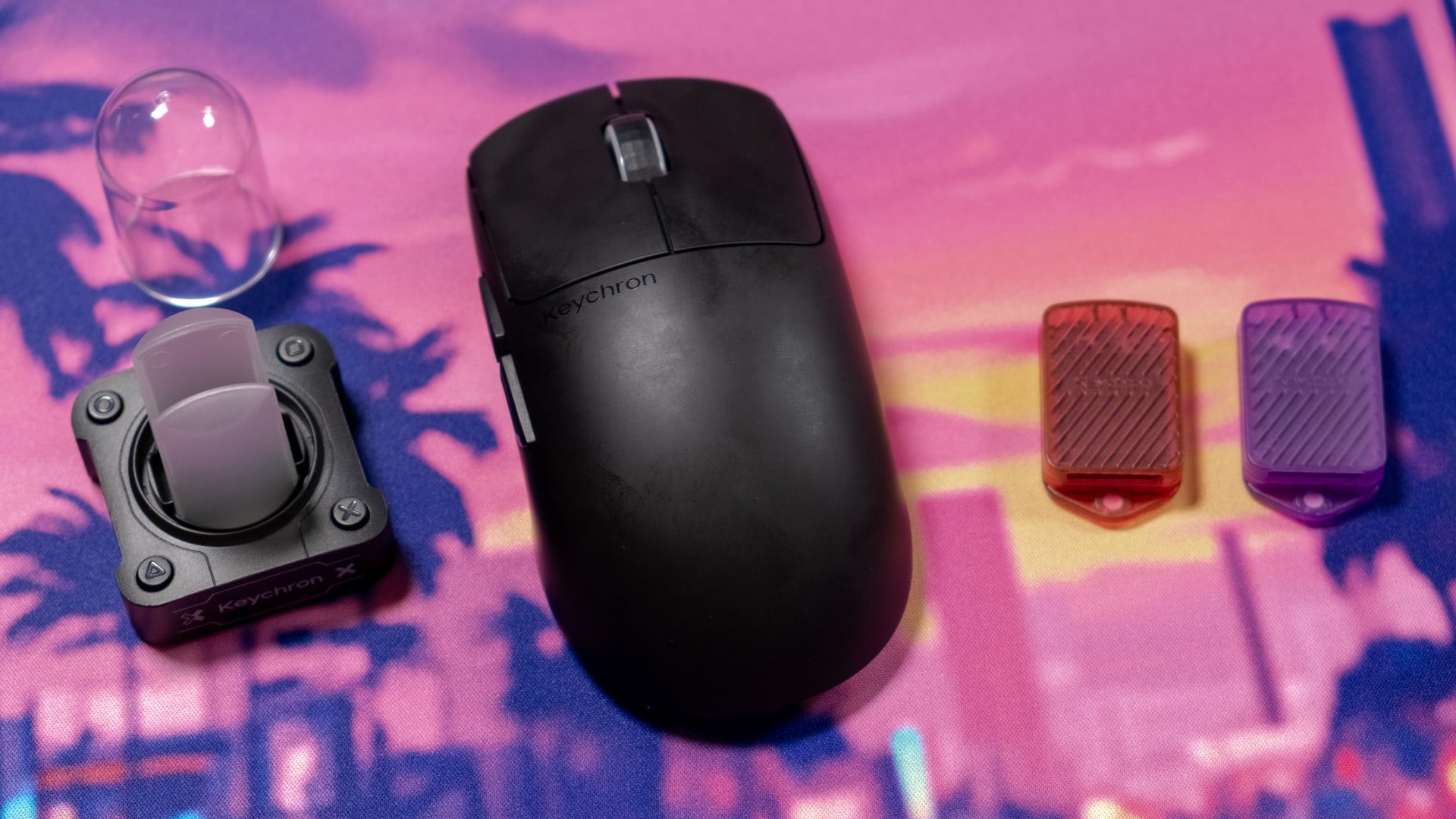
We've seen a surprising burst of creativity in the mouse space recently, most notably Logitech inventing a magnetic switch backed by haptic feedback and SteelSeries debuting a swappable battery pack system. Even more surprisingly, both innovations have been replicated to a certain extent in a new mouse from Keychron, the G6 HE. And unlike Logitech's $200 X3 Superstrike or SteelSeries' $180 Rival and Sensei Pro, the new Keychron mouse is downright affordable at just $90.
How well does the G6 HE implement these new technologies? And what sacrifices has Keychron made to make that aggressive price point a reality? I've been testing the G6 HE for the past month to find out.
Before we get into gaming performance, let's quickly run through the hardware and features on show. Starting at the tip of the mouse, we have "MagOptic" switches that combine your choice of optical or Hall Effect magnetic sensing with a mechanical click, seeking to give the best of all worlds in terms of speed and satisfaction. Optical mode actuates at a set point, making it easier to adapt to, while magnetic mode gives you extra features that come with a bit of a learning curve, so I see the logic in offering both. This is accompanied by a 24-step optical scroll wheel and mechanical microswitches for the side buttons.
Moving to the centre of the mouse, we have the sensor and wireless transmitter. The sensor is the industry-standard PixArt PAW3955, rated up to a 40K DPI with motion sync support - with more than enough tracking speed for even professional use. This sensor can be polled at up to 8KHz via wired or 2.4GHz wireless; Bluetooth is also provided as a longer-lasting alternative. At the rear of the mouse is the swappable battery, which weighs eight grams and provides up to 33 hours of longevity at 8K, 191 hours at 1K and 271 hours on Bluetooth. Of course, once that's exhausted, you're able to swap the battery for a second that charges within the surprisingly low-profile USB wireless receiver. Therefore, longevity on a single battery is largely irrelevant, which is the correct way to design up an 8KHz mouse.
|
Spec |
Figure |
|---|---|
|
Sensor |
PixArt PAW3955. Up to 40K DPI, 750 IPS, 60G; 11-step LOD, Motion Sync, Angle Snap. |
|
Max polling rate |
8000Hz (wired + 2.4GHz wireless) |
|
Connectivity |
2.4GHz (TurboLink 8K receiver), Bluetooth 5.3, USB-C |
|
Weight |
49g with battery, 41g wired without |
|
Design |
123.7x63x 41mm, symmetrical, for palm and claw grips. Black, white, frosted mint, frosted lavender, frosted pink, frosted smoke and frosted ice colourways. |
|
Switches |
MagOptic (optical + magnetic sensing, mechanical click) w/ 0.65mm total travel, 12-step actuation and rapid trigger. |
|
Battery life |
33 hours at 8K, 191 hours at 1K, 271 hours on Bluetooth |
|
Price |
$89.99 ($74.99 for fixed battery version) |
As a hardware offering, I have a lot of good things to say about the whole situation. The shape of the mouse is nice and safe, with a symmetric design that suits palm and claw grips, and it fit my 20x10cm relaxed claw easily. Users with very small hands might struggle in palm grips with the pronounced rear hump, but everyone else should be OK. It's also exceptionally light for a mouse with a swappable battery, weighing just 49g, about four grams lighter than SteelSeries' similarly-endowed efforts. This is for the black version; a semi-transparent model is also available.
Despite a semi-open bottom (phrasing), the mouse still feels robust and well-constructed in the hand, though the simplified connectivity selector visible on the circuit board is perhaps one step too far in aid of lightness and there's a bit of a squeak when squeezing hard. Even the 2.4GHz dongle is smartly designed, with a clear cover that prevents the battery from falling out if packed away, though the default flashing RGB while charging is a bit distracting. There are also four buttons on the corner of the dongle, which is a nice way to quickly swap mouse settings without having to include these controls on the mouse itself.
The software situation is a place where many smaller brands often fall down, but Keychron's web app is surprisingly well-developed. There are a lot of options here, but they're organised into sensible tabs and each setting is nicely explained, which goes a huge way towards encouraging people to actually try them. I particularly like the live visualisers for the different optical and magnetic switch modes, which effectively make the point that the optical one is digital and the magnetic mode is analogue, ie the mouse can sense how far down the button has been clicked. This in turn allows the mouse its most advanced features, like rapid trigger - actuating whenever the mouse buttons starts going down, rather than at a set point.
In testing the mouse in Counter-Strike 2 and Modern Warfare 4, two games that benefit from a high polling rate, a lightweight design and rapid trigger clicks, the G6 HE performs well - but doesn't quite hit the level of the X3 SuperStrike. I think this is down to the mouse clicks, which fundamentally have to reconcile a magnetic switch that can actuate anywhere with a mechanical click that only happens at a set point. The Logitech solution to this is the haptic feedback, which is triggered independently, so the G6 HE only gets half marks for its implementation. Still, there is a small latency reduction benefit in Human Benchmark testing (~170-180ms) versus most other mice I've tested (~200ms), and perceptually the mouse feels responsive in-game, especially at its highest polling rate, so it's still a small advantage. I didn't run into misclicks either, even with rapid trigger enabled and set to the second-most sensitive setting. Fingertip grip players may have more of an issue with this.
The rest of the package - coating, size, shape, weight - is on par with the X3, and the default skates are a bit better. I did find the scroll wheel sometimes squeaks and creaks after a month of use, which is disappointing but doesn't affect performance. In other games, and general computer use, the mouse is comfortable, easy to set up with macros if needed, and offers some flexibility with long 1K polling battery life and Bluetooth, something often excised on esports-focused mice like the X3 and Rival Pro. Overall, it's a very easy mouse to get along with.
So the hardware, software and performance are all solid here - there are perhaps a few rough edges compared to the Logitech X3 SuperStrike and the SteelSeries Rival Pro, but given that the G6 HE costs half the price, this is an absolutely fair trade. I also respect the fact that Keychron has committed to open-sourcing the G6 HE's firmware by Q1 2027, and 3D reference files are already available. If you're a competitive gamer interested in magnetic switch mice or swappable battery mice, this provides both at an exceptional value.