
 by
by 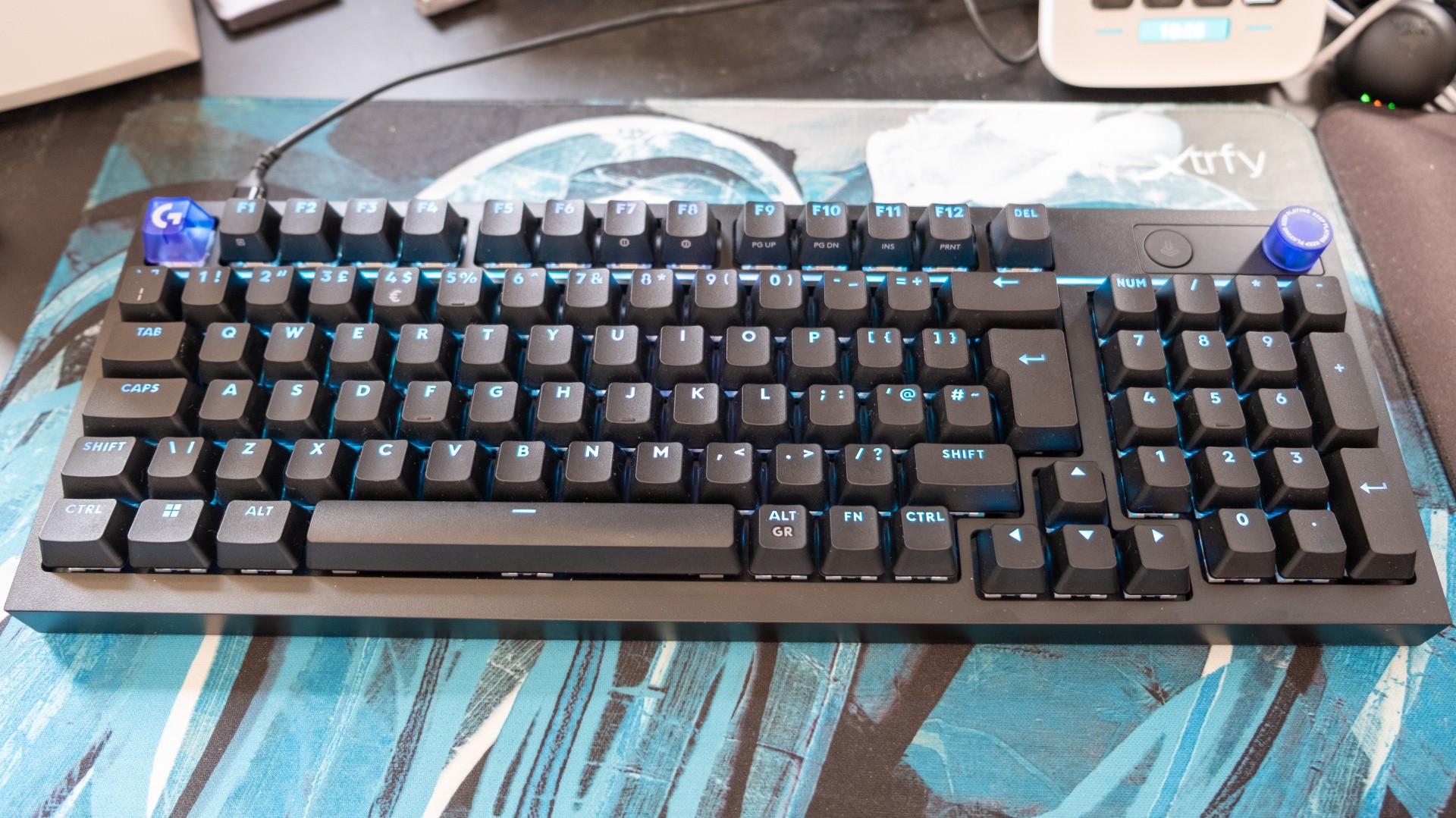
Following Logitech's uncharacteristically weird and expensive G512 X keyboard, I was interested to see if the Swiss firm's cheaper G316 X could capture some of the same intrigue while also being something I could actually recommend people buy. And yeah, it's good news: this keyboard is just as fun and quirky, with a £109/$120 price that feels much fairer for what's being offered.
The obvious difference here is that the G316 is built around traditional mechanical switches instead of advanced TMR ones, trading a few advanced features best used by competitive FPS players for a more approachable £120 price point and bags more tactile feedback. That sounds like a reasonable trade to me, and there's still enough different here to make the G316 stand out from the thousands of mechanical keyboards on the market. I'd point to three things in particular: the playful design, the excellent keycaps and full customisability.
The design is what you're likely to notice when first plonking this keyboard down on a desk, so let's start there. Even with the board unplugged, it's nice to see a splash of colour from the translucent purple Escape keycap and matching volume wheel, but after connecting it to your PC a little LED panel next to the volume wheel comes to life too. This isn't a screen - this is an 8x8 dot matrix of LEDs that light up in nicely authored graphics and animations to denote what the scroll wheel is doing.
By default, the LED grid shows a short three-frame animation of sound waves exiting a speaker, letting you know the wheel controls the volume, but if you hold down the wheel you can instead control media, adjust keyboard brightness or toggle report rate. Each change is accompanied by a thoughtful animation, which is reflected by the horizontal LED strip running under the Function key row. Unlike most other multi-function wheels the presence of the iconography nearby means that you're not required to remember an arcane mapping ("yellow equals horizontal scroll!") or just guess at what function you used last. This is genuinely useful stuff, while adding a bit of whimsy to the board.
While the LEDs near the wheel and below the first line of keys are eye-catching enough, there are also LEDs built into each switch in the familiar style. Unlike most boutique boards, the keycaps used here are etched to let that light shine through, making keys easier to find in the dark if you don't touch-type.
The material used here is high-quality PBT, which offers a bit more texture and a lot more durability than the ABS keycaps that you normally find on mid-range keyboards. The chunky lettering used for the key legends works well here, though I would have perhaps liked to have seen the secondary functions printed on the front of each keycap done in a slightly more readable way.
The lighting used here is fully customisable in the G Hub app, though Logitech doesn't yet offer a web app as other brands do. You'll also find controls for the polling rate, rebinding keys, recording macros, setting up game mode and finding community profiles. The latter is a little disorganised - where's the button to narrow things down to just the device(s) you have connected? - but it's cool to try custom lighting modes and key assignments made by other users.
Beyond the software, the fairly standard full-size (98 percent) layout means that you're free to swap in your own keycaps to make the keyboard your own, though the default option is certainly good enough for a board of this price.
The actual typing experience here is pleasant too, with the gasket-mounted tactile switches beneath providing loads of feedback as each key is actuated. This flies in the face of current trends for extremely soft linear switches, especially common on HE and TMR magnetic keyboards, and I found it a refreshing change. While the keyboard is certainly audible during use, the inclusion of sound dampening foam means that it produces a relatively deep and pleasant sound - though the plastic case used here isn't quite as melodious as more expensive metal alternatives. Your preferences may vary, and the board does have hot-swappable sockets in case you want to replace the standard tactile switches with other options.
Gaming performance is also fine, and the weight and tactile feedback intrinsic to the switches Logitech has used makes the keyboard better suited to genres like RTS and sims where accuracy trumps speed; I'd probably recommend an HE or TMR magnetic switch board instead if you need to have the absolute fastest inputs and a few extra features. The layout is just on the edge of acceptable when it comes to mousing space, with the nav keys (like Insert, Page Up and Page Down) being accessible via the Function layer or on the numpad. I personally wouldn't have minded a smaller layout, but this is a good option for anyone that uses the num pad regularly.
As a mainstream mechanical keyboard, the G316 X is a pleasant enough choice with some interesting and useful design touches. If you don't need the hyper-fast inputs of magnetic switches and like your keypresses to be thrown down with authority, this is a great choice that I'm happy to recommend.
The Logitech G316 X 98 keyboard was provided by Logitech for review.
Please note that some external links on this page are affiliate links, which means if you click them and make a purchase we may receive a small percentage of the sale. Please read our FTC Disclosure for more information.


Comments 3
I really like the key layout. Delete is pretty much the only key I use from the usual block above the arrows. Keeping it and moving the other buttons at the F row looks really good to me. I'll keep this one in mind when I need to change my rather old Corsair K70 one day.
What switches are these? Cherry MX Ergo Clear? I prefer a tactile feel, which is why I specifically got a keyboard with Cherry MX Brown switches.
@Someguyperson It's Logitech's own tactile mechanical switches, though I can't find an actual name anywhere - not "Romer-G tactile" and not "GX Brown" as they're white coloured. They're not a million miles away from Browns, but with a higher actuation force (55g vs 45g).
Show Comments
Leave A Comment
Hold on there, you need to login to post a comment...