The battle royale: if money is no object, what is the fastest gaming CPU money can buy? It's a question we recently set out to answer and the results were quite remarkable. Out of all of Intel's current top-of-the-line processors, it is the cheapest offering that is the most powerful - the Core i7 6700K.
First up though, a bit of background. Intel divides its processors into mainstream and enthusiast lines. The former gives us dual and quad-core chips, while the latter ramps that up to six and eight-core processors aimed at the high-level enthusiast. However, adding a wrinkle to the situation is the fact that the mainstream sector gets new CPU architectures first, leaving the many-core enthusiast line to catch up a year or so later.
Making things even more complicated is the fact that Intel's latest mainstream architecture - codenamed Skylake - is actually two generations beyond the Haswell tech found in the enthusiast line. Haswell's successor - Broadwell - only received a minimal desktop release, with Intel skipping ahead to Skylake instead. And that may well explain many of the results you are about to see here. Despite most modern games supporting eight or more processing threads, it is Intel's quad-core chip that beats out the competition in most of the benchmarks here.
We decided to do two benchmark runs here using the Core i7 6700K quad-core chip, the Core i7 5820K six-core processor and finally, the $1000 monster, the eight-core i7 5960X. To begin with, we used the same methodology we used with all of our prior CPU tests - we paired the processors with an overclocked Titan X running at 1080p, but in this case we backed it with high-speed DDR4 RAM running at 3000MHz (3200MHz in the case of the many-core enthusiast chips). However, we supplemented that with further tests running with two graphics cards too - in this case, two GTX 980s running in SLI.
How do you overclock an Intel K chip?
CPU speed is defined by two factors - base clock (typically 100MHz) and the multiplier, which is set to 40 on the 6700K. In the case of our testing, we moved it up to 45 - adding 600MHz of additional speed to the chip. Simply visit the BIOS and change the CPU ratio option to the multiplier of your choice. Sounds simple, but there is a wrinkle. The faster you want the chip to run, the more voltage it requires, so you'll need to increase the CPU voltage (or VCore as it might be labelled in the BIOS). We required 1.375v to achieve stability on our 6600K and typically you don't want to go above 1.4v.
There are two major hurdles to overcome in overclocking - getting the system to actually boot, and then maintaining stability in Windows. If your system doesn't boot, your motherboard will power cycle a few times, then typically reset to stock. From there, you change your variables - lowering multiplier or increasing voltage for example.
Once in Windows, you can stress-test the CPU using a program such as Prime95, and monitor CPU temperatures with a tool such as CoreTemp. Generally speaking, if you can keep your Prime95 load temperatures below 80 degrees, you should be fine for gaming - which is nowhere near as intense in terms of computational workload. If your system crashes or Prime95 reports errors, ease off the overclock or increase voltage.
Overclocking the i5 6500 (or indeed any locked Intel chip) is a very different state of affairs, involving adjustment of the base clock instead of the multiplier, and requires a board with a compatible BIOS - a state of affairs Intel is trying to lock out. Head on over to our Core i5 6500 review for more details there.
Achieving a stable overclocked CPU is all about balancing voltage, temperatures and multiplier. Not every chip will be a great overclocker - remember that Intel provides no guarantees for overclocking performance on a K product - it simply allows you to experiment.
Running overclocked memory is a lot easier, assuming you have a board capable of operating faster RAM. Most memory comes with an XMP profile, meaning that the overclocking information is stored onboard - you still select the XMP BIOS feature and the profile is automatically applied. Of course, there's nothing stopping you overclocking that yourself too - typically it's the same methodology - increase frequency and voltage.
Note that we tested 'stock' non-overclocked CPU performance, but all enthusiast boards with XMP memory overclocking enabled also tend to activate 'enhanced Turbo', which boosts all CPU cores to maximum stock speeds. That'll be 4.2GH for the 6700K, 3.6GHz for the 5820K and 3.5GHz for the 5960X.
Titan X OC (Average FPS)
i7 6700K/ 3000MHz DDR4
i7 6700K 4.6GHz/ 3000MHz DDR4
i7 5820K/ 3200MHz DDR4
i7 5820K 4.6GHz/ 3200MHz DDR4
i7 5960X/ 3200MHz DDR4
i7 5960X 4.4GHz/ 3200MHz DDR4
Assassin's Creed Unity, Ultra High, FXAA
88.4
89.3
84.2
84.6
84.4
84.6
Crysis 3, Very High, SMAA
124.4
124.7
119.4
120.8
124.4
125.5
Grand Theft Auto 5, Ultra, no MSAA
89.4
92.7
79.0
86.7
81.9
90.3
Far Cry 4, Ultra, SMAA
120.4
125.9
92.0
104.5
84.8
95.4
Shadow of Mordor, Ultra, FXAA
141.0
142.9
139.6
139.5
139.9
139.9
The Witcher 3, Ultra, HairWorks Off, Custom AA
105.8
106.4
103.4
103.4
103.5
103.8
Order our tested Core i7 processors from Amazon with free shipping:
What's clear is that games depend more on the additional per-core power of the latest Skylake technology than they do on the additional cores offered by the Haswell-E enthusiast chips. Equally clear is that for the most part, moving up from six to eight cores offers only the very slightest of improvements. Without an overclock in place, the 6700K is fastest on all but one game - Crysis 3, where it requires the eight-core 5960X to beat it, a chip that costs three times as much.
Proving that single-core performance is still king is Far Cry 4, where the Core i7 6700K is far, far ahead of the competition - owing to the fact that although it uses up to eight threads, all of them are powered by one dominant core. However, other results are essentially margin of error stuff.
Far Cry aside, there is no absolutely conclusive win here, but the bottom line is straightforward enough: it's the cheapest Core i7 processor tested here that actually offers the strongest performance overall. So the question is, does that situation change at all when migrating to a dual graphics card set-up? Let's roll out the two GTX 980s and see what happens.
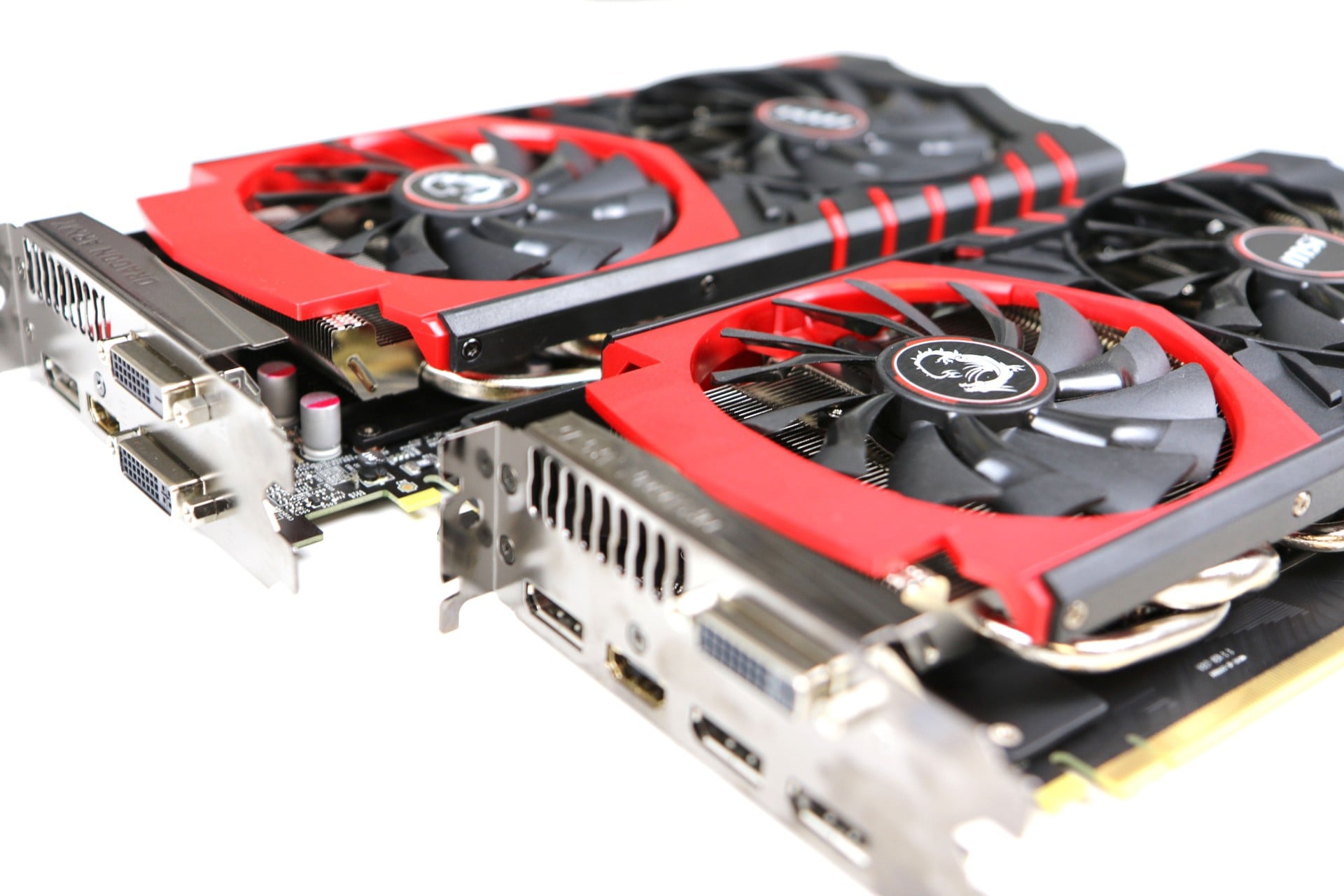
Thanks to an assist from MSI, we were able to push these three CPUs to their limits via a GTX 980 dual-GPU set-up.
GTX 980 SLI (Average FPS)
i7 6700K/ 3000MHz DDR4
i7 6700K 4.6GHz/ 3000MHz DDR4
i7 5820K/ 3200MHz DDR4
i7 5820K 4.6GHz/ 3200MHz DDR4
i7 5960X/ 3200MHz DDR4
i7 5960X 4.4GHz/ 3200MHz DDR4
Assassin's Creed Unity, Ultra High, FXAA
107.7
108.9
104.3
104.9
104.1
104.2
Crysis 3, Very High, SMAA
117.6
124.6
119.7
122.6
120.7
123.0
Grand Theft Auto 5, Ultra, no MSAA
88.0
93.5
77.9
89.6
80.9
92.6
Far Cry 4, Ultra, SMAA
124.3
128.0
91.7
103.11
85.8
98.6
Shadow of Mordor, Ultra, FXAA
167.3
170.3
160.0
167.0
165.7
168.1
The Witcher 3, Ultra, HairWorks Off, Custom AA
113.2
116.5
108.2
110.3
108.4
109.2
Aside from notable increases in performance in Shadow of Mordor and Assassin's Creed Unity, the overall takeaway here is that CPU performance is the limiting factor here, as our two-card results aren't enormously improved over our single-card testing. Now, the X99 platform that hosts the i7 5820K and i7 5960X do support higher levels of PCI Express bandwidth, meaning that more graphics cards can be run in parallel with the more expensive CPUs. However, even two cards don't scale particularly well while three or more really are a waste of money.
Skylake's Z170 chipset may not have the same levels of PCI Express bandwidth, but it can easily cope with two graphics cards and as you can see from the results, the domination of the cheapest i7 remains much the same. In fact, it's ever-so-slightly improved its standing from the Titan X testing.
So, in purely gaming terms, the Core i7 6700K is the fastest gaming CPU money can buy. However, in other tasks that scale across multiple cores - video encoding, for example - the many-core chips really are tested and can completely blow away the later Skylake chip. Our recommendation is pretty straightforward then - get the 6700K if your system is going to be used as an out-and-out games machine, but do consider the 5820K if productivity is part and parcel of your PC requirements. You may lose a little in terms of gaming performance, but you gain a whole lot more for tasks like multimedia creation and pure number-crunching.
Please note that some external links on this page are affiliate links, which means if you click them and make a purchase we may receive a small percentage of the sale. Please read our FTC Disclosure for more information.
Richard Leadbetter is the founder of Digital Foundry and a former Technology Editor for Eurogamer.net. He started work in the games business in 1990 on Computer and Video Games magazine, moving online in 2004 by launching Digital Foundry. The rest, as they sometimes say, is history.

 by
by 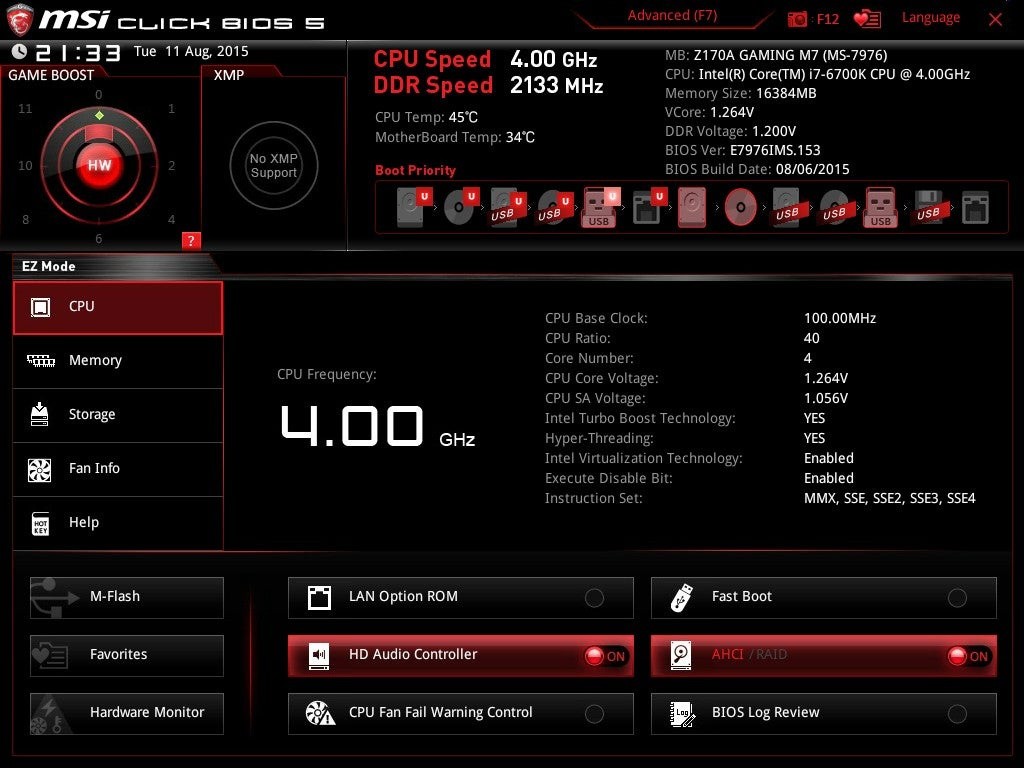


Comments 0
Wow, no comments yet... why not be the first?
Leave A Comment
Hold on there, you need to login to post a comment...