
 by
by 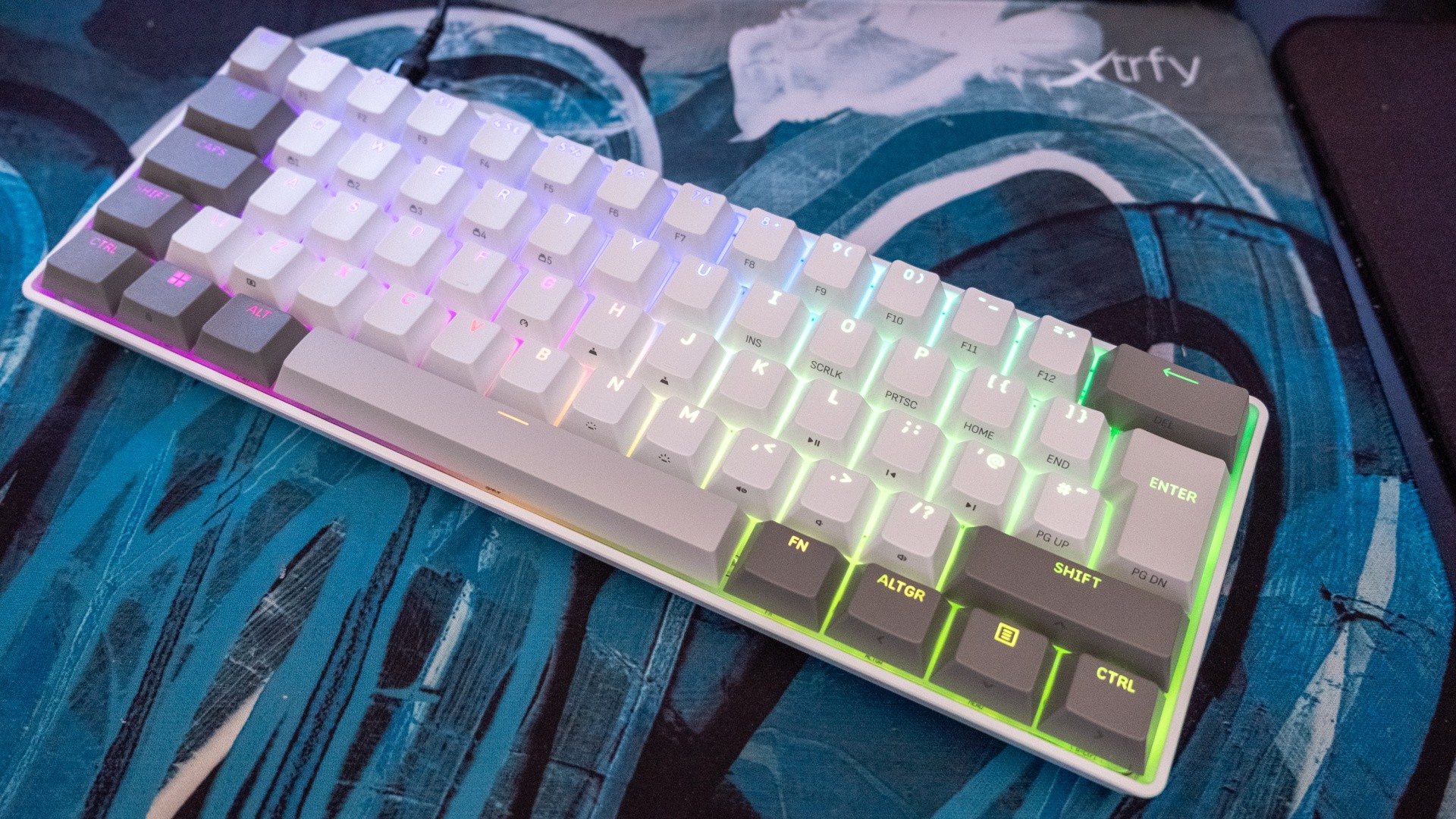
When I think of PC giant Corsair's keyboard offerings, my mind is immediately pulled to the big guns: the original Vengeance K90 I reviewed in 2012, with its huge number of macro keys and mechanical switches; the K100 RGB I included in best gaming keyboard lists in 2020, with its multi-function wheel; the Galleon 100 SD I reviewed last year, which stuffed an entire Elgato Stream Deck in place of the usual number pad.
Yet Corsair's latest keyboard, the Clipper Pro Mini 60, is exactly the opposite: a compact 60 percent mechanical keyboard with a focus on typing dynamics, while still maintaining the programmability, high-end specs and strong RGB lighting of classic Corsair designs. In 15 years of reviewing Corsair keyboards (!), I think this is the best small form factor board they've ever made - and at £90/$99, it's reasonably priced too.
Let's start with a quick list of features, because there's plenty to get through here:
- "MGX Hyperdrive Core" Hall Effect switches, which allow for FPS-focused features like SOCD and rapid trigger which speed up the most critical inputs, plus more general features like adjustable actuation points
- 8000Hz polling, which fractionally lowers input lag at the expense of system resources - useful for competitively-minded players
- PBT double-shot keycaps, which resist wear and let RGB backlighting shine through
- Dual-layer sound dampening, which ensure typing produces deeper-toned sound
- IP57 dust and water resistance, for messier players
- Corsair Web Hub support, so no need to download or run Corsair iCUE software in the background
- Wired connectivity, via a detachable USB-C cable
It's pretty much the full kit offered by esports-focused keyboards these days, and after testing it for the past week in a range of relatively twitchy games like Counter-Strike 2 and 007 First Light, and I have no major complaints. The linear switches here still manage to provide a good amount of feedback at bottom-out, while being extremely smooth to press down (thanks, pre-lubrication!).
The RGB lighting and attractive white/grey colour scheme make it easy to find secondary functions, which are side-printed to keep the main legends looking clean, and it's easy enough to use the Fn key to activate the arrow keys or the F-key row as needed. Pressing Fn + G enables gaming mode, cranking up the polling rate to the maximum, enabling rapid trigger and disabling RGB lighting to save on processing time, and apart from a brief disconnect/reconnect cycle it's a convenient way to only use these gaming features when they're actually useful.
It is worth diving into the Corsair Web Hub at some stage though, as this is the best way to set up your macros, customise the lighting, set your polling rate if you want it higher than 1000Hz outside of gaming mode and so on. What I really appreciate from Corsair is that they spend a lot of time and space detailing what each feature does, so even as a relative newcomer you can easily understand why and when you might want to use them. There are so many apps that simply assume knowledge, leaving potentially useful functions effectively barricaded behind lacking descriptions.
While this is the sort of stuff that I expect Corsair to get right - and they do - the typing experience was more of a shock. Don't get me wrong, the Clipper Pro Mini 60 isn't a pure custom typist's keyboard that uses exotic materials, mounts and switches to produce a dreamy report from every key press, but it is really nice to type on for a gaming keyboard. Corsair and its Western rivals have come a huge way on this front over the past few years, as more boutique options - especially those from the competitive Chinese market - have raised the floor substantially on the sort of typing experience you can expect from a keyboard at a certain price.
The Clipper Pro Mini 60's typing success comes to two things: the keycaps, which are nicely textured, relatively thick and made from more premium PBT rather than cheaper ABS plastic, and the sound dampening, which is provided by two layers of silicone and foam within. The combination removes the rattle and high-pitched pings of Corsair's older mechanical keyboards almost entirely, with a deeper sound that is much more pleasant to listen to. This is nice for the typist, as you get plenty of aural feedback that spurs you to type more, but it's also a huge benefit for anyone in the same space, as it transforms what can be a bit of a cacophony into something more harmonious.
Given that the Clipper doesn't include a metal case or fancy mechanical switches, I'd say that's a huge win. The build quality isn't bad here, for the record, but the low-profile ABS plastic shell is more inoffensive than it is a selling point - when heavier, nicer-sounding metals like aluminium or magnesium alloys are available at surprisingly low prices from those boutique firms.
After using the Clipper Pro Mini 60 for the full week of work and games, I feel like Corsair has learned some important lessons from smaller rivals like Xtrfy and Keychron - the importance of clearly labelled secondary functions, the value of sound dampening, and the price point that most people are willing to accept. If you're up for this compact 60 percent form factor, there aren't many keyboards I'd recommend more highly than this £90/$99 over-achiever. Combining main brand ease-of-use and performance with boutique typing sensibilities and pricing is no small feat.
Corsair provided the Clipper Pro Mini 60 for review purposes.